




What is an Irembo Account?
An Irembo Account is your single identity across all of Irembo's platforms. With one account, you can log in everywhere rather than creating a separate identity for each service.
You can also add a business to your profile using its TIN and manage personal and business services side by side, instead of juggling separate logins.
Why having an Irembo account is important
With this account, you upload a document once and reuse it across future applications, instead of resubmitting it every time. It keeps your approved certificates accessible and ready to reuse, without having to track down the original files again. And because it's the same account everywhere, moving between platforms doesn't mean starting over your account, documents, and history move with you.
Since every application runs through your account, creating one isn't a separate step before the real work starts it's the foundation everything else builds on.
Verification: What Makes It Trustworthy
Verification confirms that your phone number or email genuinely matches your National ID, or, if you're a Rwandan living abroad, your consular card. Without that match, there's no reliable way to confirm the account belongs to you and since it carries your identity across every service you use, that confirmation matters. This is why Irembo treats a mismatch as something to resolve properly, at the nearest MTN or Airtel service centre if needed, rather than something to work around.
Creating your account isn't just a signup step for one platform, it's setting up the identity you'll use across all of Irembo's services going forward.
Here's a step-by-step guide to creating an account on IremboGov.
Requirements
Creating an Irembo account requires the following:
A phone number or email address
Rwandan National ID
A valid consular card if you are a Rwandan living abroad
Note:
To verify your Irembo account, you can use
A phone number that corresponds to your Rwandan National ID or an email address that corresponds to your consular card
Dial *125# to check. If the numbers do not correspond, please visit the nearest MTN or Airtel Service Center for guidance.
Follow these simple steps to create an account:
Visit Irembo platform:new.irembo.gov.rw and click on Sign up
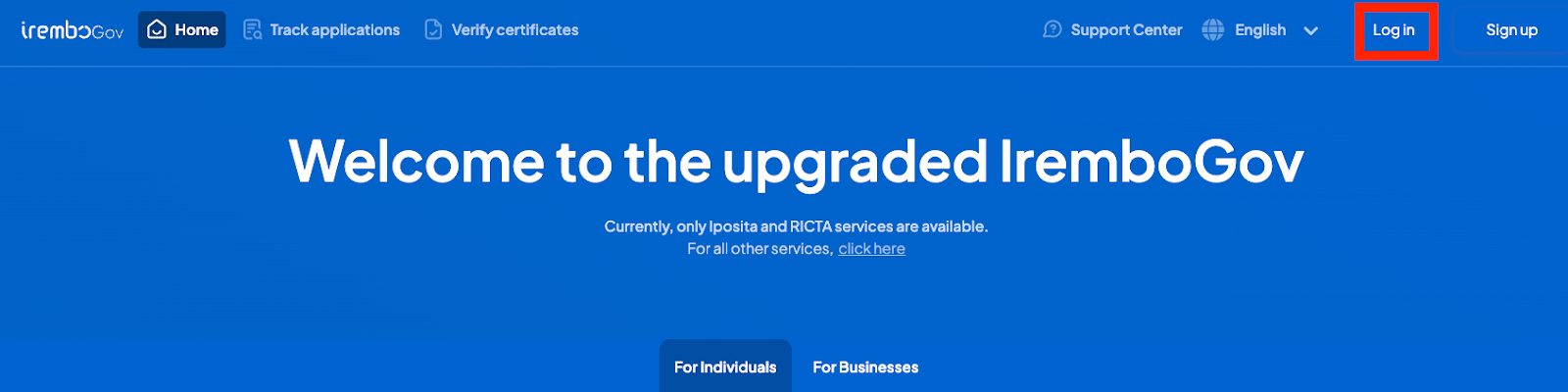
A new page is displayed. Follow a 2-step process to set up your account.
Submit Required Information: Enter your phone number or email address and password, confirm it, and then click on “ Create account.”
Note: A strong password should be at least 8 characters, Must have at least 1 number, Must have at least one capital letter, Must have at least one lowercase letter, and Must have a special character (.!*/-+)
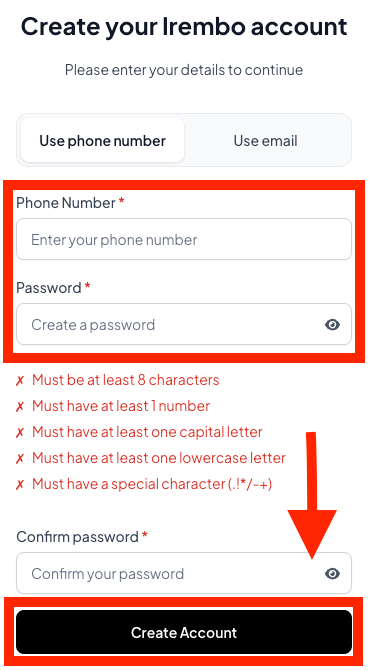
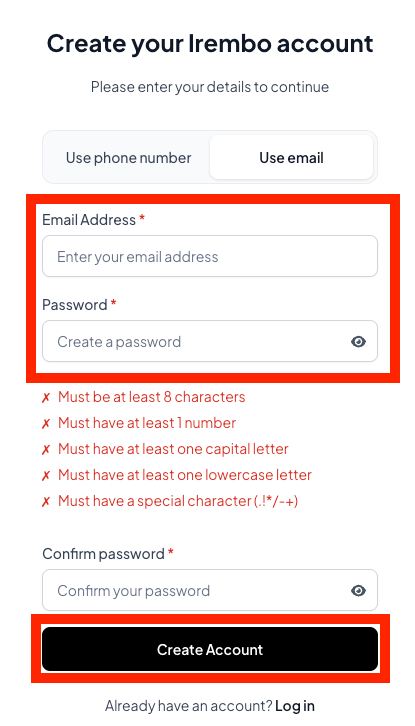
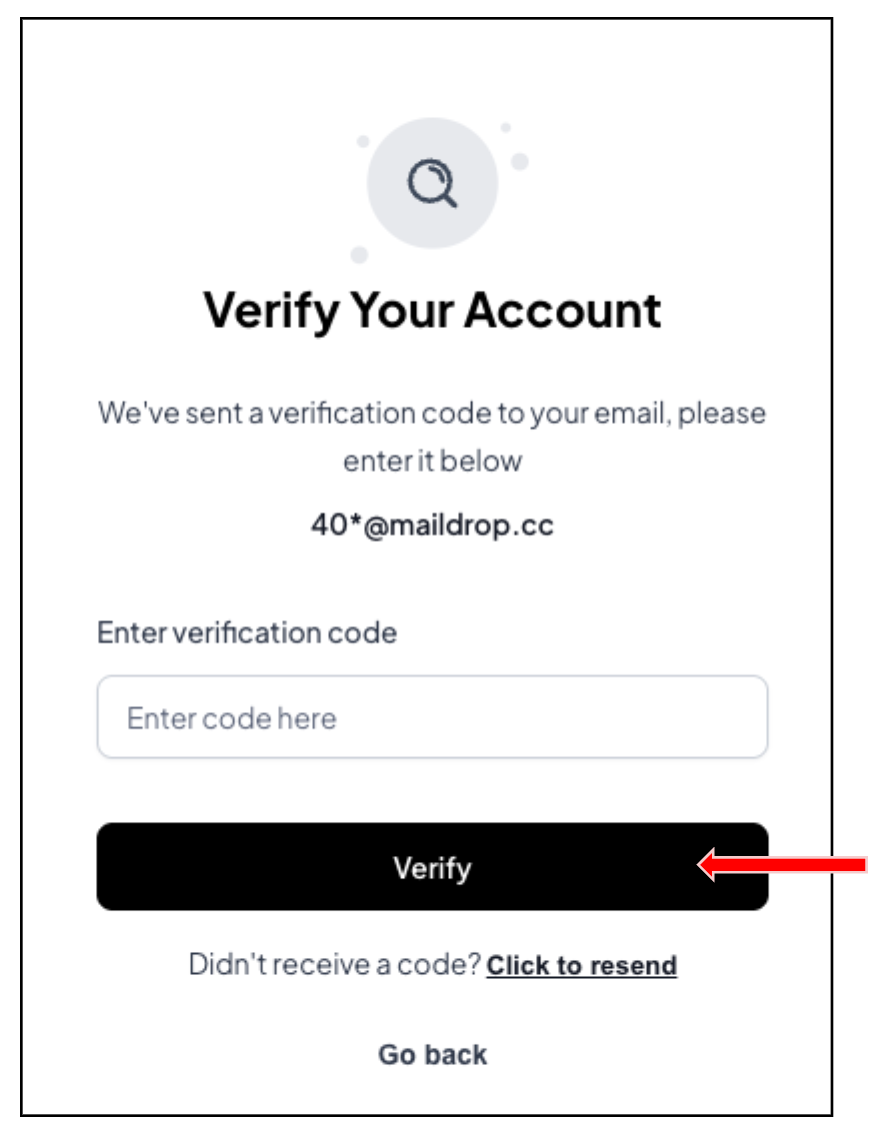
Account Verification: A verification code/One-Time Password (OTP) is sent to your phone number via SMS notification or Email . Enter the OTP and click on Verify.
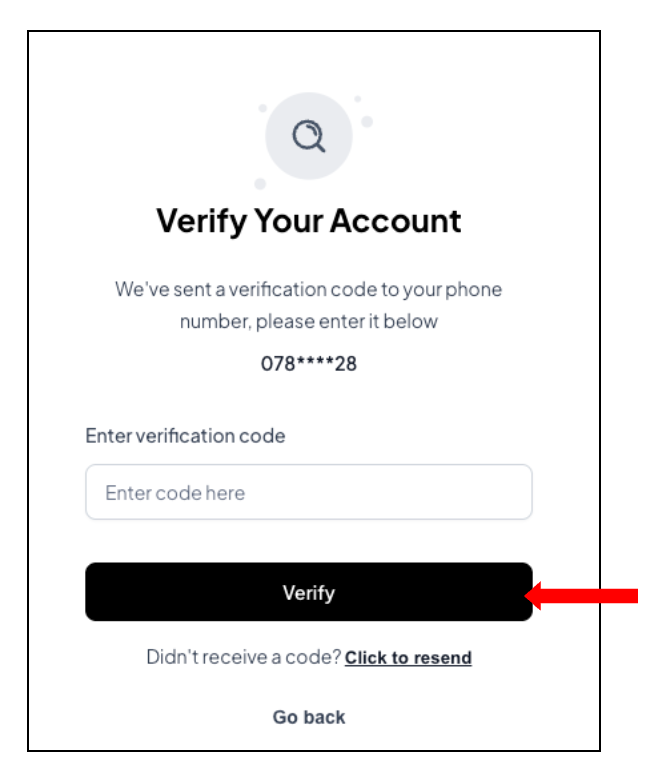
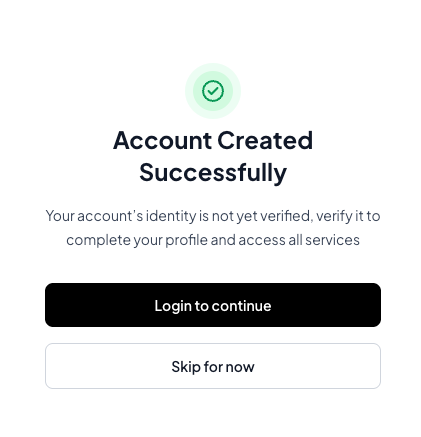
Now, you are good to go! You shall receive a notification from Irembo to confirm your account has been created.
Was this article helpful?
That’s Great!
Thank you for your feedback
Sorry! We couldn't be helpful
Thank you for your feedback
Feedback sent
We appreciate your effort and will try to fix the article