




Digital ID pre-enrollment is divided into 2 categories:
Single Digital ID pre-enrollment for dependents, which is for applicants who are below 16 and for persons with special needs.
Single Digital ID Adult self-pre-enrollment is intended for applicants aged 16 and above. For more information about this service, click here
Single Digital ID pre-enrollment for dependents allows guardians/parents to register and apply for the pre-enrollment SDID number for their dependents (children and persons with special needs).
Note: You can only apply on behalf of another person (as a guardian) if you are 18 years old or above.
The application enables the applicant or guardian to:
Provide demographic data online, and access, review, and update their personal identification details before being enrolled in the SDID (Single Digital Identity) system. This may involve the submission of supporting documents.
Book an enrollment appointment for biometric capture.
By enabling applicants and guardians to manage data before enrollment, this service ensures that the information used for identity purposes remains accurate, up-to-date, and aligned across multiple systems.
What Are the Benefits of the Digital ID?
You might wonder why we are transitioning to digital ID. Here’s why:
Improved security using advanced biometrics
Access to services faster and more securely
You have control over your personal data, and you choose what to share
What to Know Before Applying for Pre-enrollment?
To apply, you must be logged in to your account. If you don’t have one, click here to learn how to create it.
You must have a National ID, Foreigner ID, or NIDA application number.
If you don’t have any identification documents, visit your local sector or cell office for Civil Registration and Vital Statistics (CRVS) registration.
Additional attachments, such as a copy of an ID or birth certificate, may be required depending on the case.
How to apply for this service?
Step 1: Visit www.irembo.gov.rw and log in to your Irembo account. If you don’t have one, click here to learn how to create it.
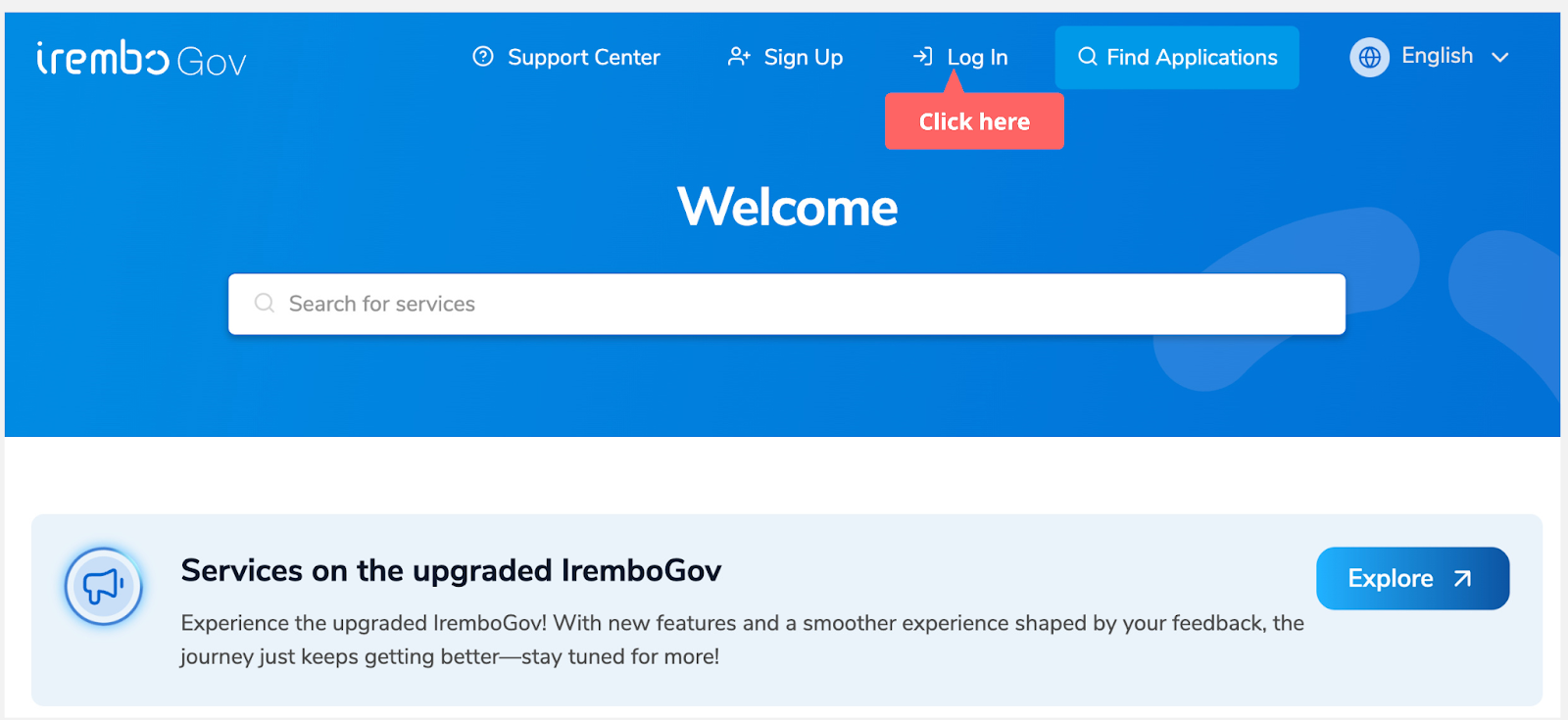
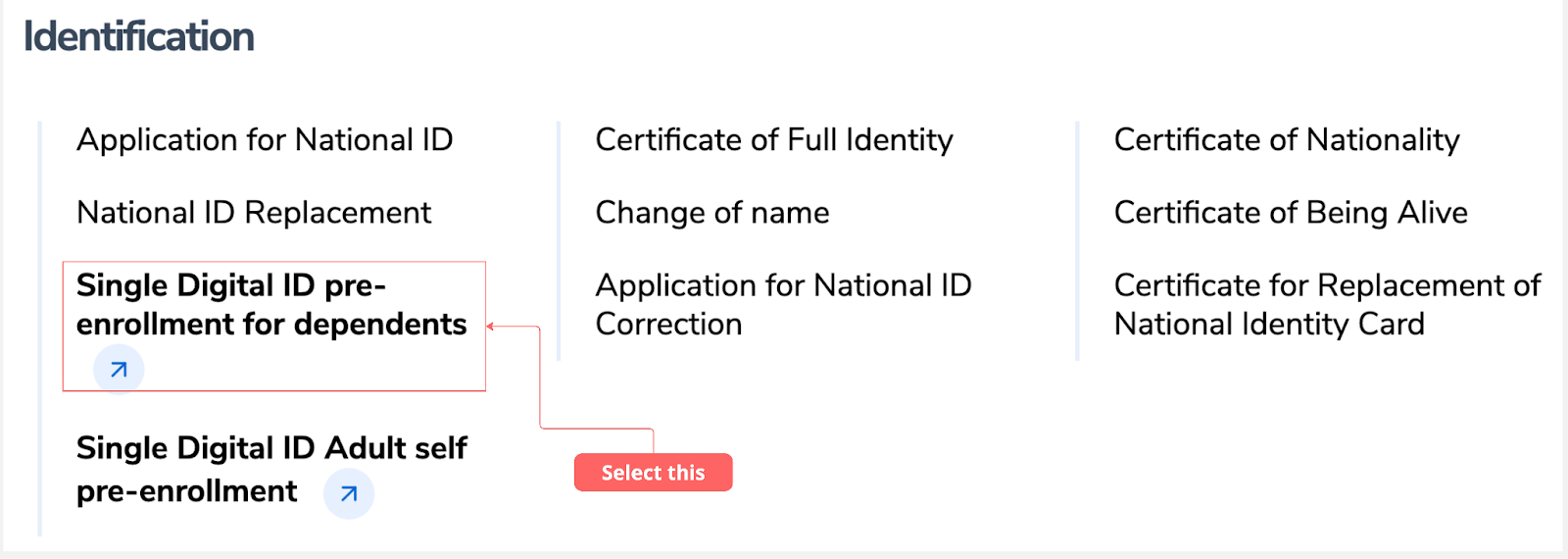
Step 2: Scroll to the Identification category, then click Single Digital ID pre-enrollment for dependents.
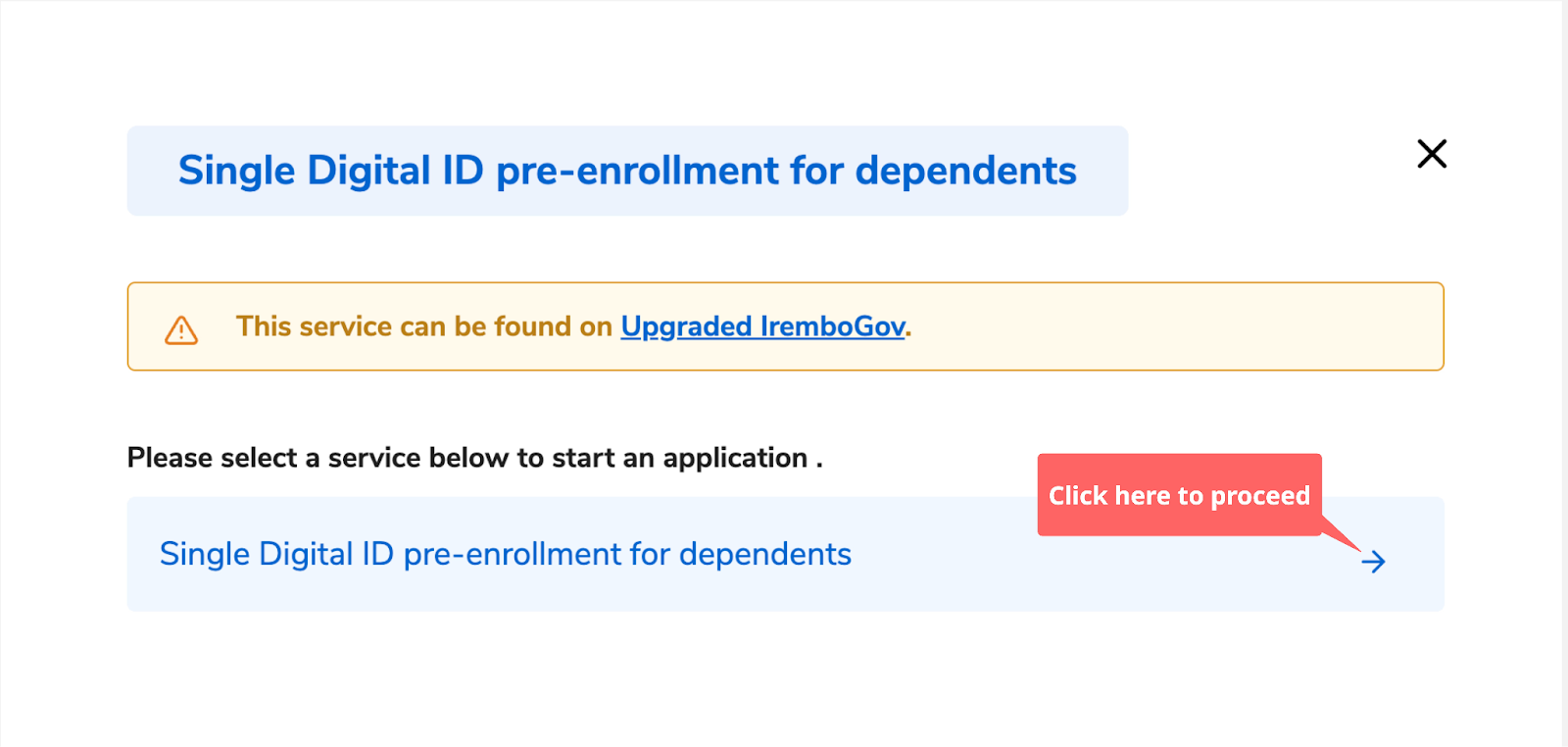
Step 3: Once you select the service, a new window will open to allow you to proceed.
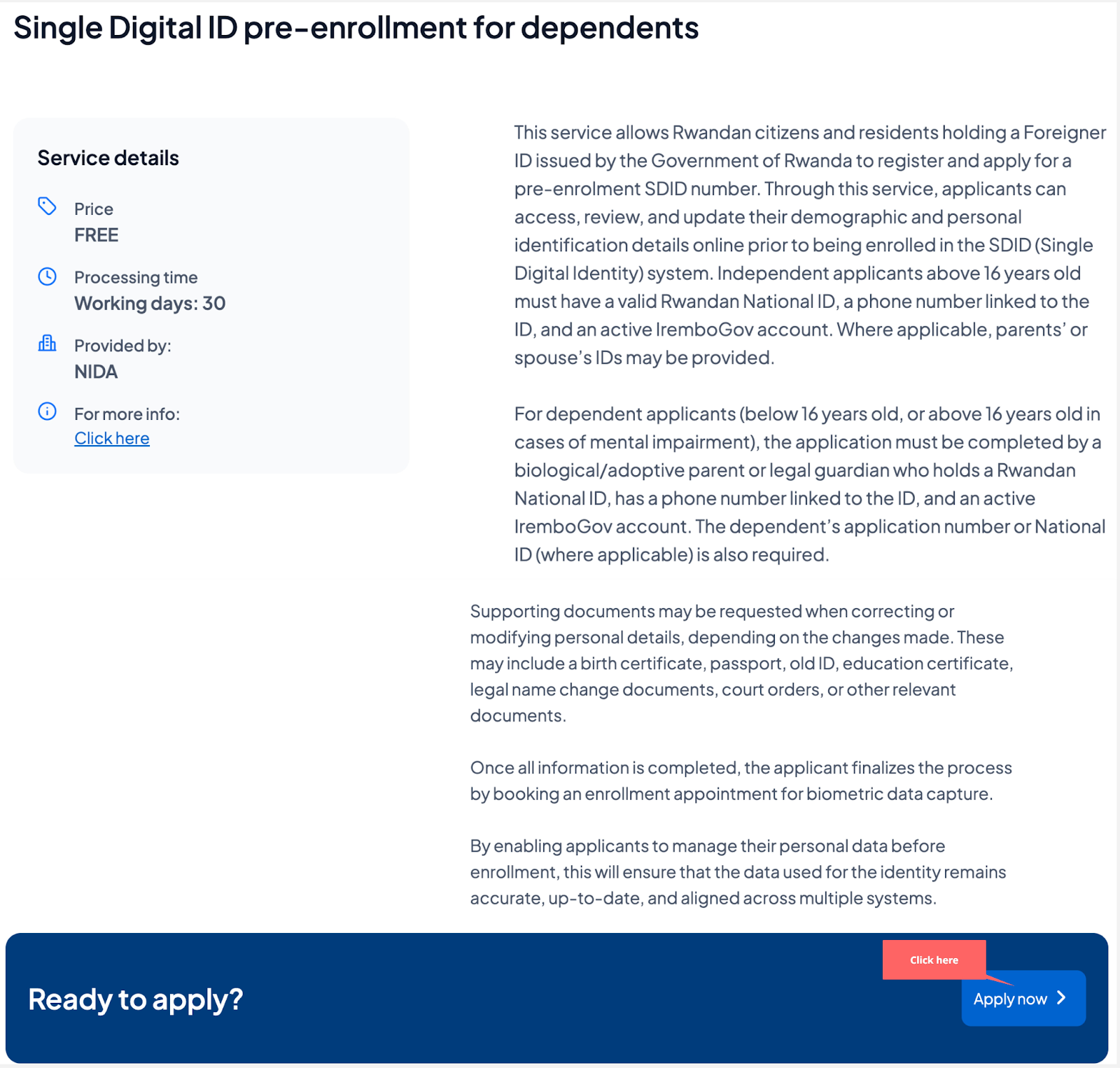
Step 4: Click “apply” to start the application process
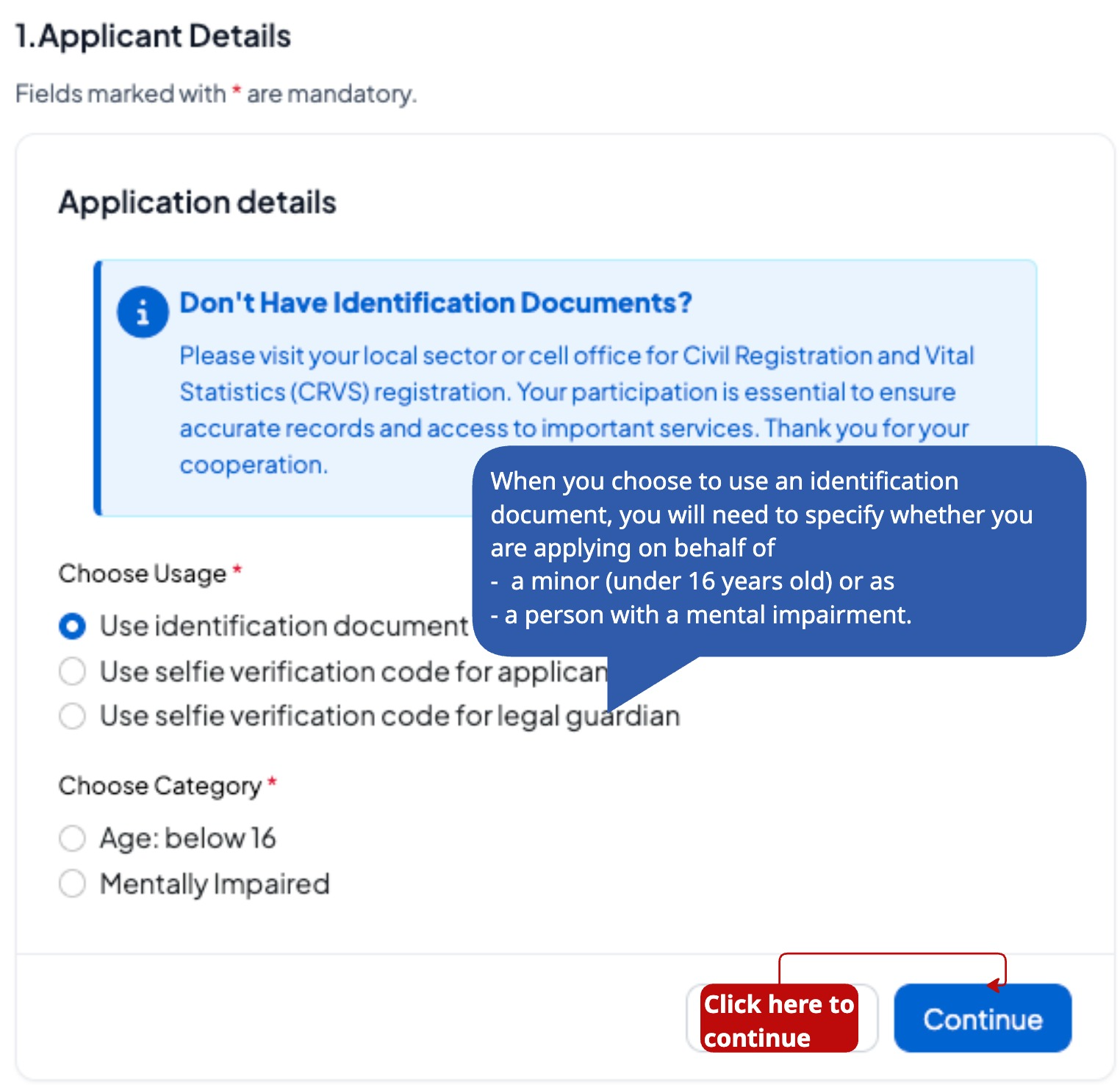
Step 5: Select whether you are applying with an identification document, selfie code verification for the applicant or selfie code verification for the legal guardian, then click Continue to proceed. Then choose whether you are applying on behalf of children and persons with special needs
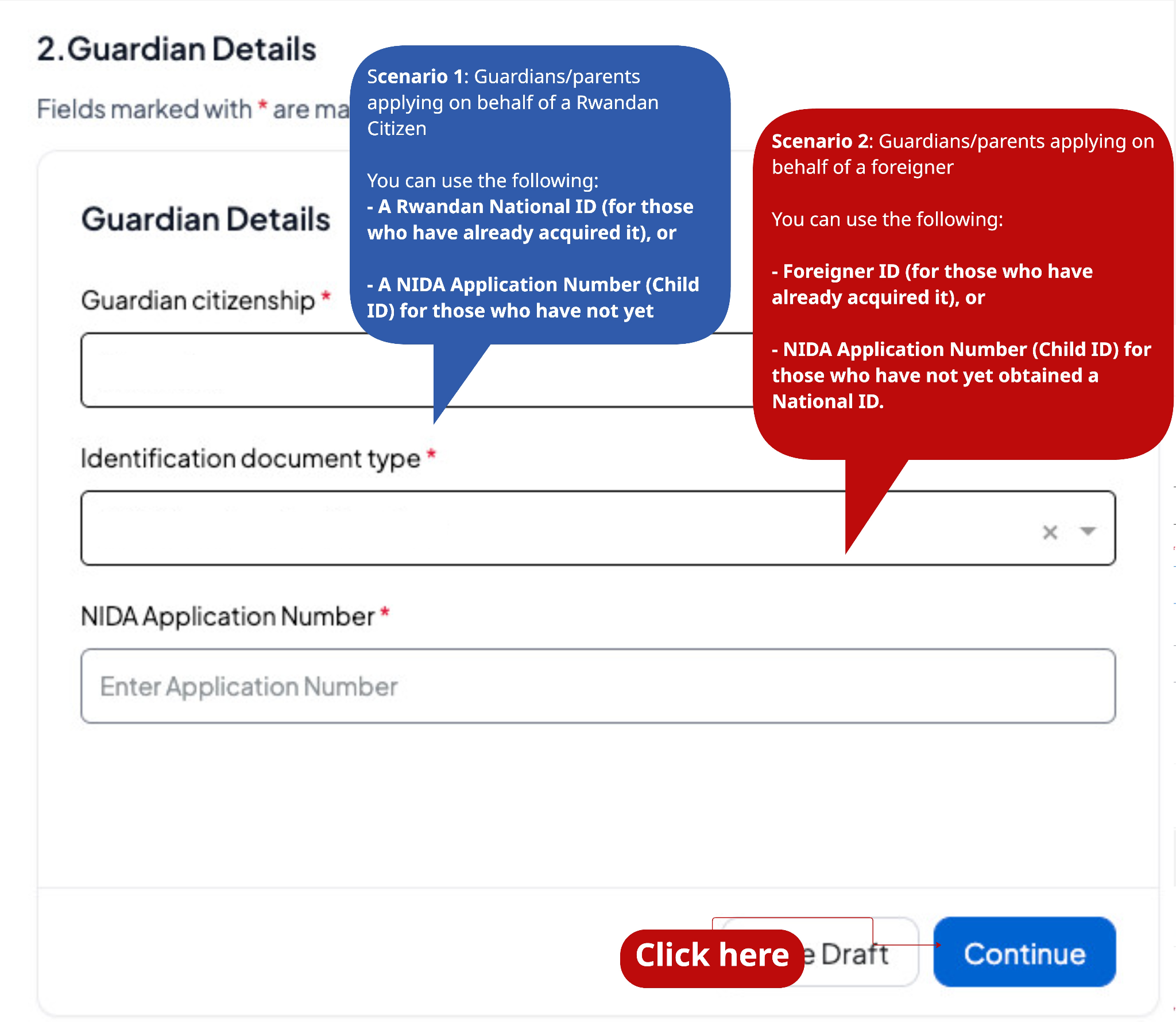
Step 6: Enter guardian details (if you are Rwandans or a foreigner)
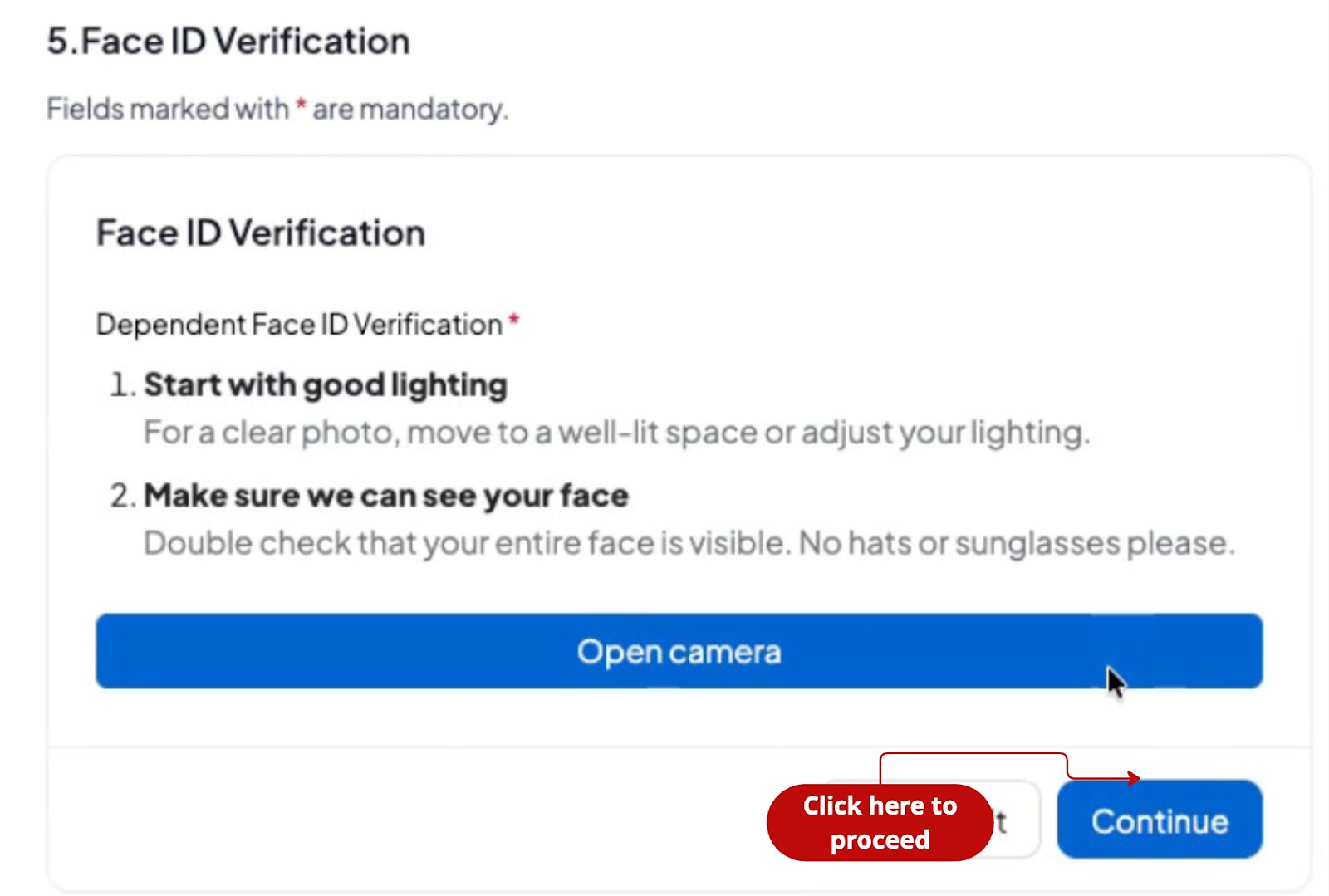
Step 7: Use your face to verify your identity, and then click continue.
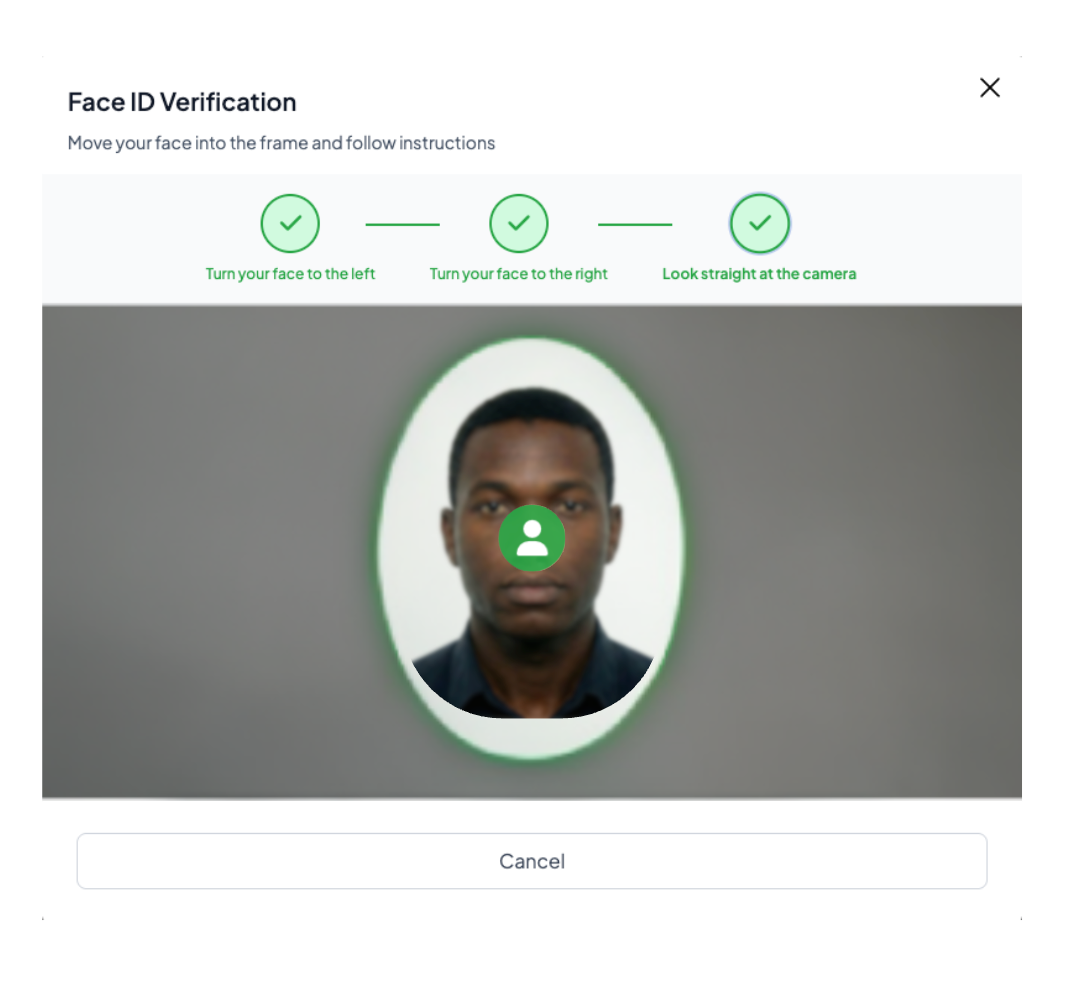
Step 8: As a guardian or parent, please align your face with the directional arrows to complete the face verification procedure. When the arrow turns green, you can move on to the next position. There are three positions to capture: the left side, the right side, and the center of your face profile.
Turn Left;
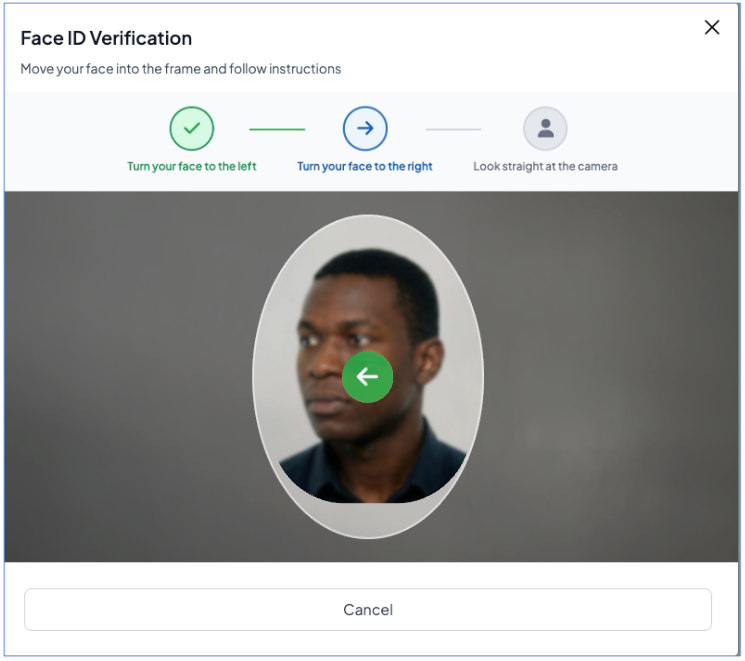
Turn right.
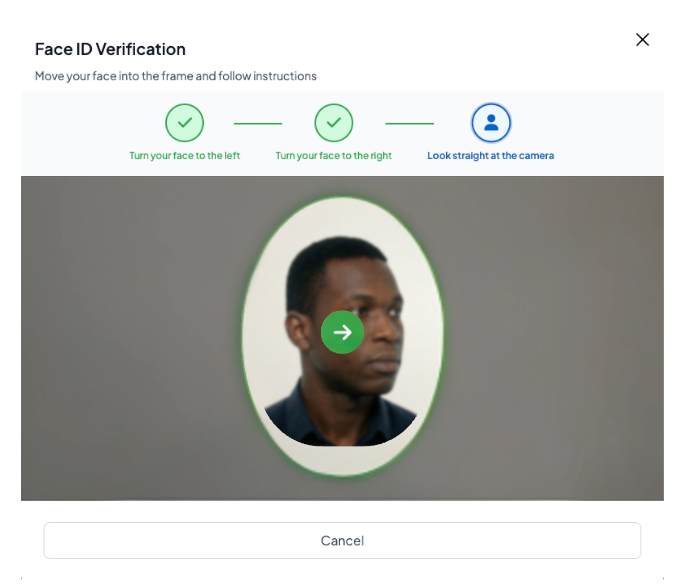
Look straight at the camera;
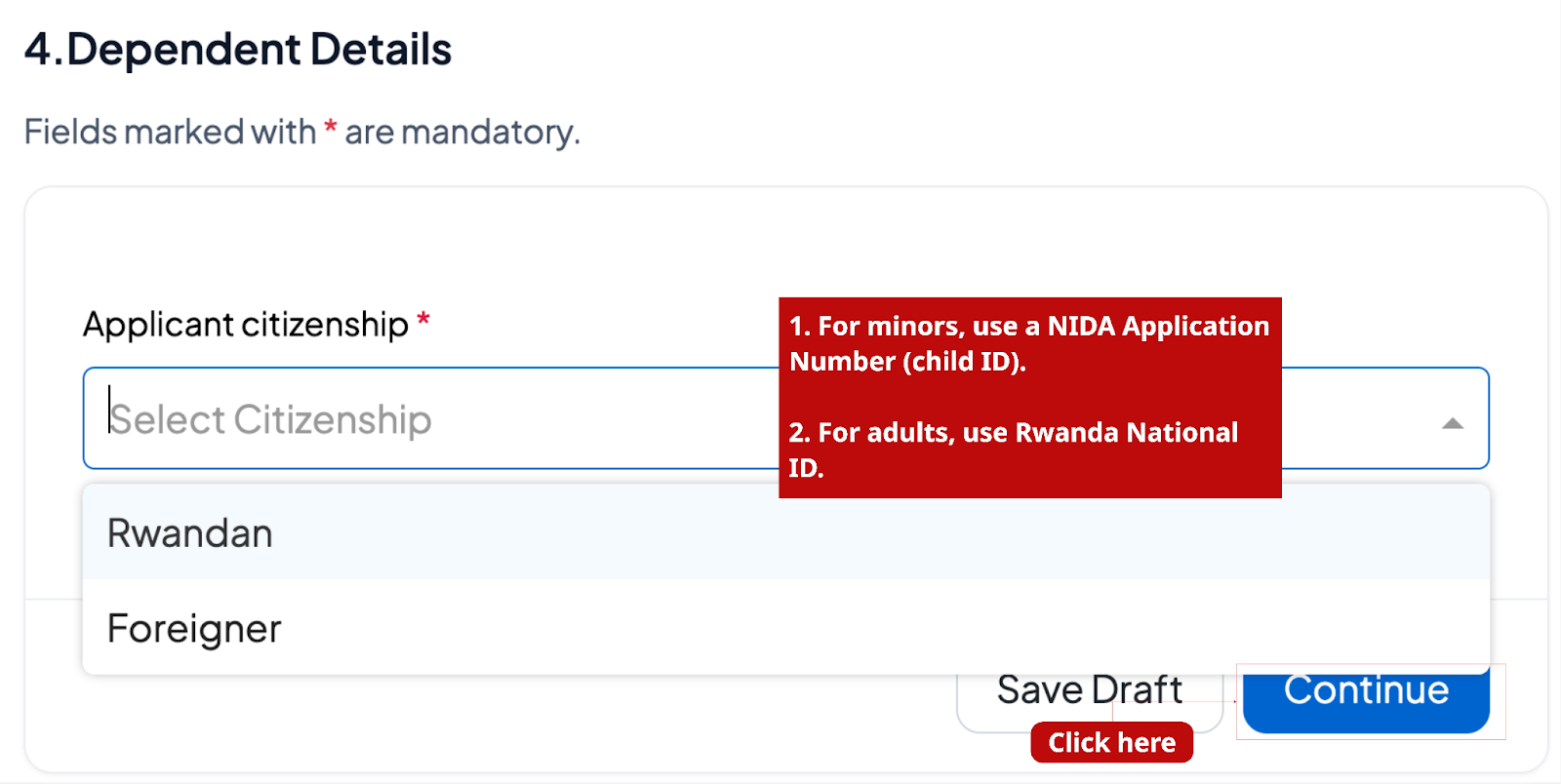
Step 9: Fill in the dependents' details.
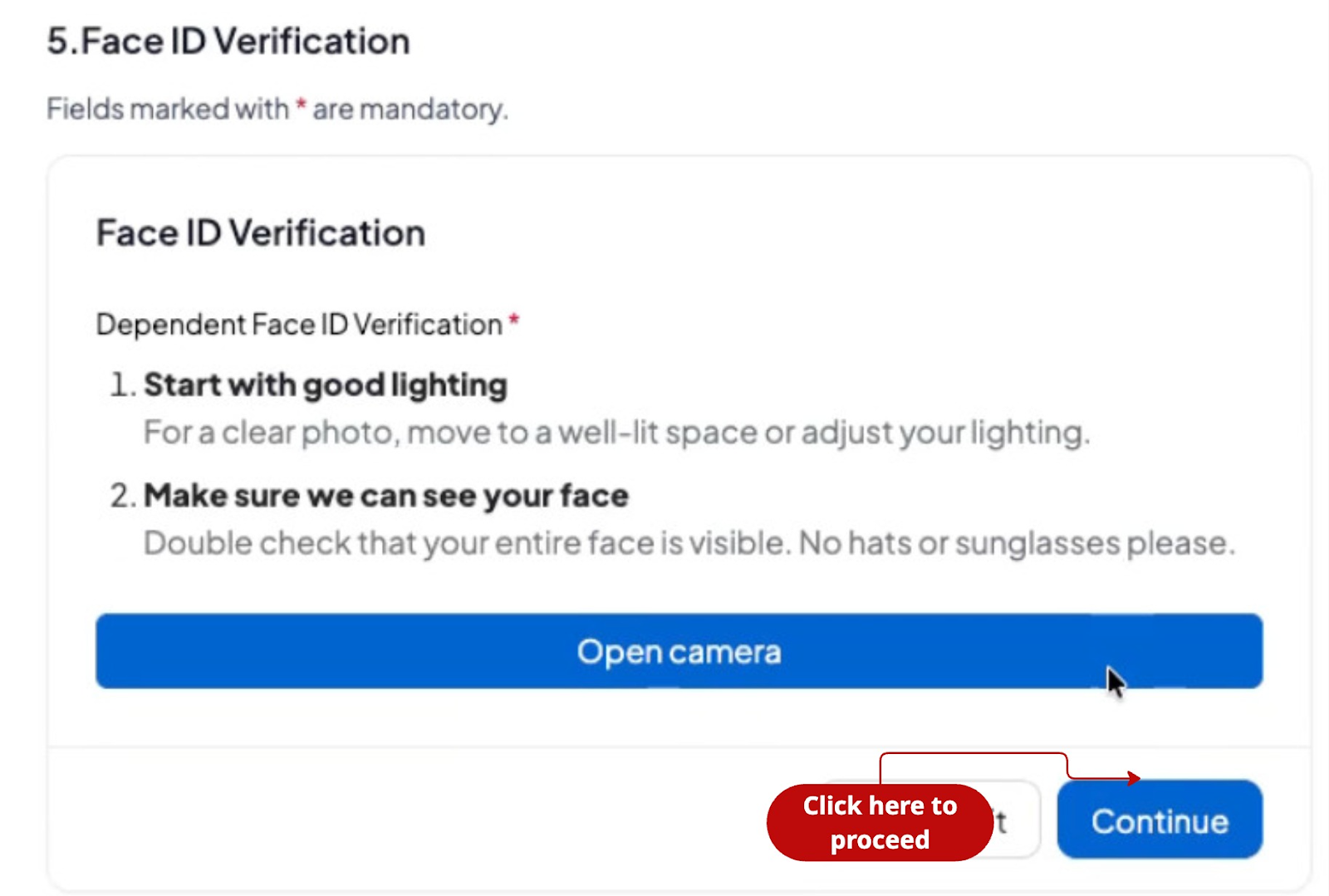
Step 10: Open the camera to verify the dependent's identity and then click continue.
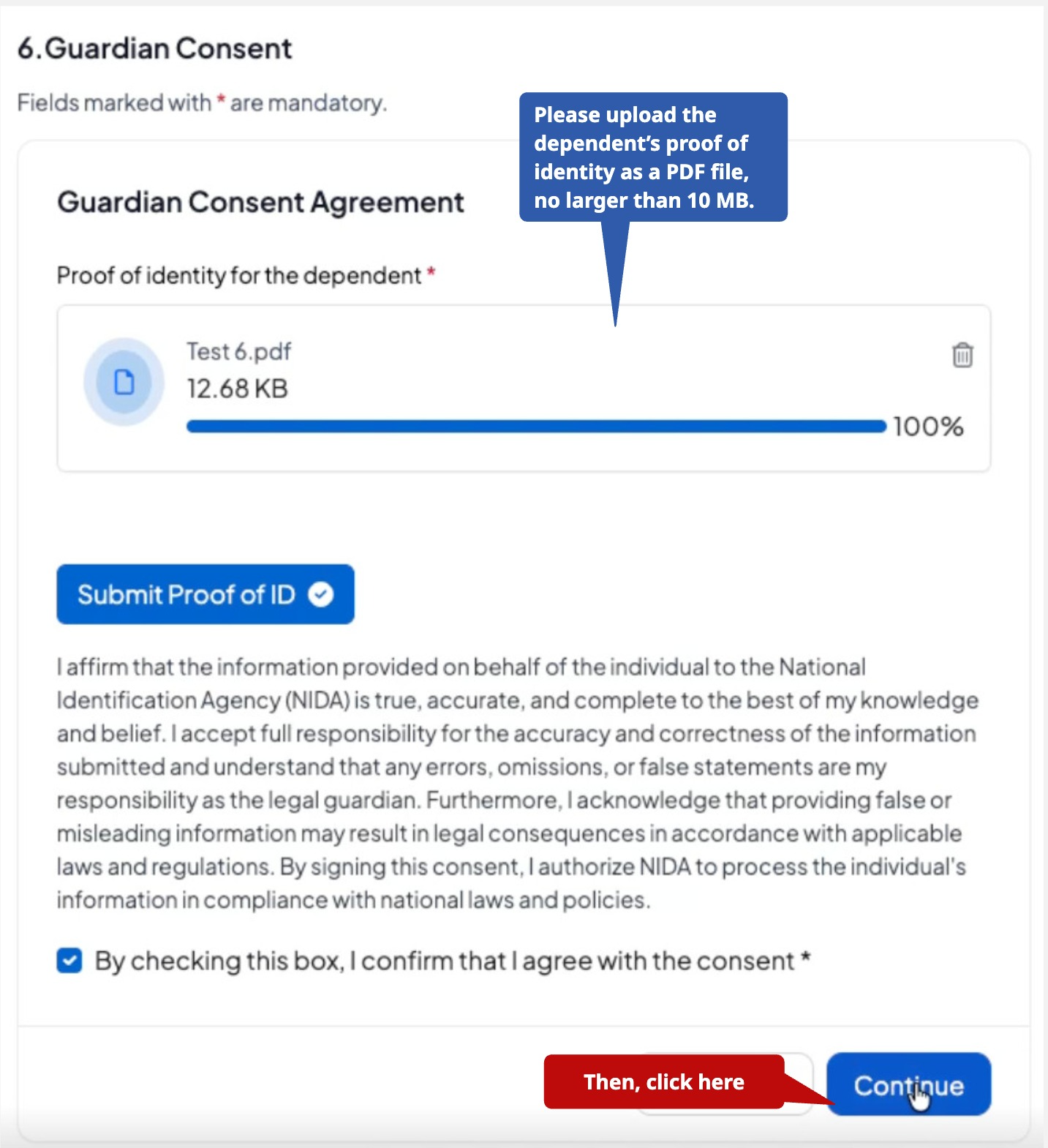
Step 11: Upload the Guardian consent agreement
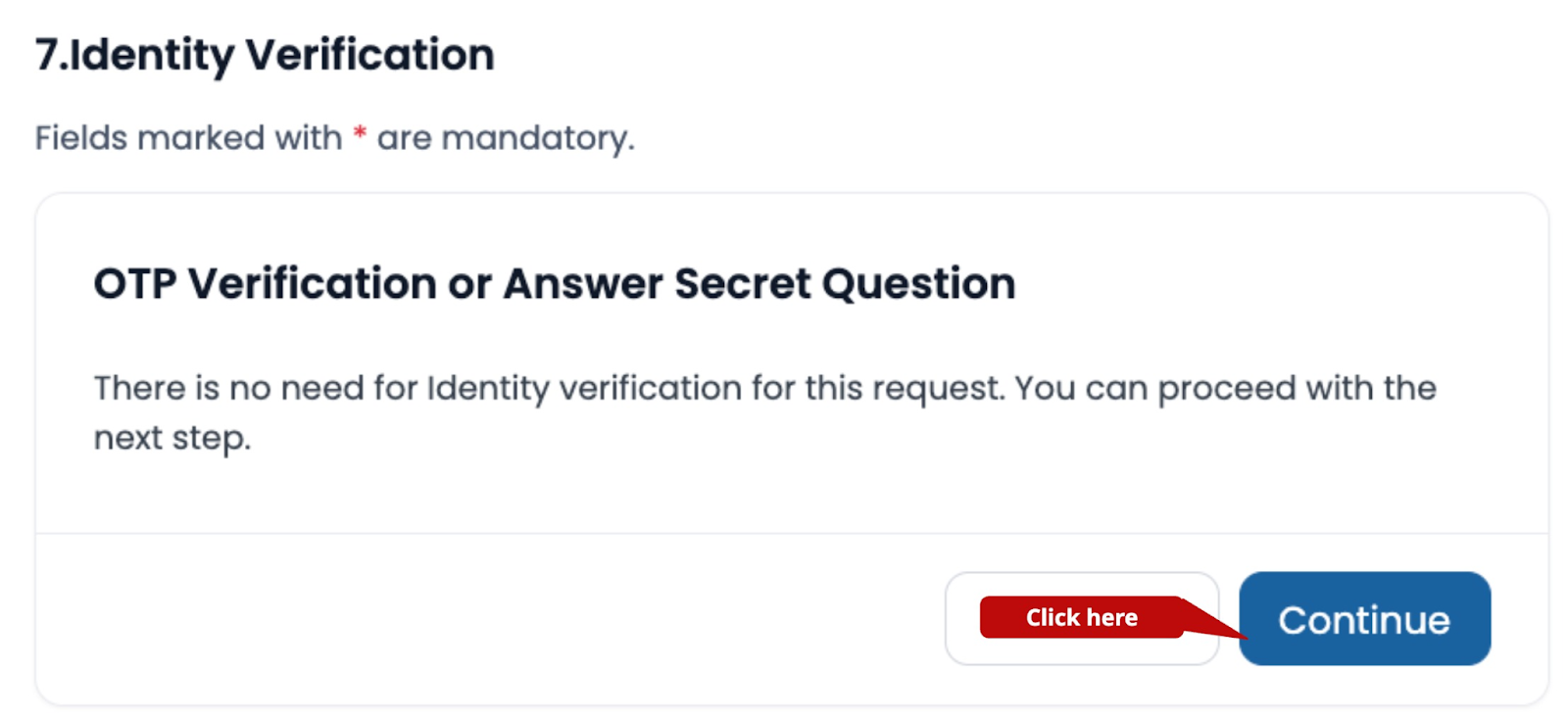
Step 12: Identity verification, then click to “continue.”
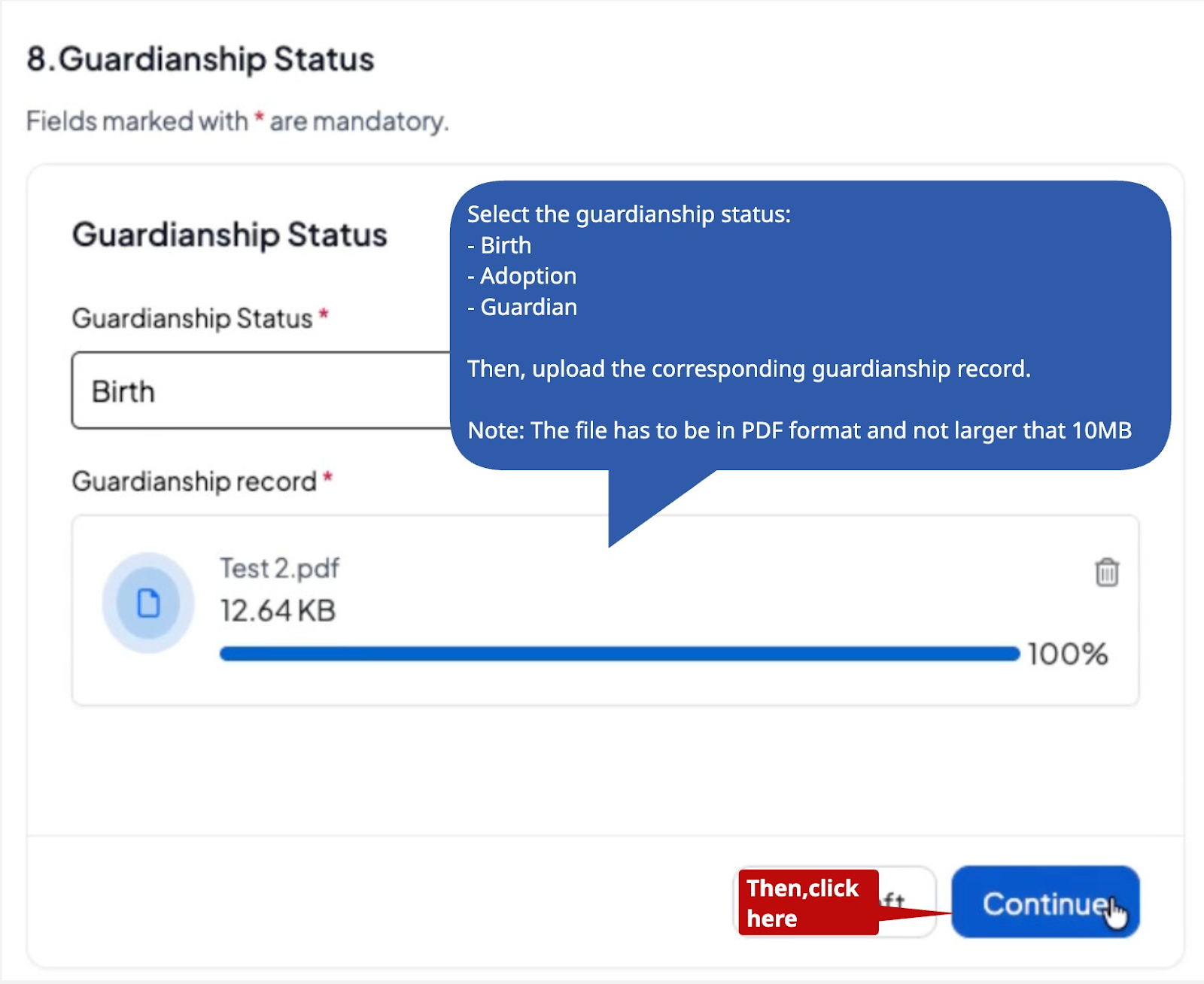
Step 13: Fill in the guardian status details
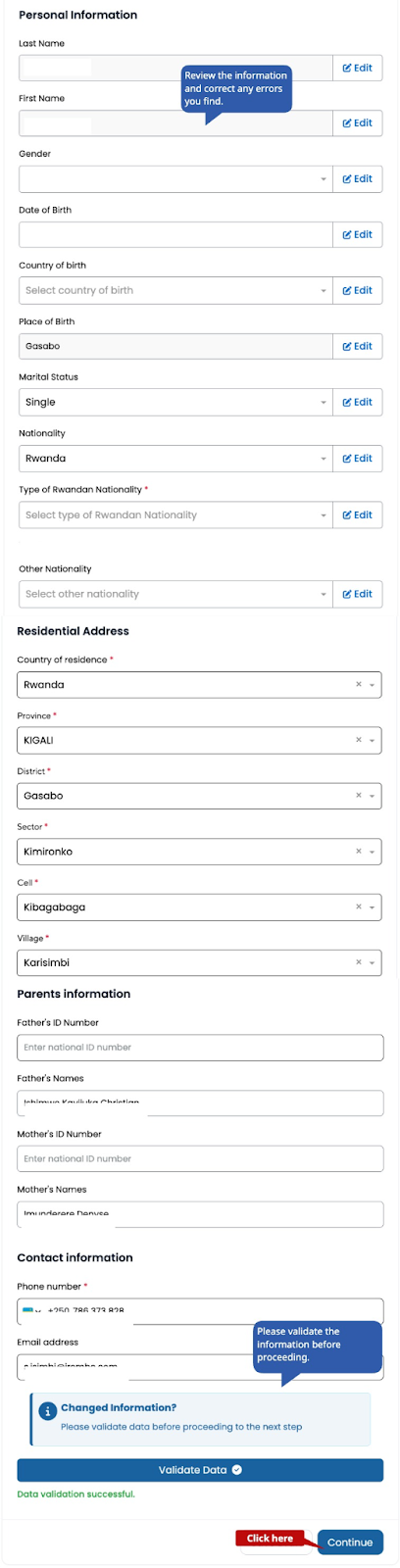
Step 14: Verify and register personal information for the person you are applying on behalf of, such as personal information, resident details, parents' information, and contact information, then click continue.
Step 15: Upload the required documents if requested.
Step 16: Verify that the information is true, enter a phone number (local) and email address, check the verification box, and click "Create an application."
What Happens After Submitting a Pre-Enrollment Application?
After successfully completing pre-enrollment:
You will receive a notification via SMS or email confirming that the application has been successfully submitted.
Once received and approved, you will receive a confirmation with a pre-enrollment number and an appointment date to provide the biometric data at the nearest center via email or text message
Was this article helpful?
That’s Great!
Thank you for your feedback
Sorry! We couldn't be helpful
Thank you for your feedback
Feedback sent
We appreciate your effort and will try to fix the article