


Does your Memorandum of Understanding (MoU) with MIGEPROF need to be renewed and you want to know where and how to start?
Here's everything you need to know about applying for a Renewal of a Memorandum of Understanding (MoU) with MIGEPROF.
A. What does this service entail?
This service allows eligible international and national organizations and private companies to renew their Memorandum of Understanding (MoU) with the Ministry of Gender and Family Promotion (MIGEPROF).
This service is provided by the Ministry of Gender and Family Promotion (MIGEPROF).
B. Who is eligible for this service?
This service is available to international and national organizations and private companies.
C. What you need before you start applying
Here is all you need:
Applicants with or without an IremboGov account can apply for this service. To create an account, click here.
Applicants should have a valid phone number and email address.
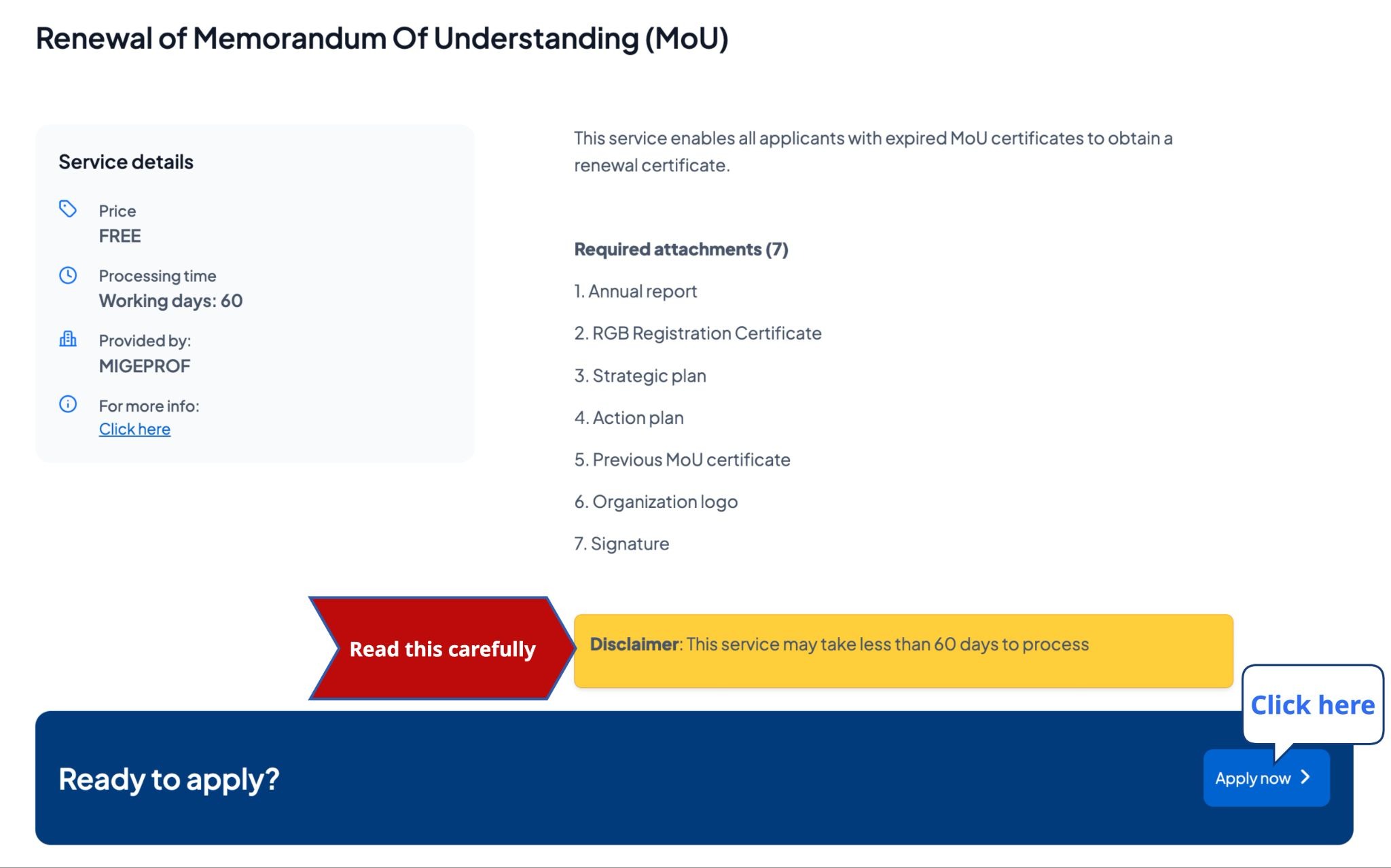
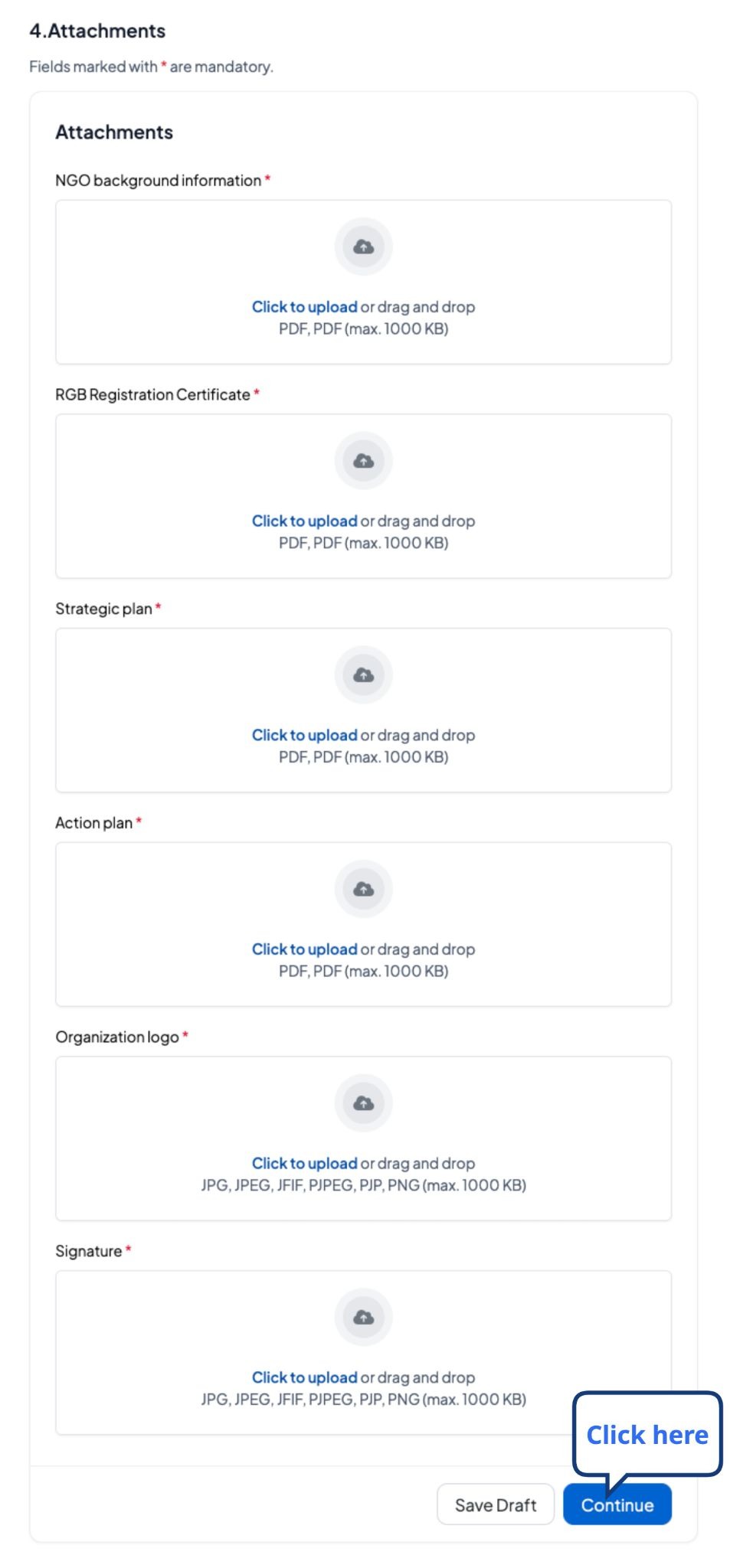
Required attachments (7)
Annual report
RGB Registration Certificate
Strategic Plan
Action Plan
Previous MoU certificate
Organization logo
Signature
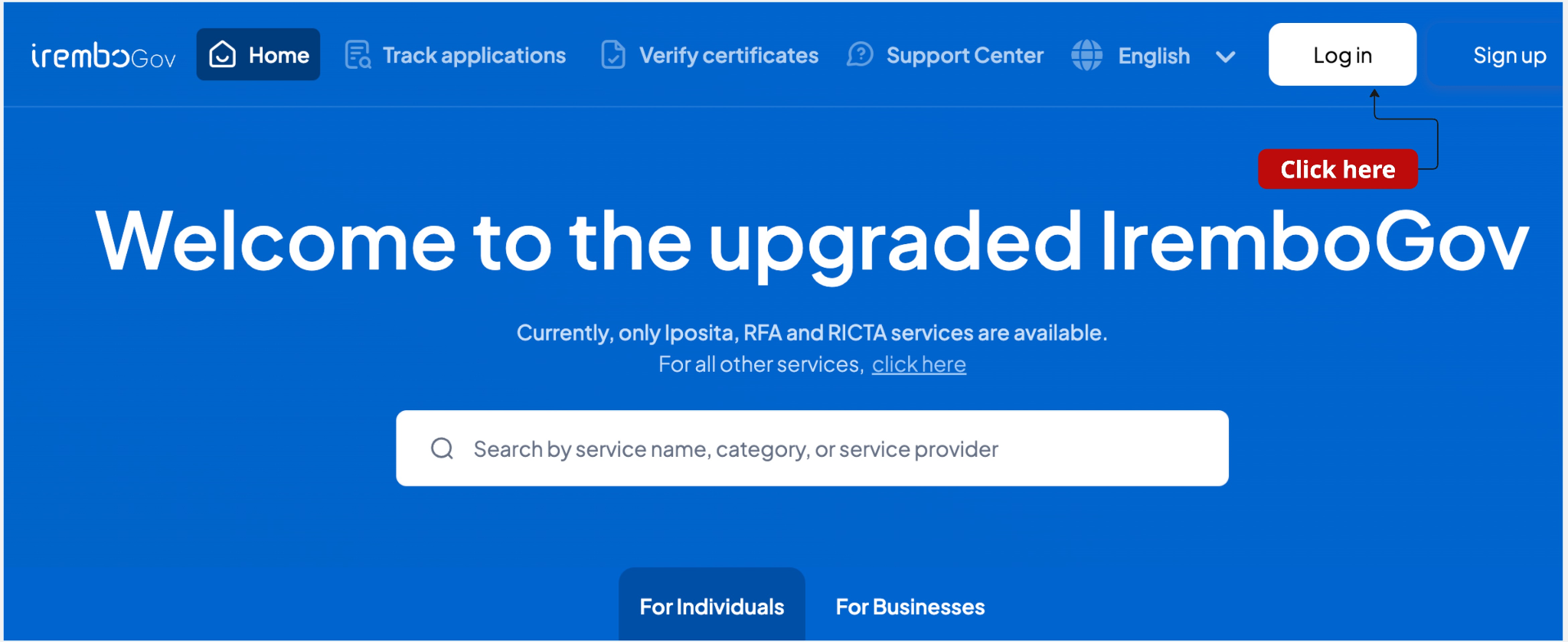
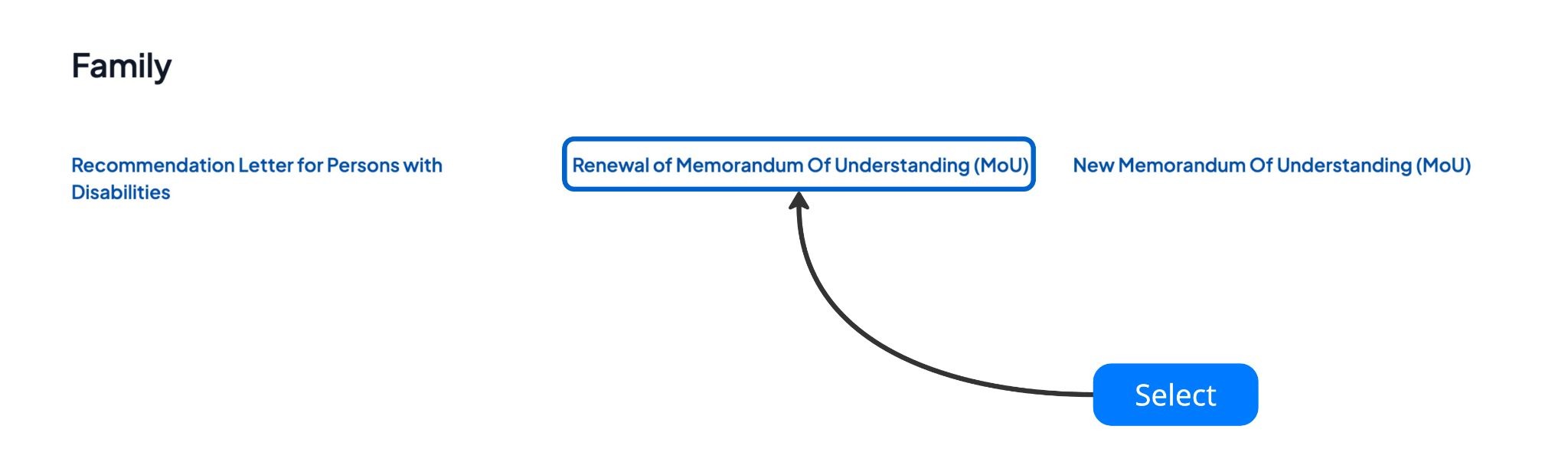
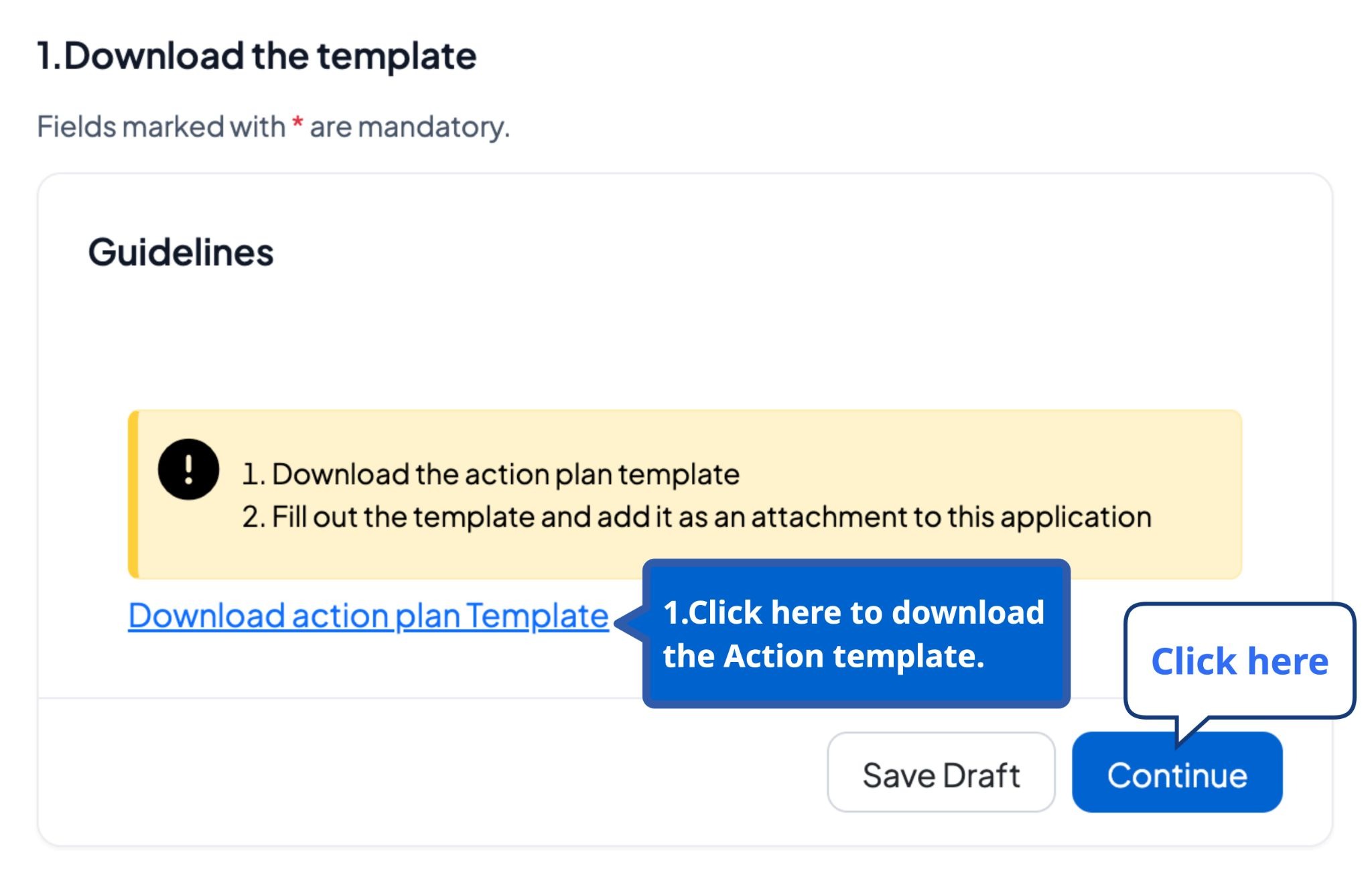
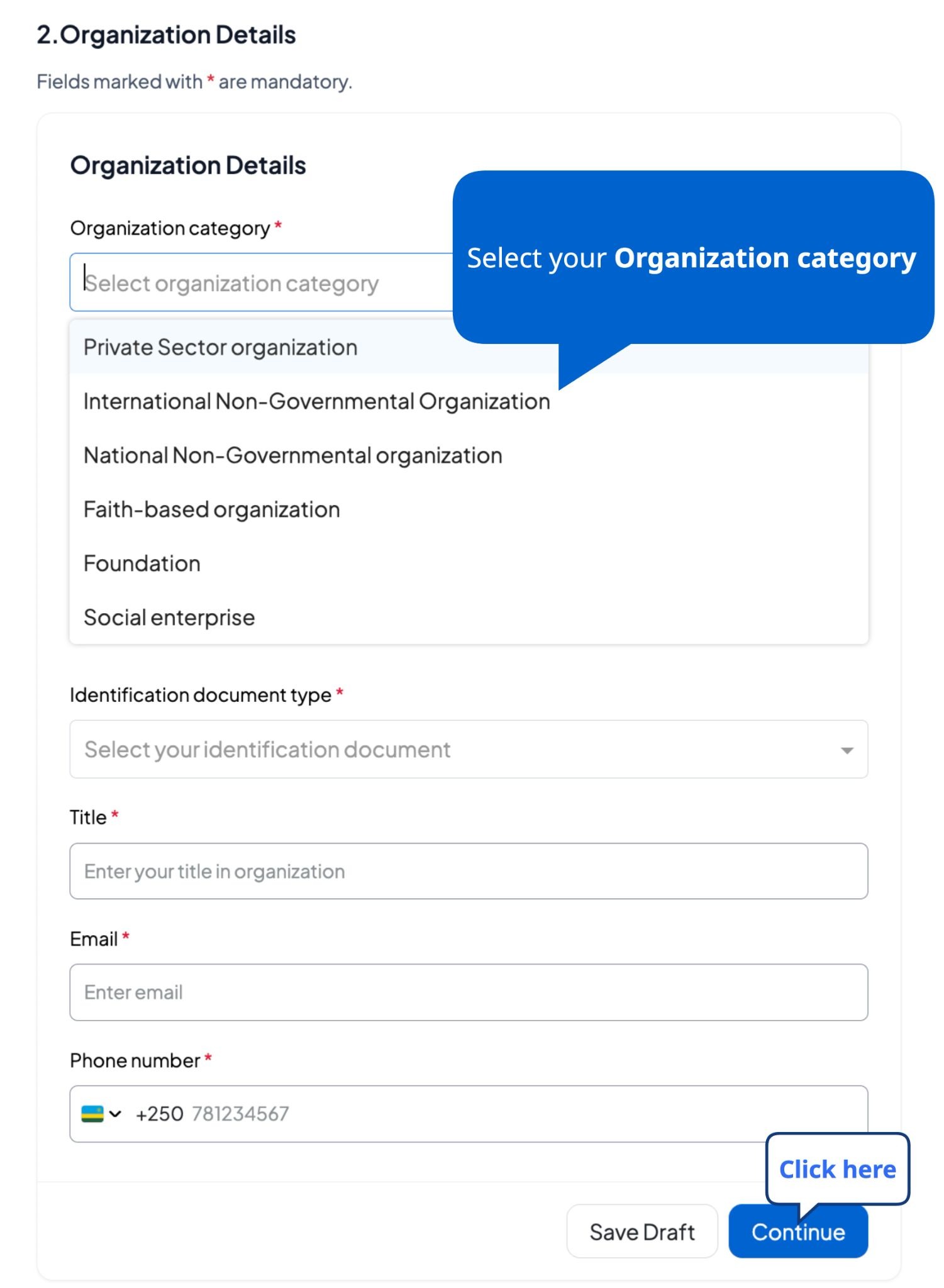
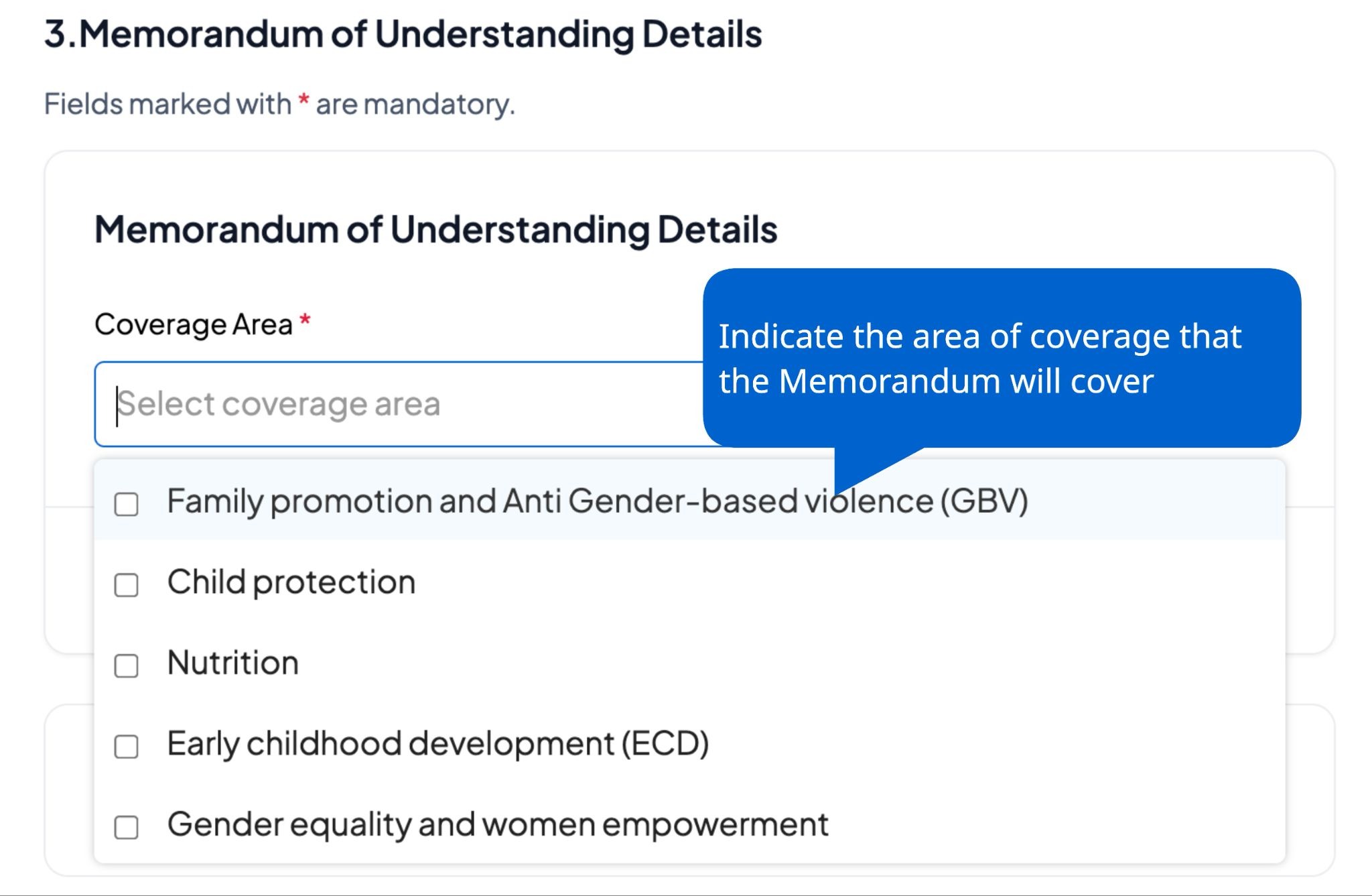
Step-by-step: How to apply for a Renewal of a Memorandum of Understanding (MoU)
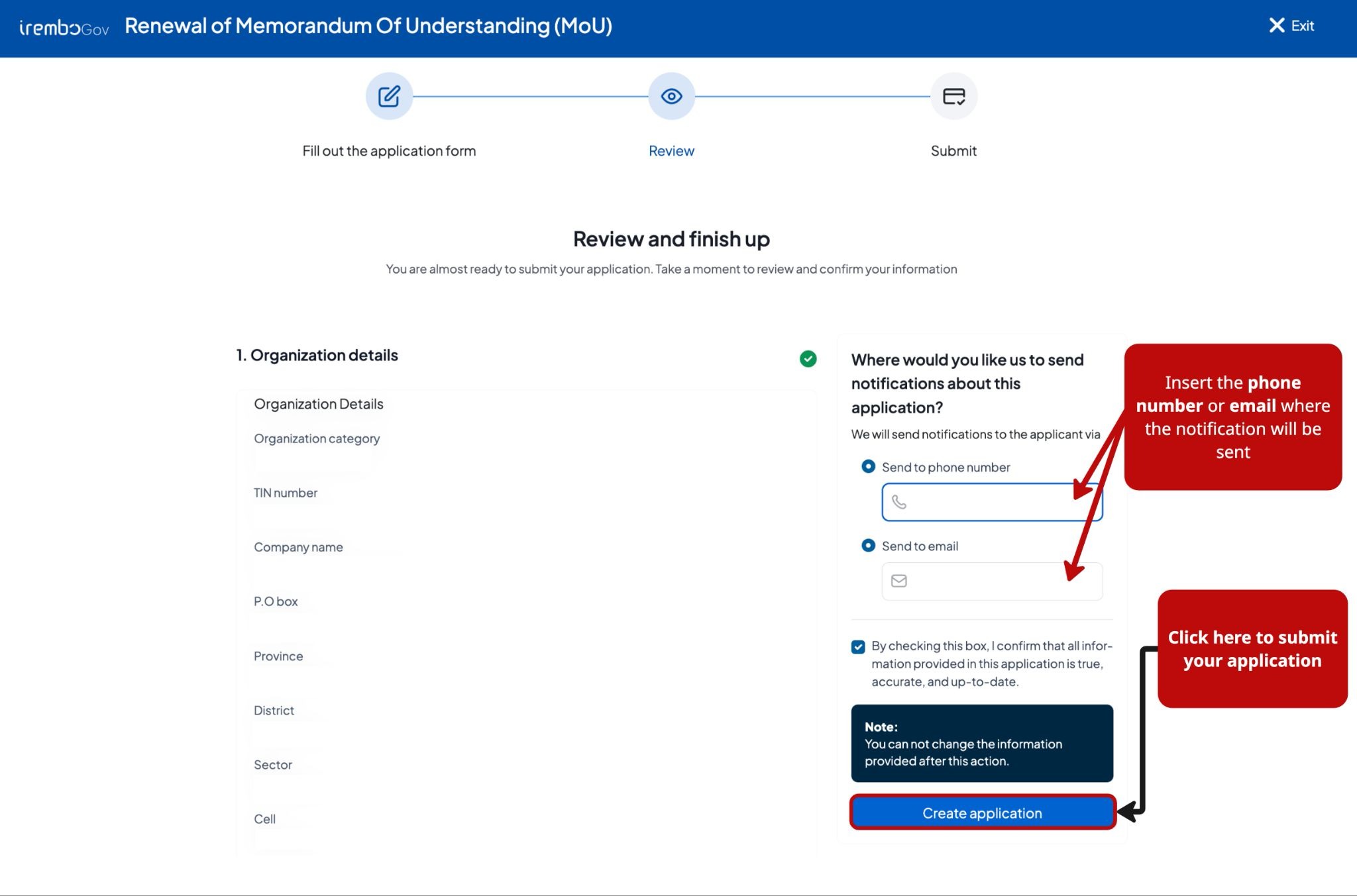
D. What to expect after submitting your application
After applying, an application number (C2...) is sent so you can track your application status.
Once your application has been reviewed and approved by MIGEPROF, you will receive your MoU via email. You can also download it from the IremboGov platform using your application number.
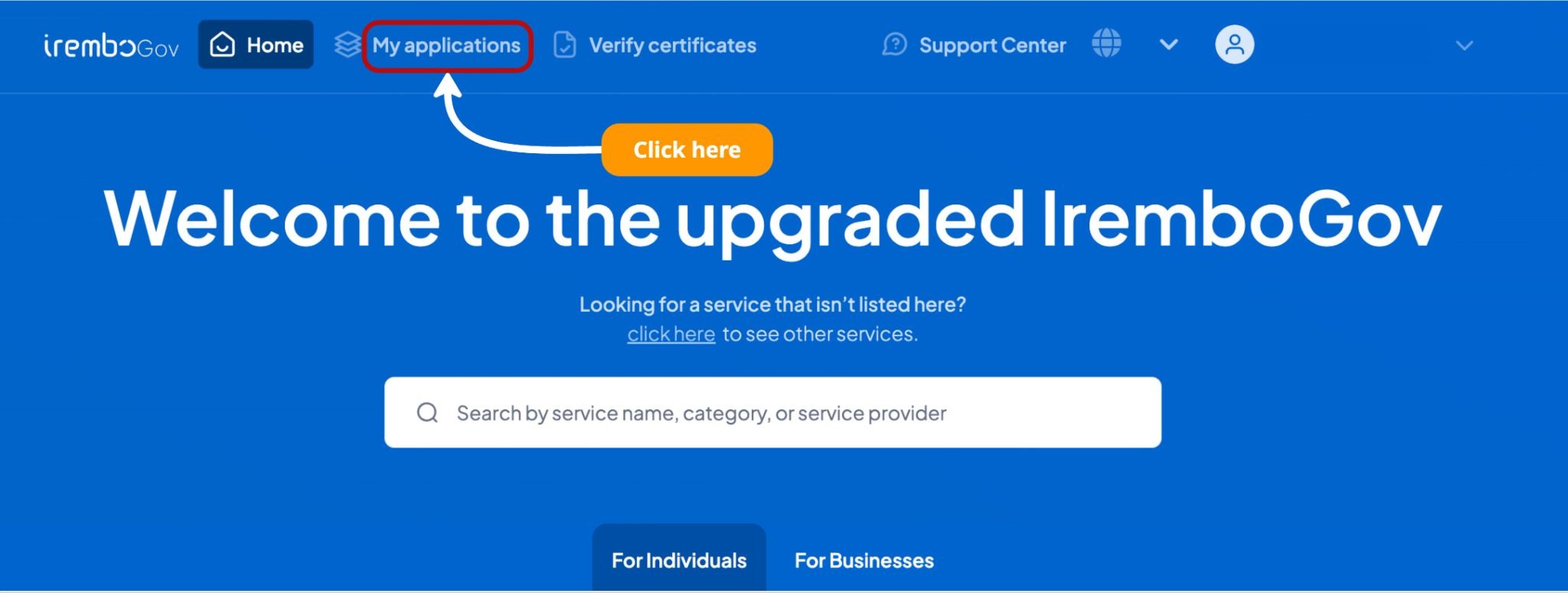
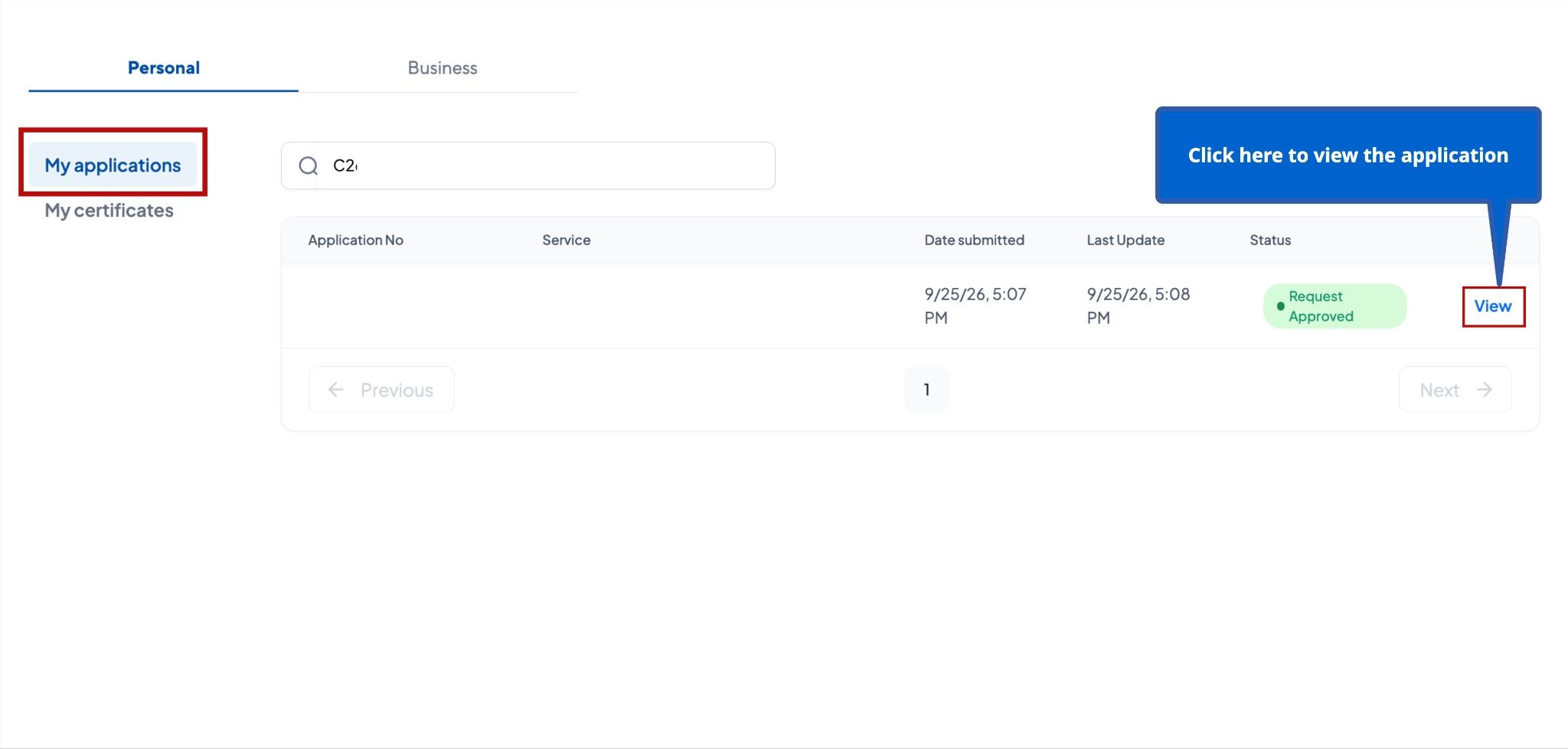
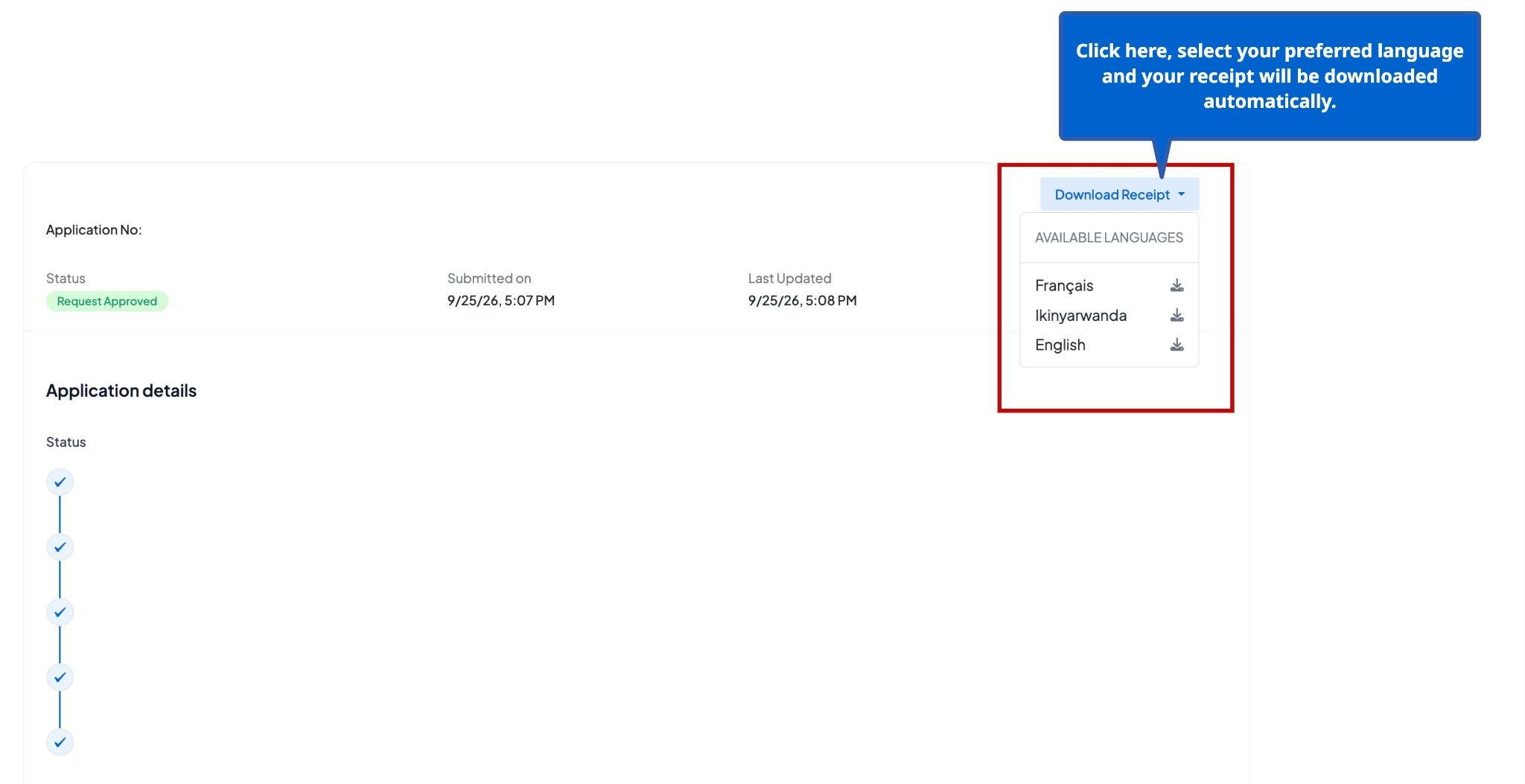
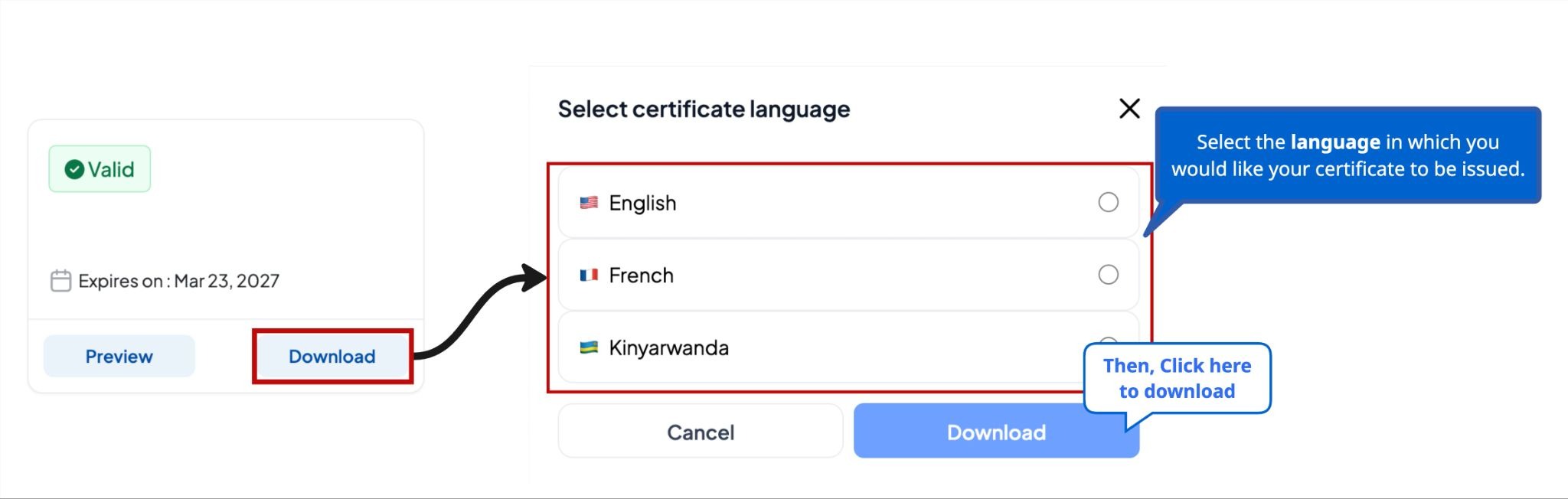
If you also choose to receive notifications through your email address, the MoU will be sent to that address.
Ready to apply? Click here and submit your application instantly.
Was this article helpful?
That’s Great!
Thank you for your feedback
Sorry! We couldn't be helpful
Thank you for your feedback
Feedback sent
We appreciate your effort and will try to fix the article