




Are you living, studying, or working in the Diaspora? Rwanda’s revolution in digital governance has reached you.
As Rwanda prepares to roll out its groundbreaking Single Digital National ID (SDID / e-ID), every citizen living in Rwanda or abroad is invited to complete their online self-pre-enrollment.
Getting your Digital ID is now fast, secure, and fully accessible online.
Don't wait for your next trip to Rwanda, take control of your identity today!
What Is Pre-Enrollment?
Pre-enrollment is the official first step toward receiving your Single Digital Identity (SDID) number. It allows you to review and update your personal details remotely, upload necessary supporting documents, and book a biometric capture appointment at your nearest Rwandan Diplomatic Mission (Embassy, High Commission, or designated outreach center).
What Are the Benefits of the Digital ID?
You might wonder why we are transitioning to Digital ID. Here’s why:
Improved security using advanced biometrics
Access to services faster and more securely
You have control over your personal data, and you choose what to share
Works both online and offline
What to Know Before Applying for Pre-enrollment
To apply, you must be logged in to your account. If you don’t have one, click here to learn how to create it.
For Digital ID pre-enrollment for adults, you must be 18 years or older.
You must have:
A National ID
Foreigner ID
NIDA application number.
Spouse’s ID (if married)
Parent’s ID (if available)
If you don’t have any identification documents, visit the nearest Embassy.
Supporting documents may be requested when correcting or modifying personal details, depending on the changes made. These may include a birth certificate, passport, old ID, education certificate, legal name change documents, court orders, or other relevant documents.
How to apply for this service?
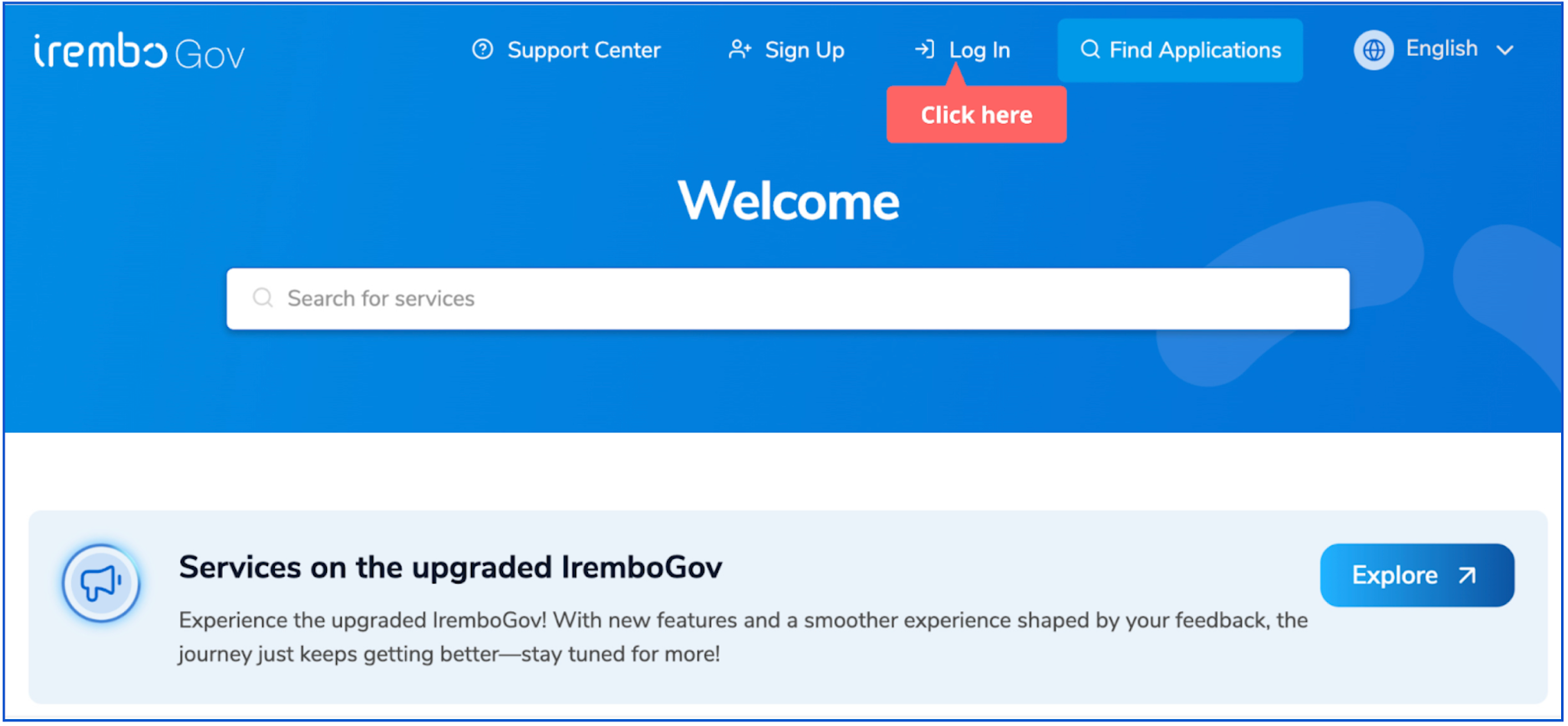
Visit www.irembo.gov.rw and log in to your Irembo account. If you don’t have one, click here to learn how to create it.
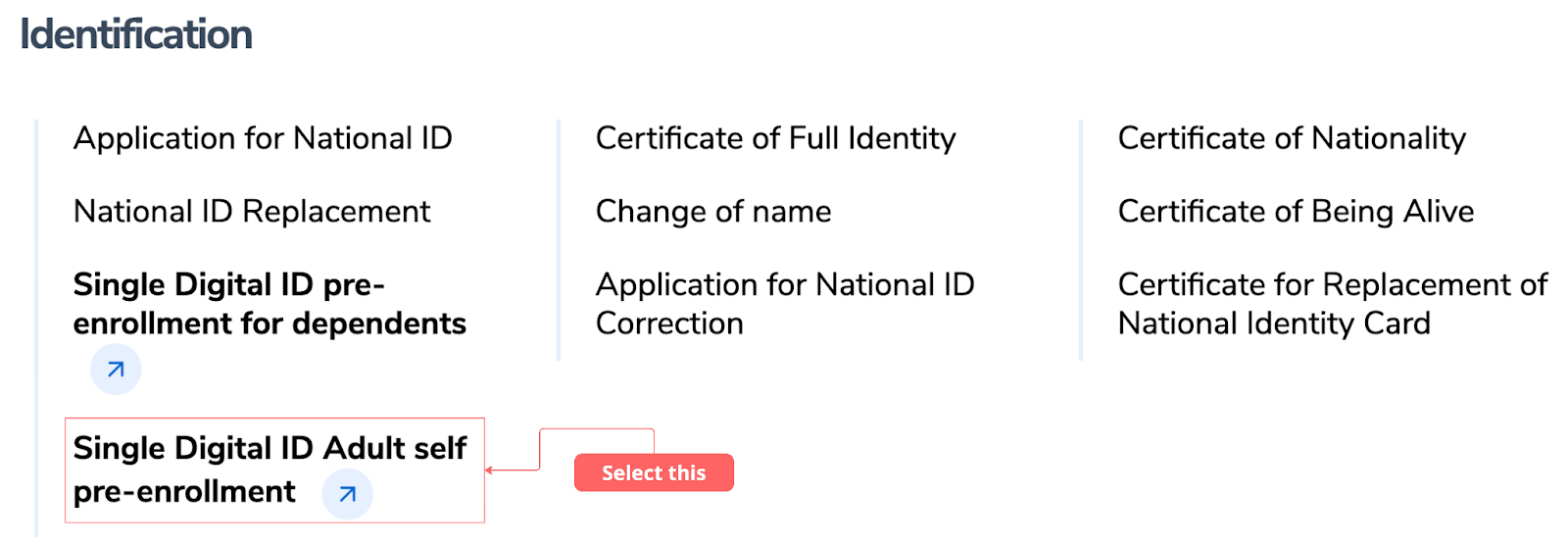
Scroll under the Identification category, then click on Single Digital ID Adult self-pre-enrollment.
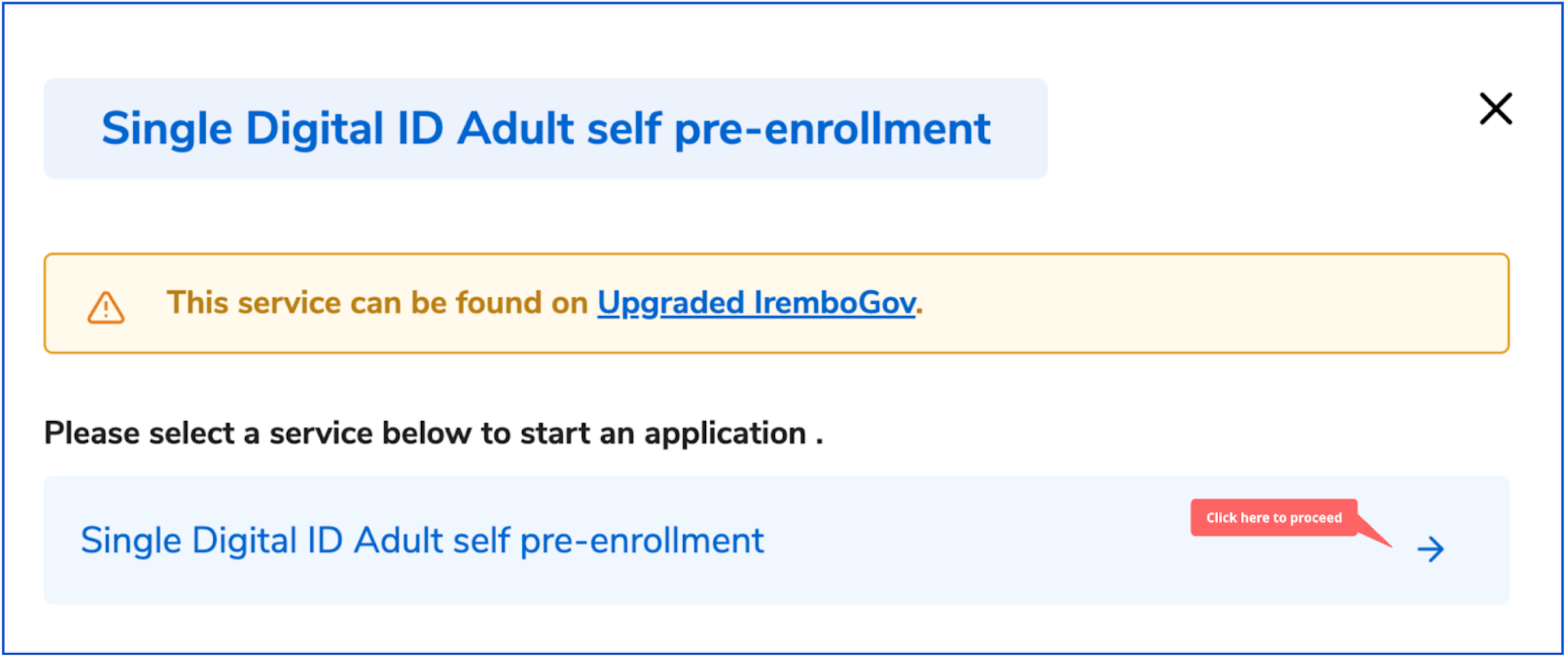
Once you select the service, a new window will open to allow you to proceed.
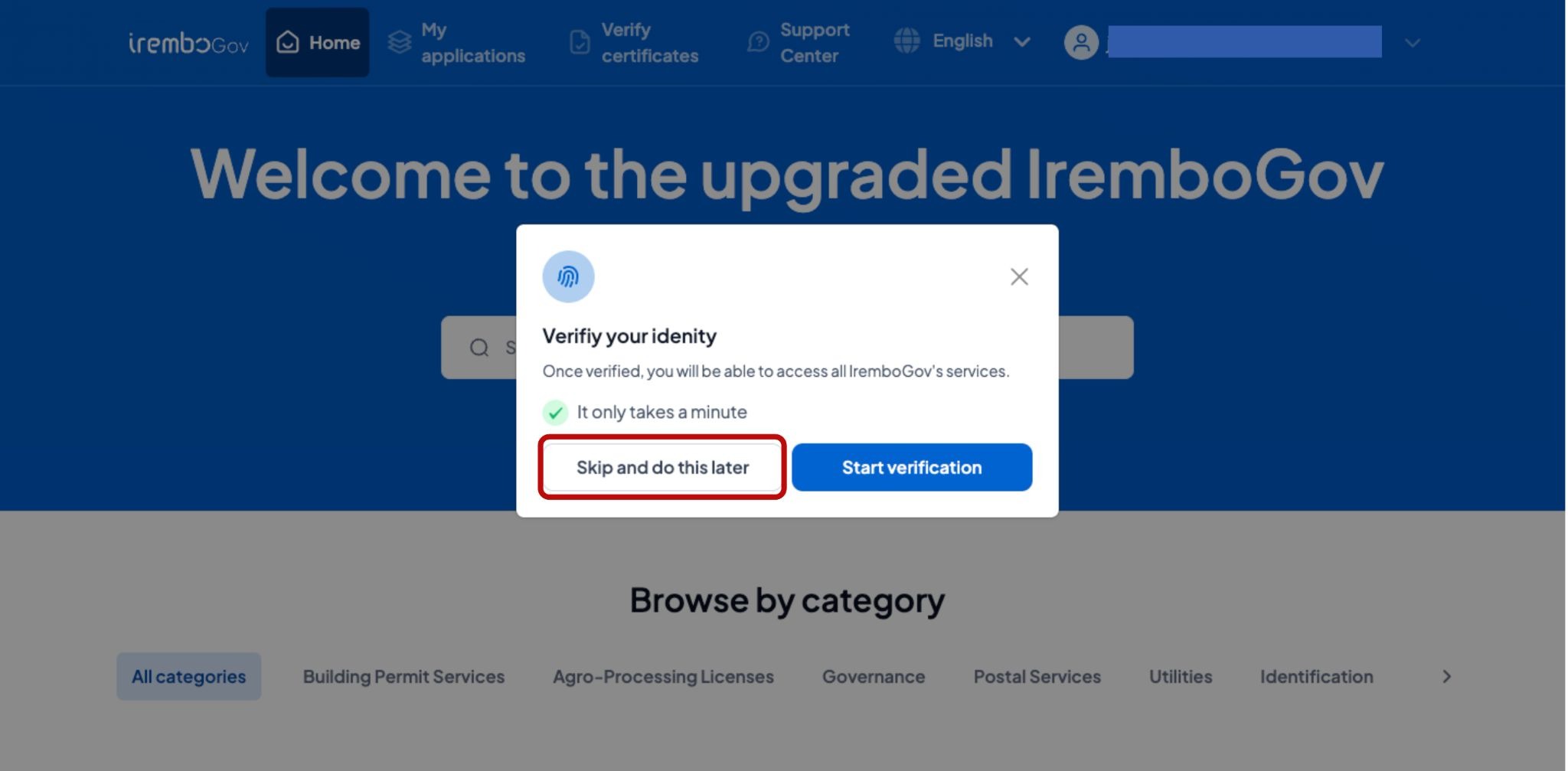
Note: If you do not have a Consular Card number, click Skip and do this later to proceed with your application. You can complete verification later.
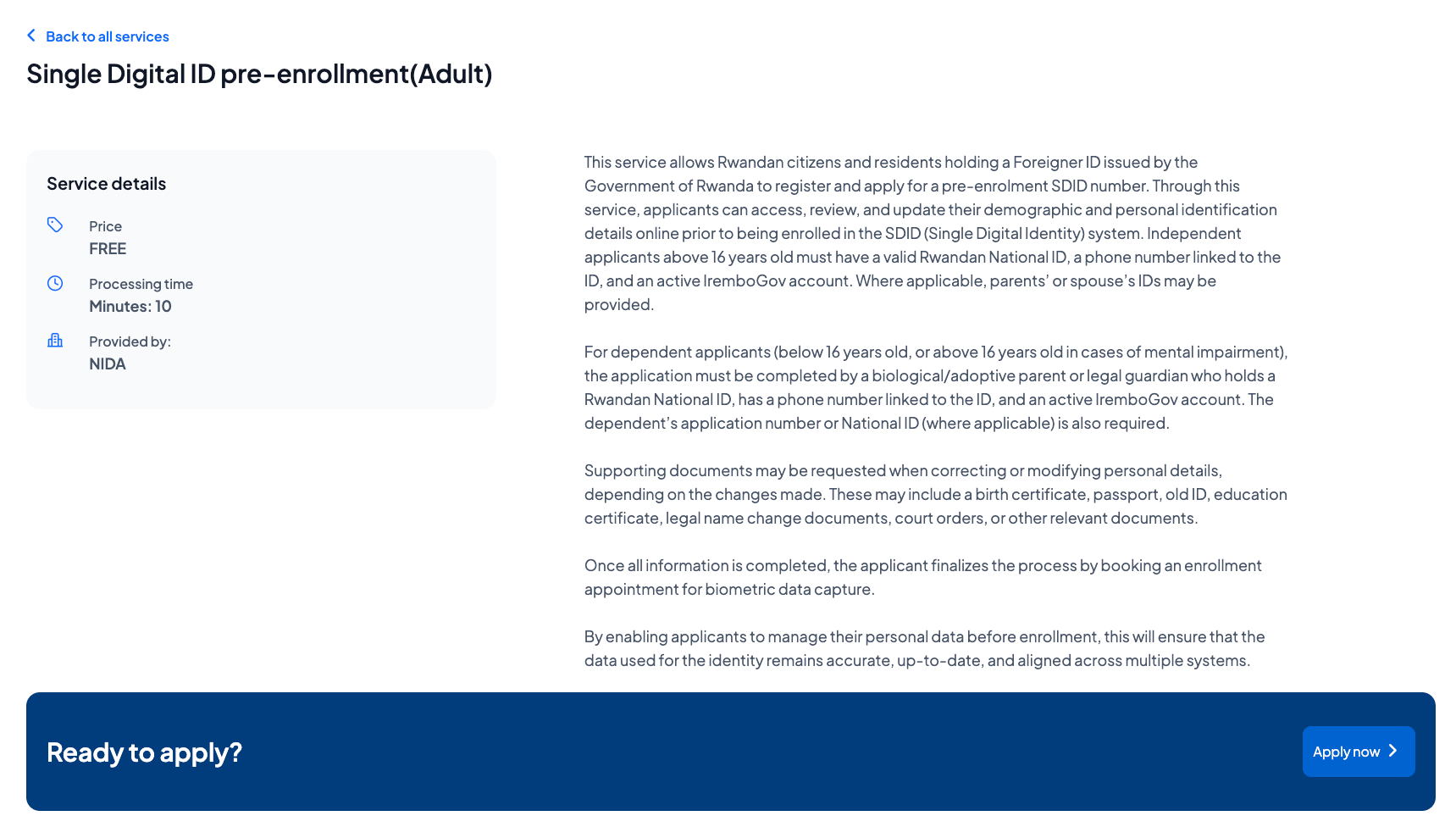
Click "Apply Now" to begin your application.
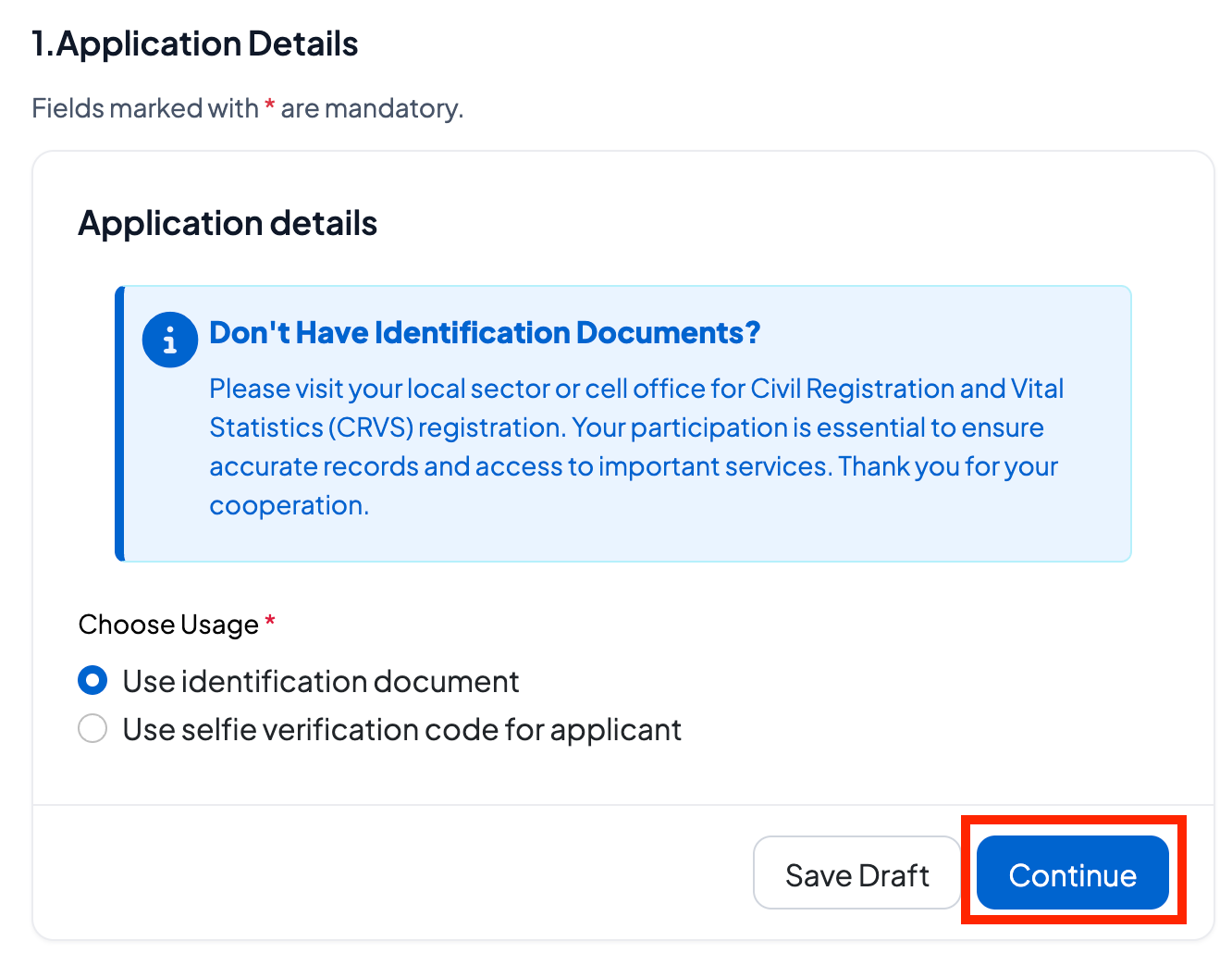
Select whether you are applying with identification or selfie code verification, then click Continue to proceed.
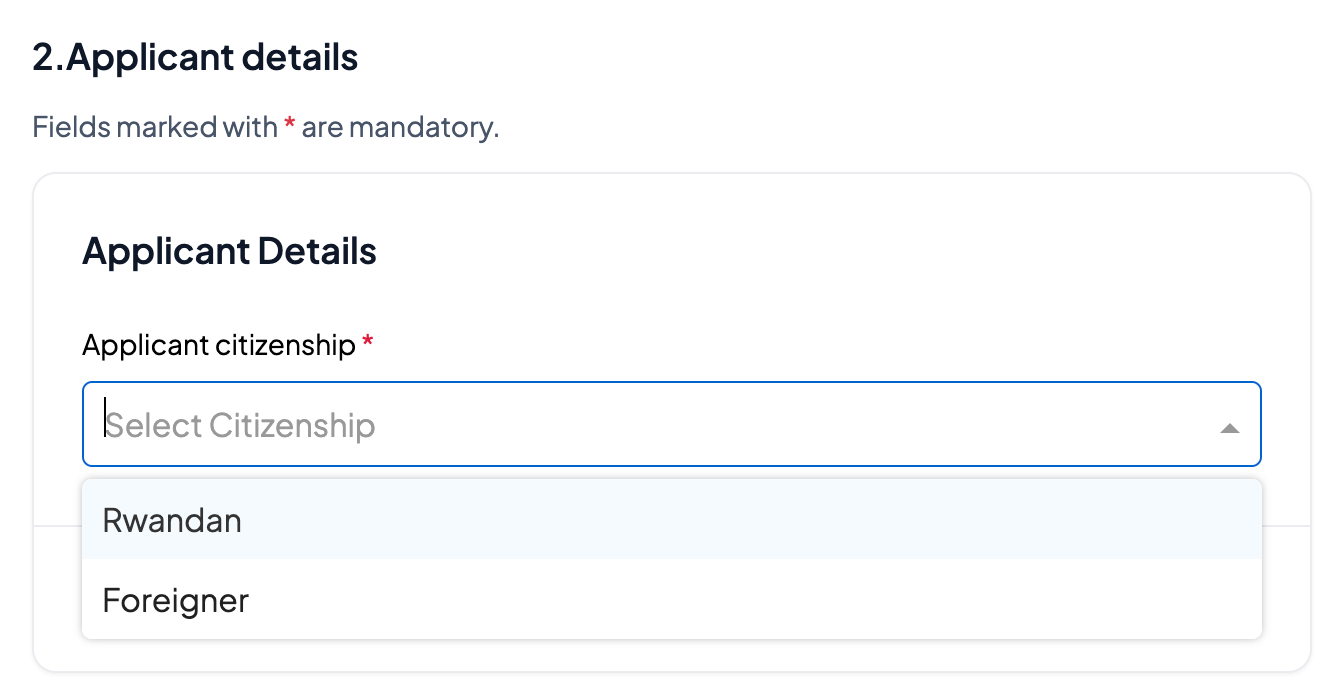
Choose whether you are applying as a Rwandan citizen or a foreigner legally residing in Rwanda.
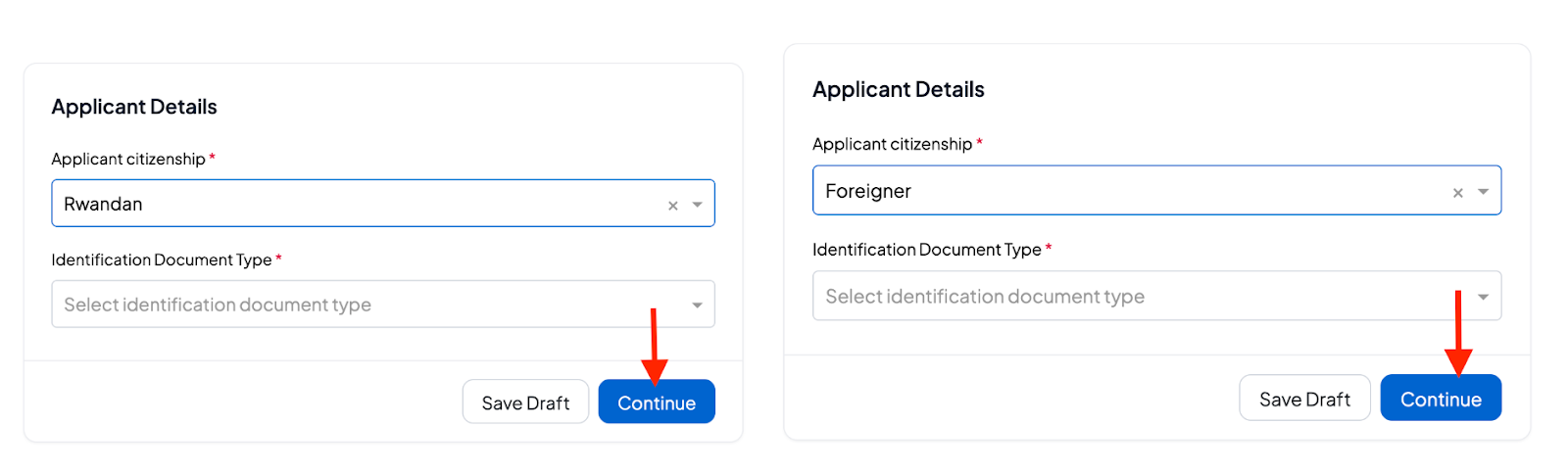
If you are Rwandan living in Rwanda or abroad(Diaspora), enter your National ID or NIDA application number. If you are a foreigner, enter your Foreigner ID.
Face ID Verification: Use facial recognition to securely verify your identity by following the on-screen prompts.
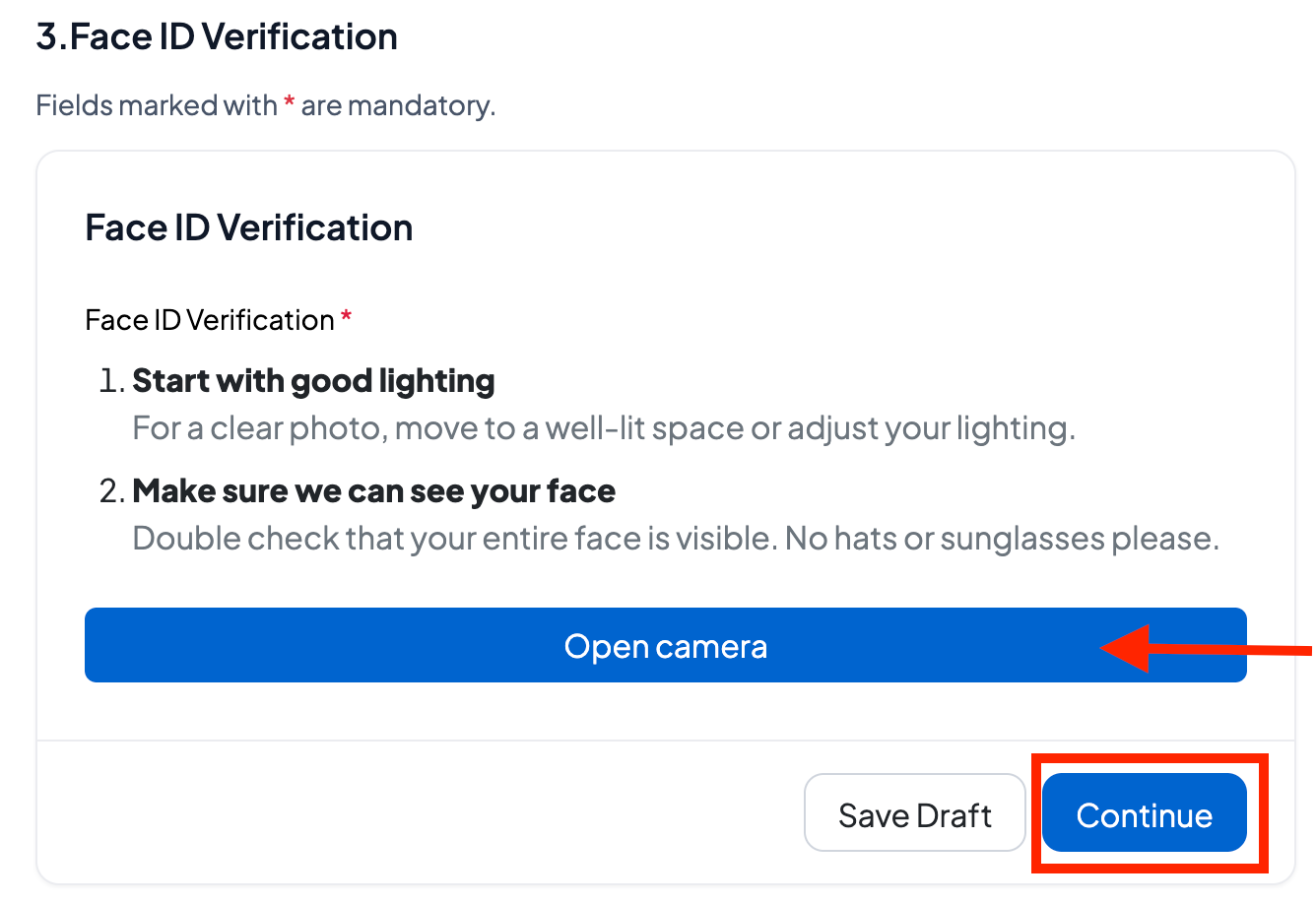
Please align your face with the directional arrows for the face verification procedure. When the arrow turns green, you can move on to the next position. There are three positions to capture: the left side, the right side, and the center of your face profile.
Turn Left;
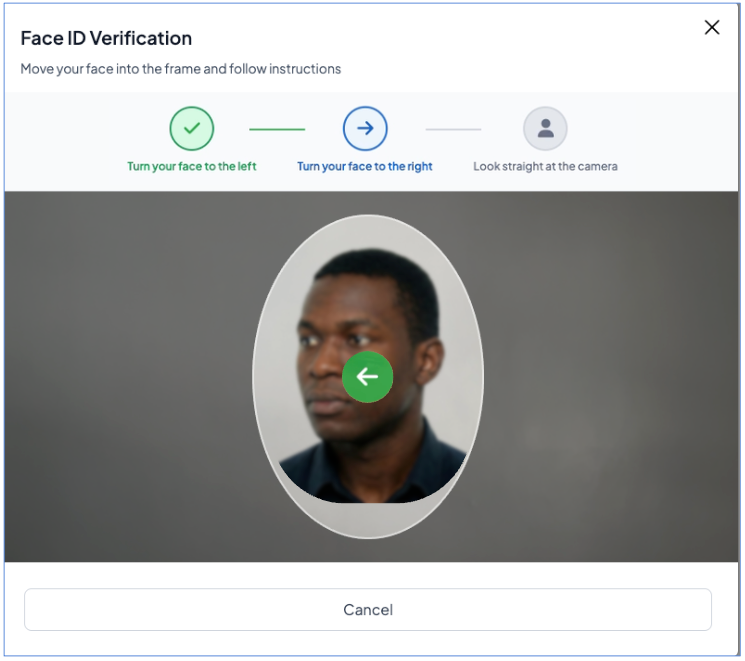
Turn Right;
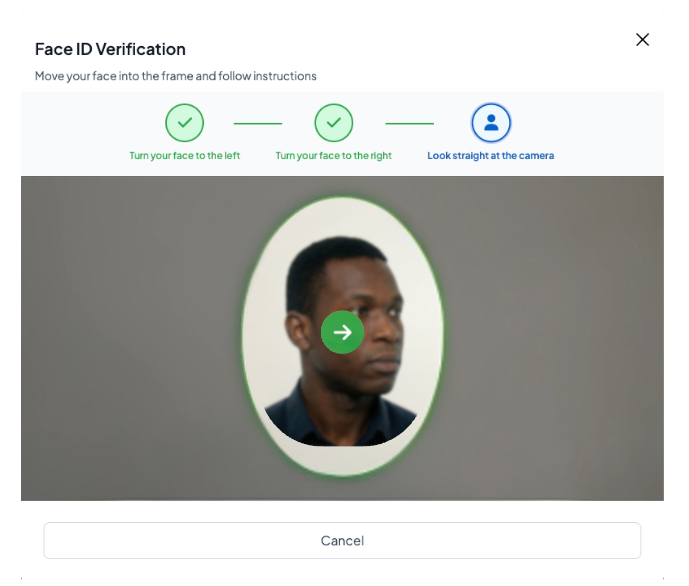
Look straight at the camera;
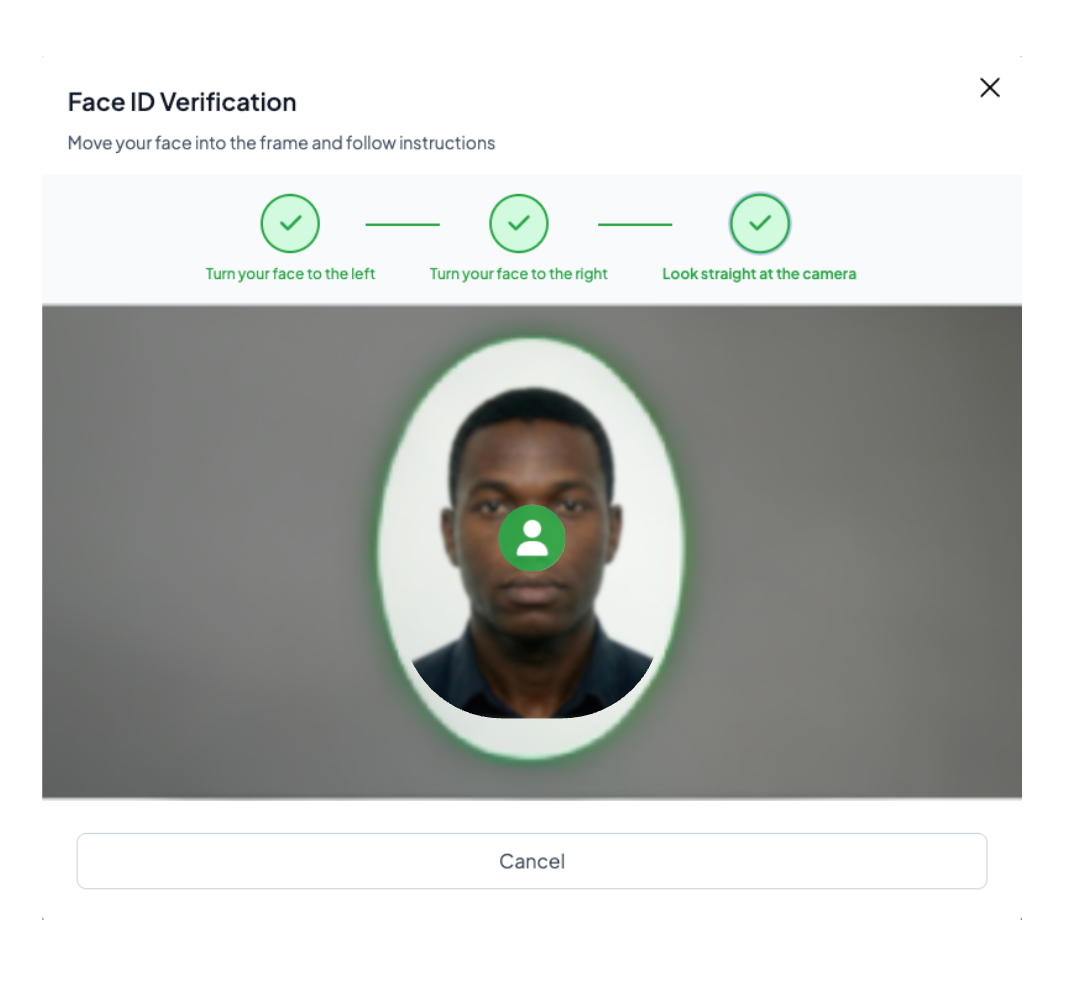
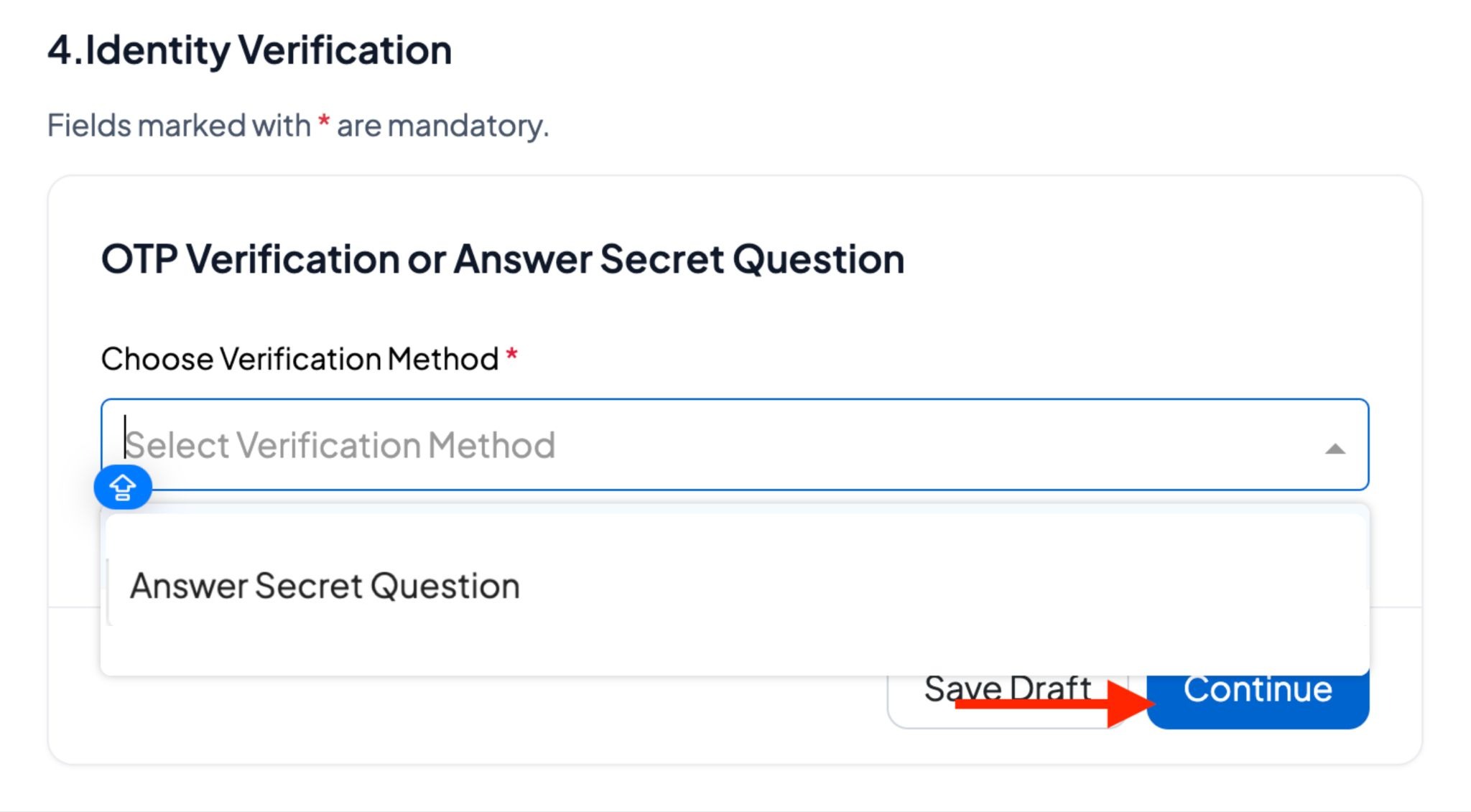
Verify your identity by Answering the Secret Question correctly.
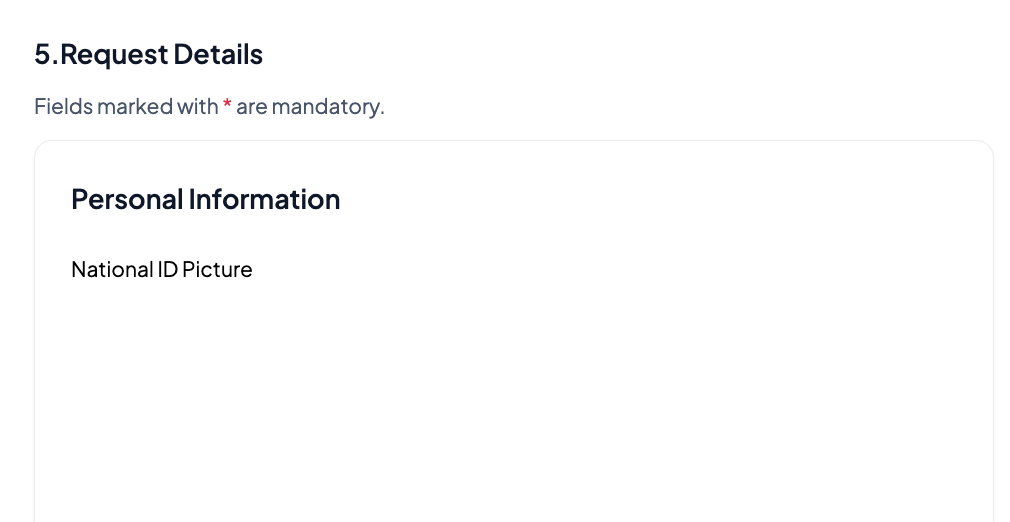
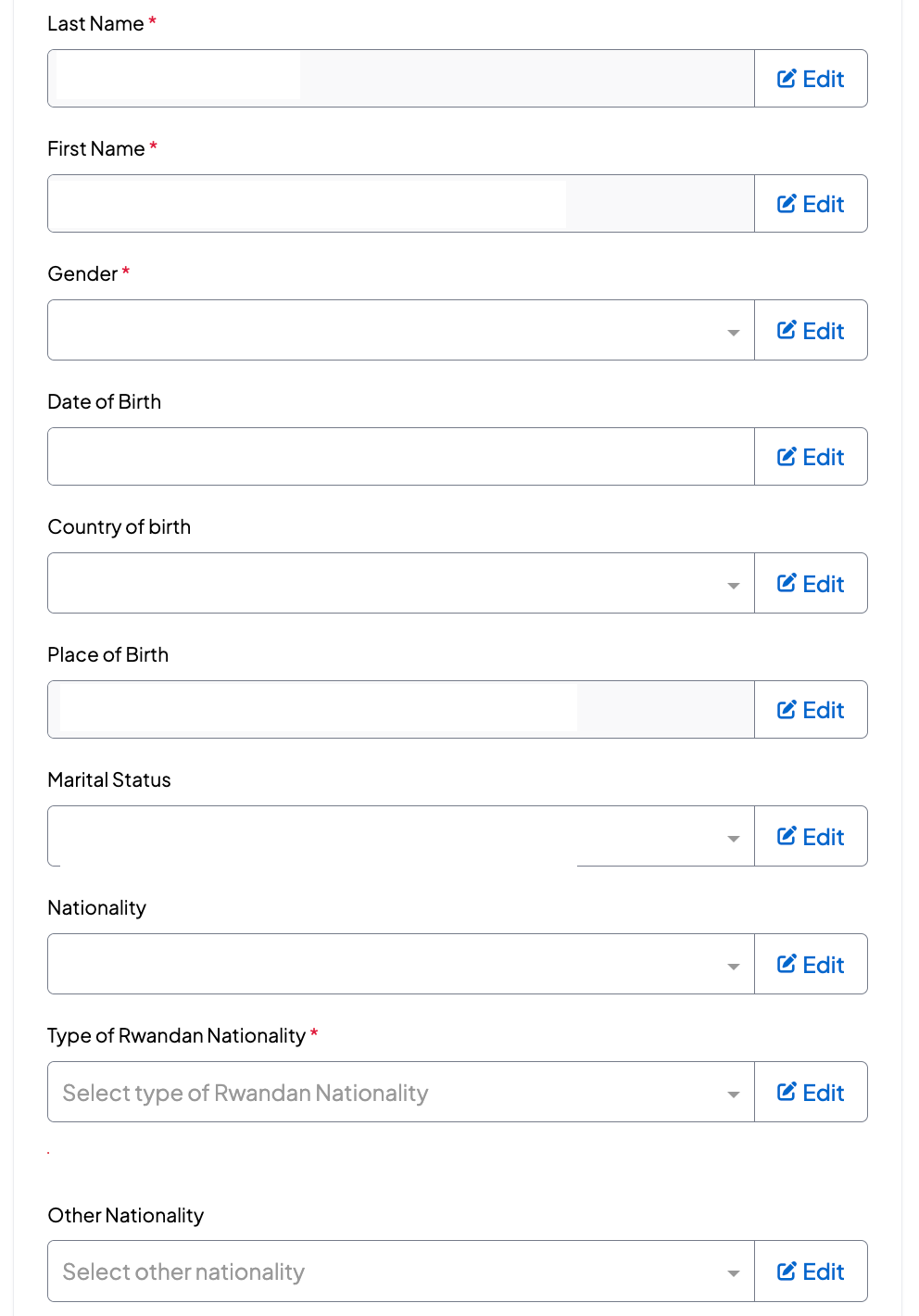
Request Details: verify the personal information, residential address and parents' information; enter the contact information and continue to proceed
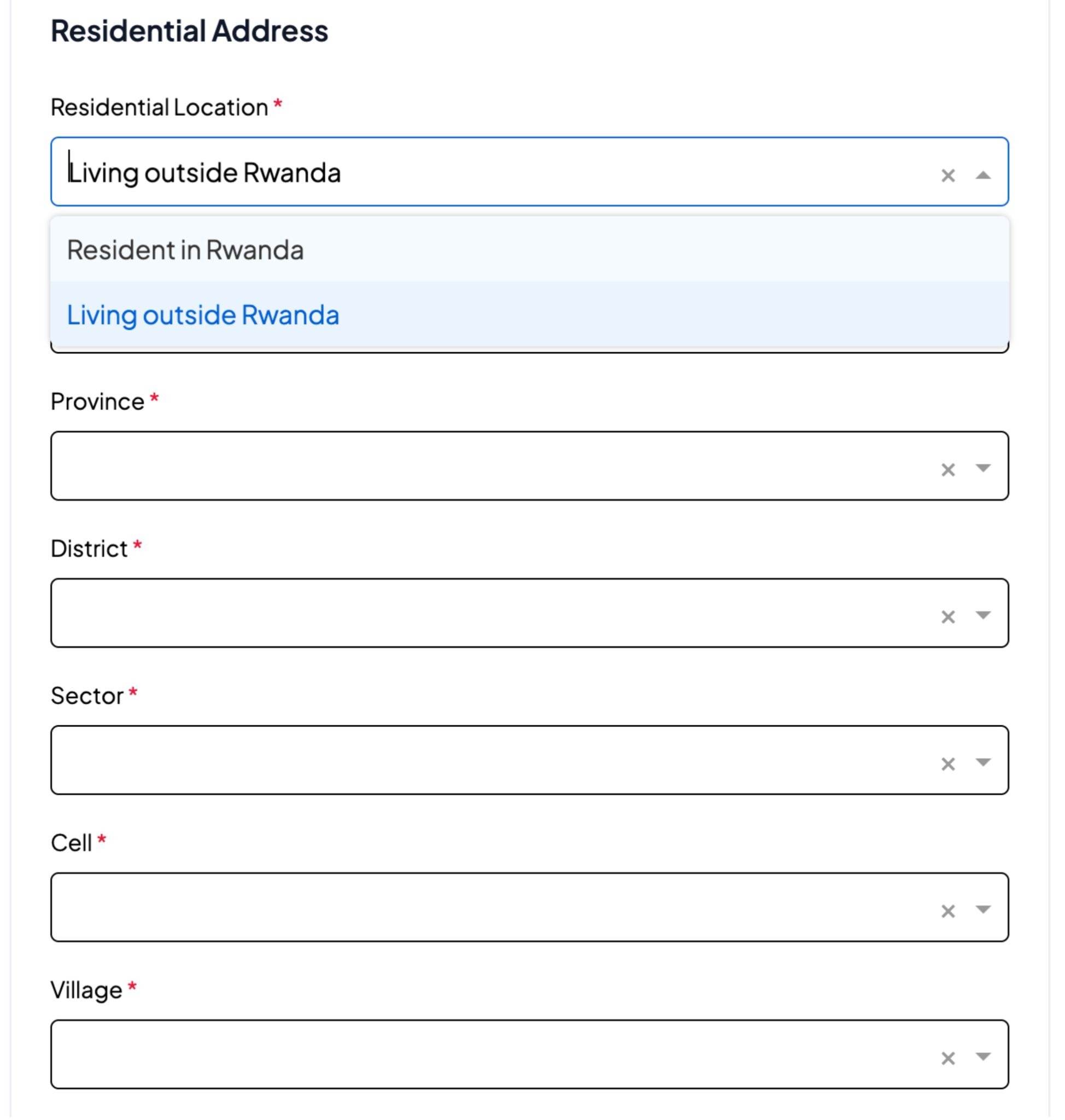
12. Choose whether you are applying as a Rwandan citizen Residing in Rwanda or Living outside Rwanda(Diaspora).
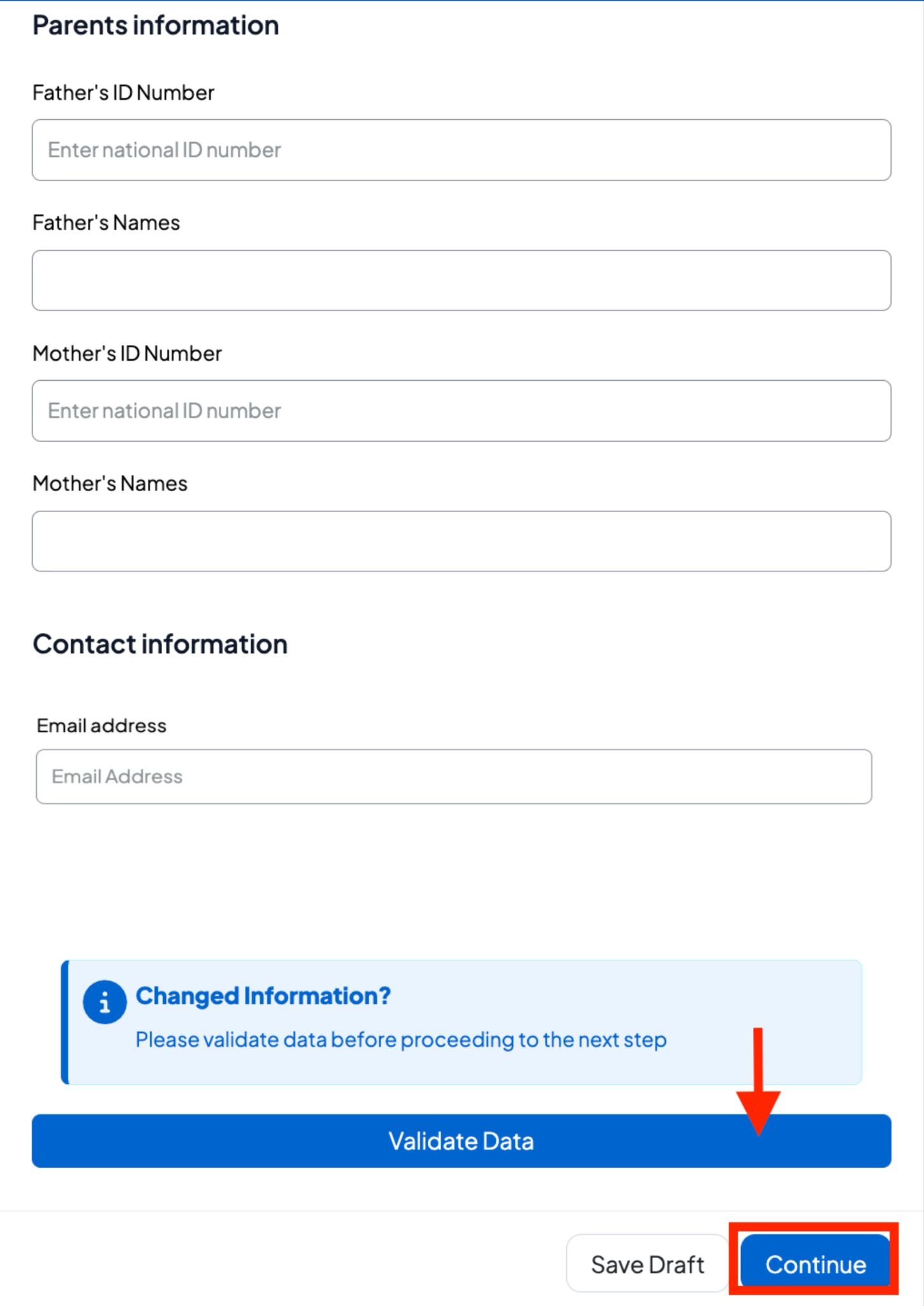
Note: Entering a valid email address is mandatory to complete your application.
13. Upload the required documents if requested.
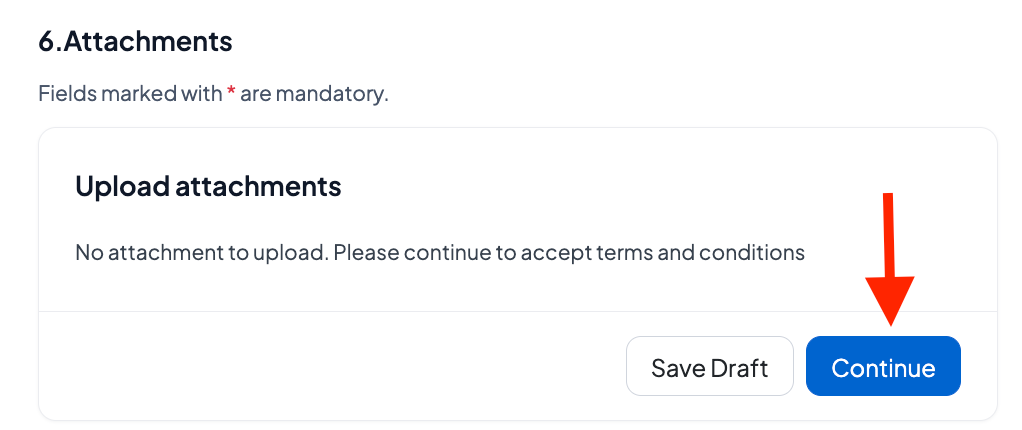
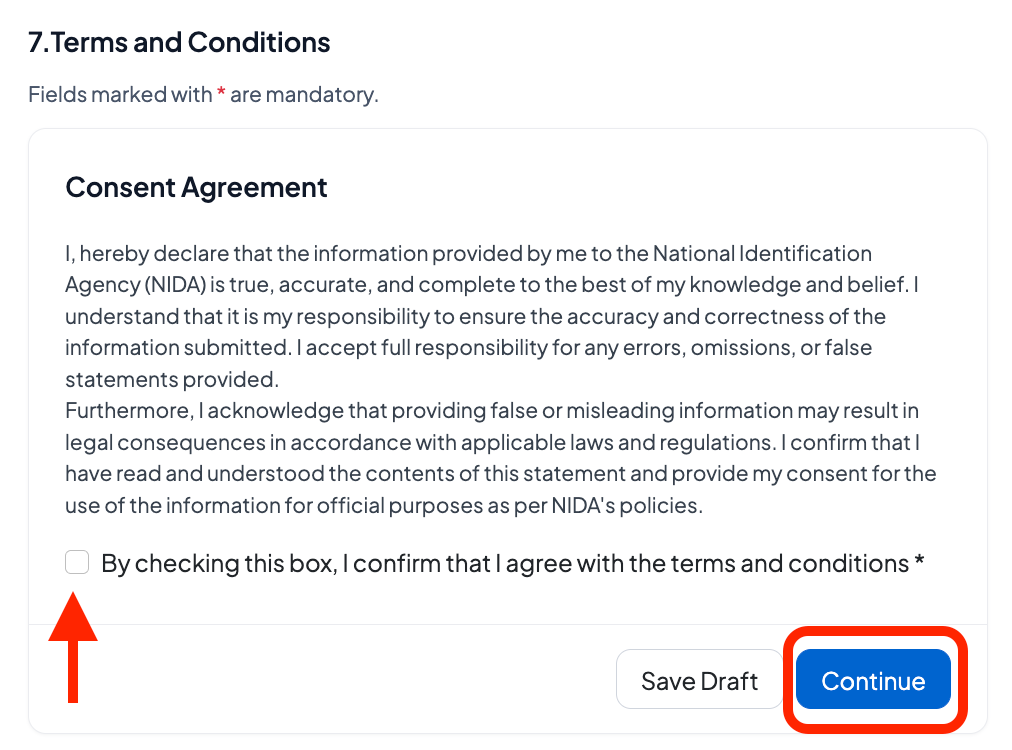
14. Sign the consent form to proceed.
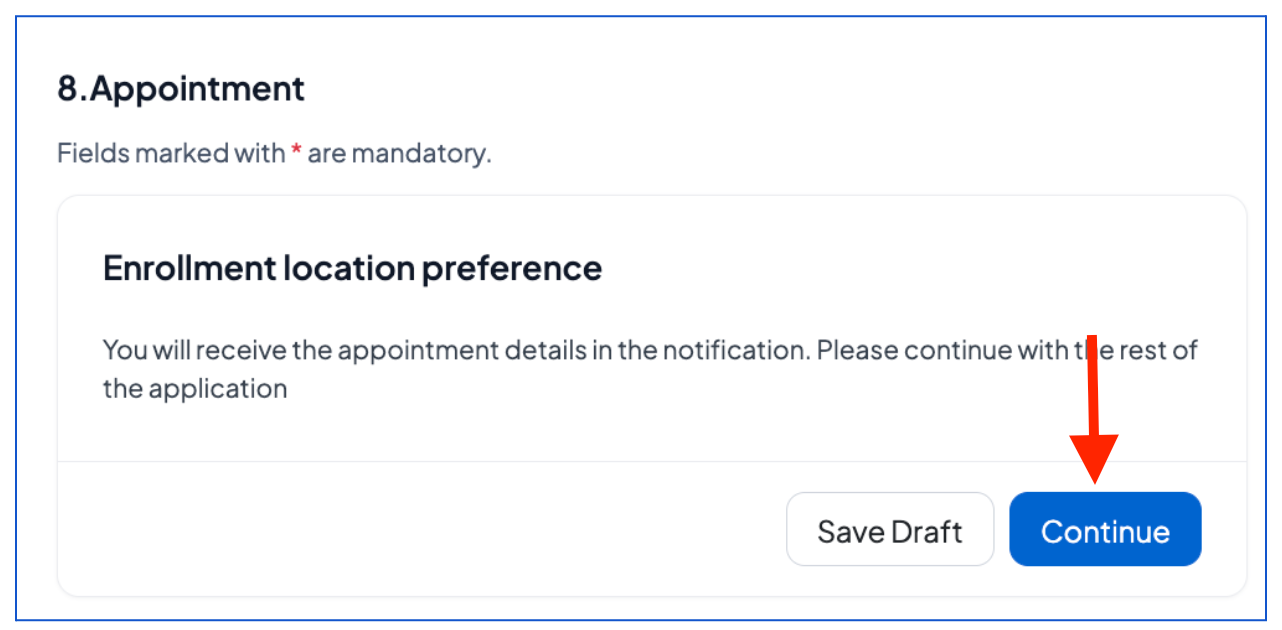
15. Click “Continue” to proceed with the appointment details that will be provided to you in the notification.
Verify that the information is true, enter your email address, check the verification box, and click "Create an application."
What Happens After Submitting Your Single digital ID Adult -self Pre-Enrollment Application?
After successfully completing pre-enrollment:
You will receive a notification via email confirming that your application has been successfully submitted.
Once received and approved, you will receive your confirmation with a pre-enrollment number and an appointment to provide your biometric data at the nearest center via email.
Was this article helpful?
That’s Great!
Thank you for your feedback
Sorry! We couldn't be helpful
Thank you for your feedback
Feedback sent
We appreciate your effort and will try to fix the article