




What is Construction project modification?
This service allows users to apply for modifications to approved construction projects, such as changes to design, structure, or scope.
Who is eligible for this service?
A registered Company.
How to apply for Construction project modification?
Simply visit : new.irembo.gov.rw.
What do you need before you start applying?
Here’s all you need.
You must have an account. To create an account, click here.
A company Tax Identification Number (TIN)
A valid mobile phone number or email (optional) to receive updates and track your application.
Steps to apply for this service
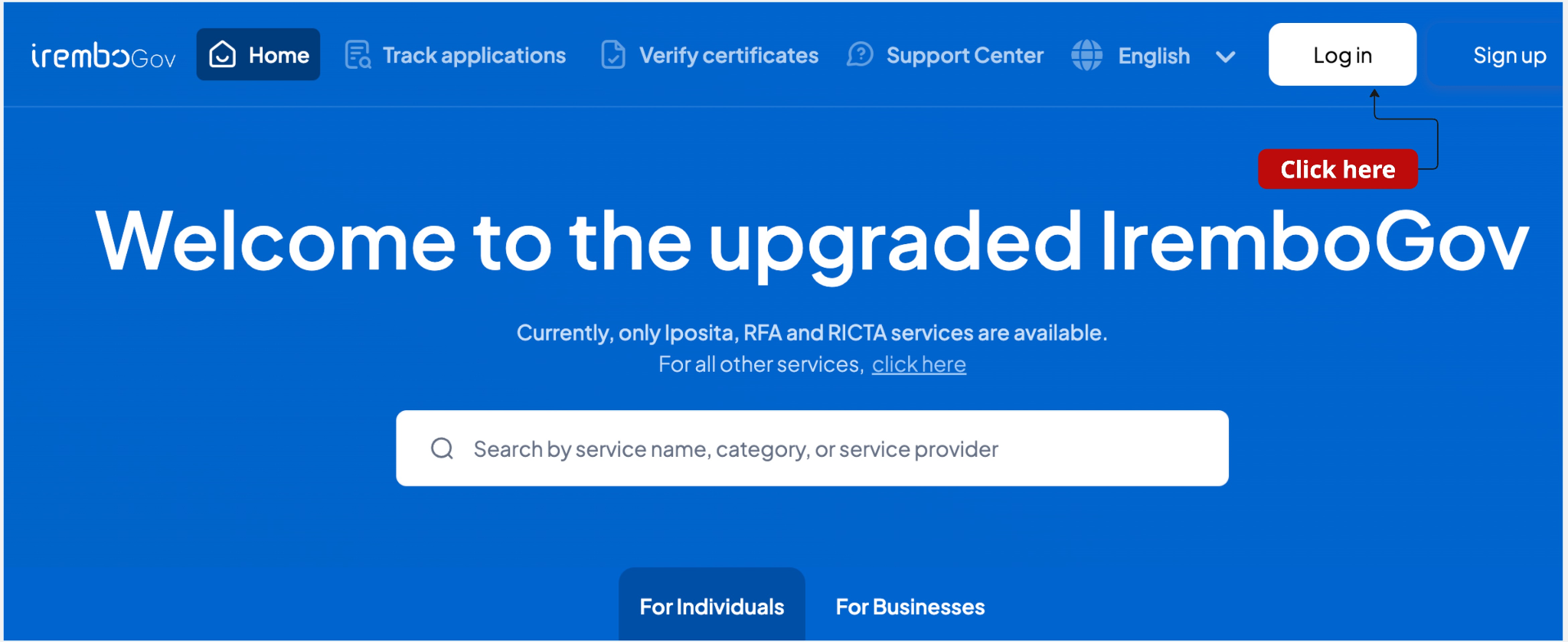
Step 1: Visit IremboGov at new.irembo.gov.rw and log in to your account. If you don’t have one, click here to learn how to create one.
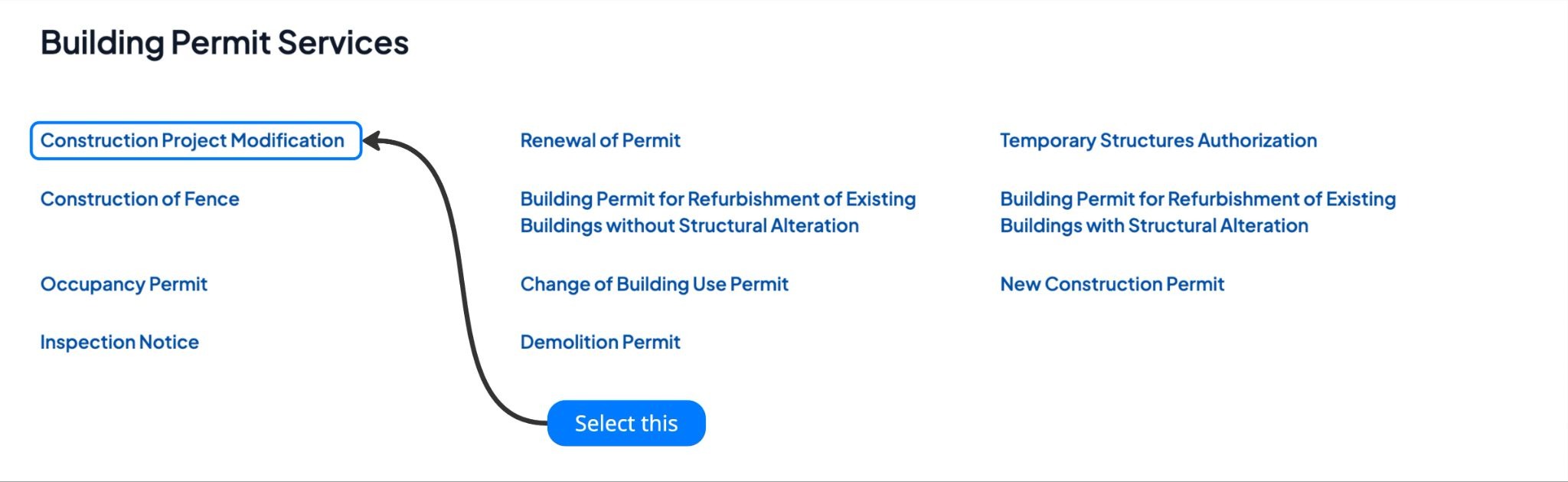
Step 2: Under Building Permit Services, select the "Construction Project Modification ” service.
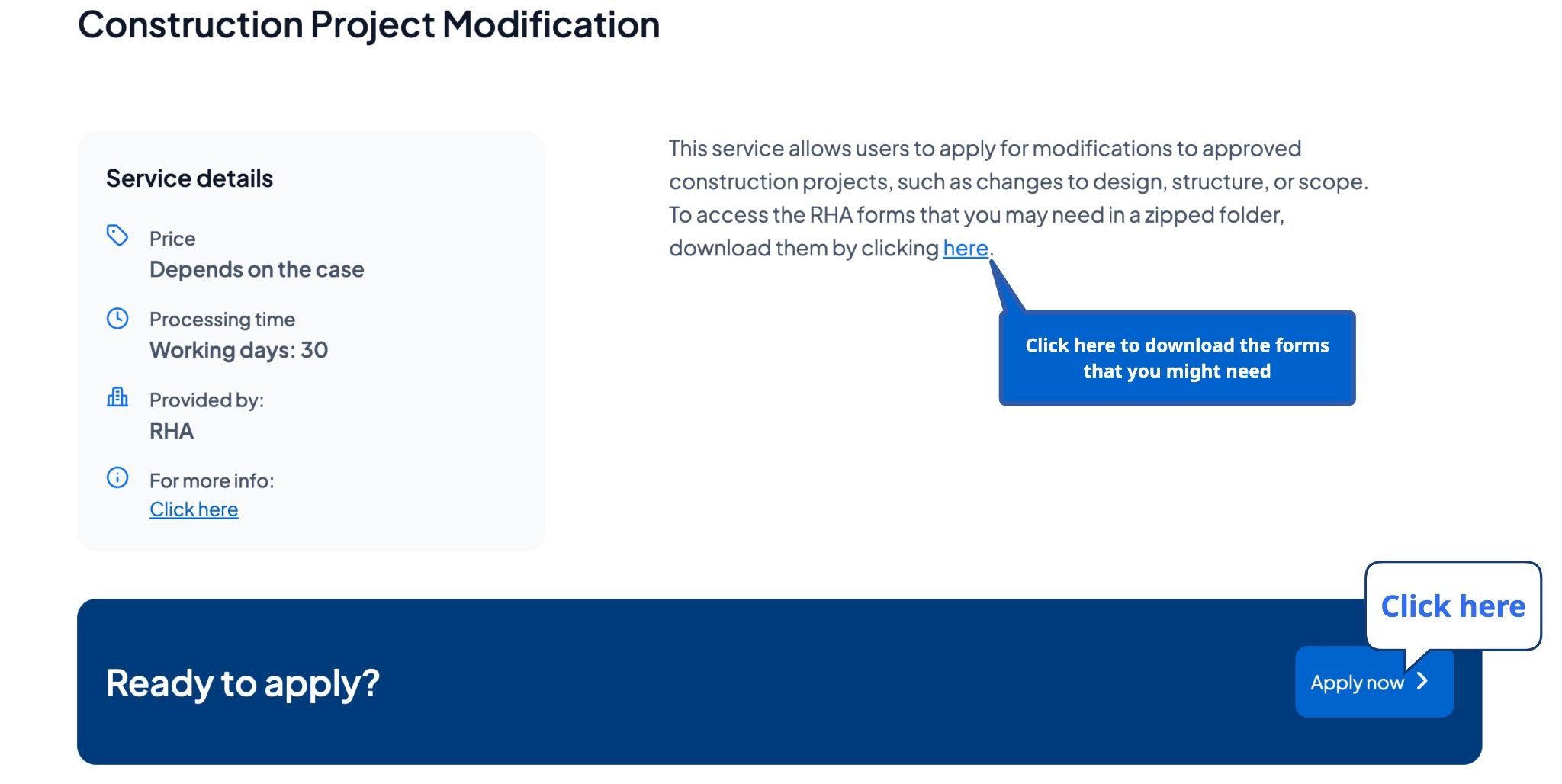
Step 3: Click “Apply now” to start the application process.
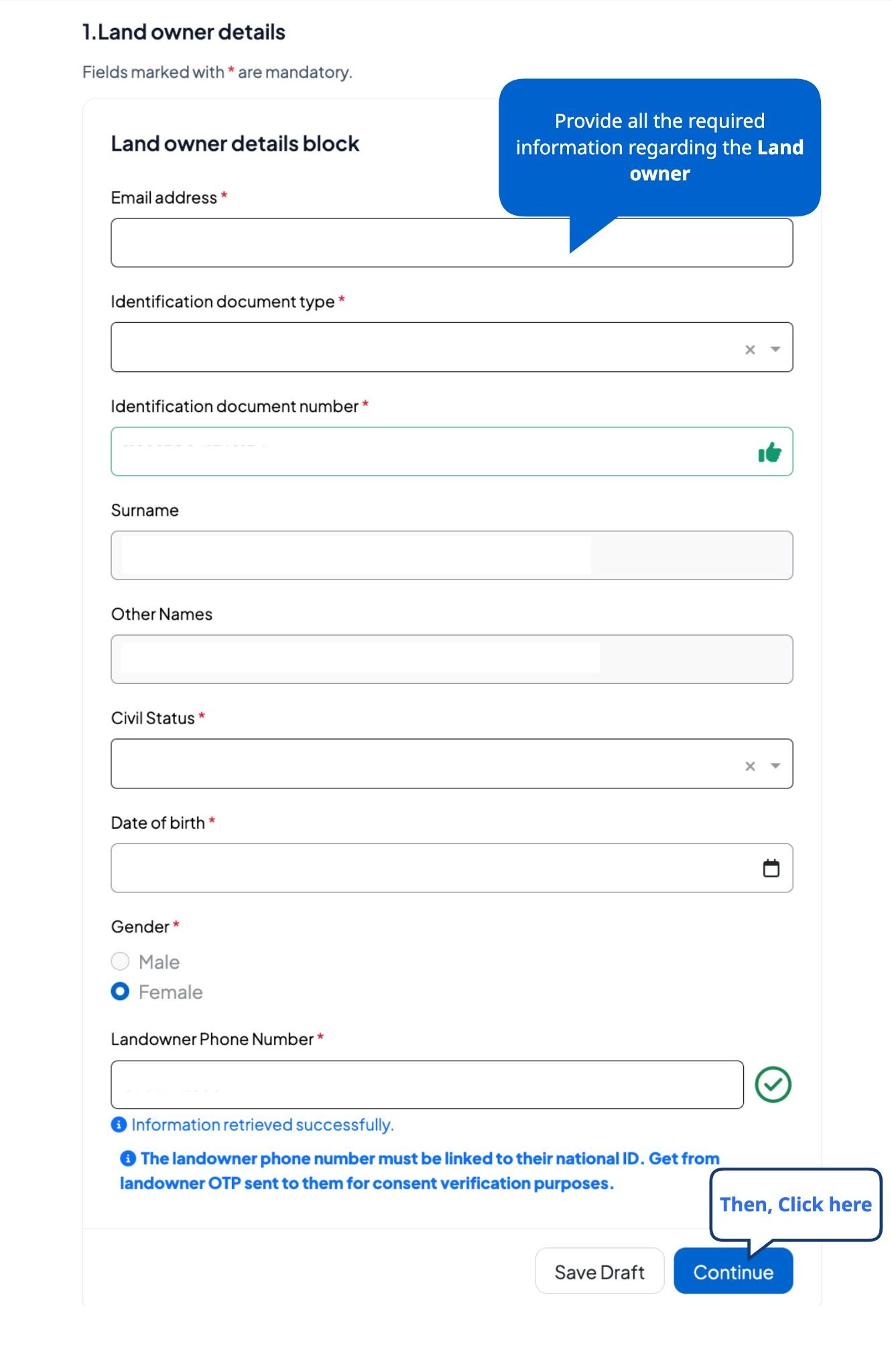
Step 4: Fill in the Land owner’s details.
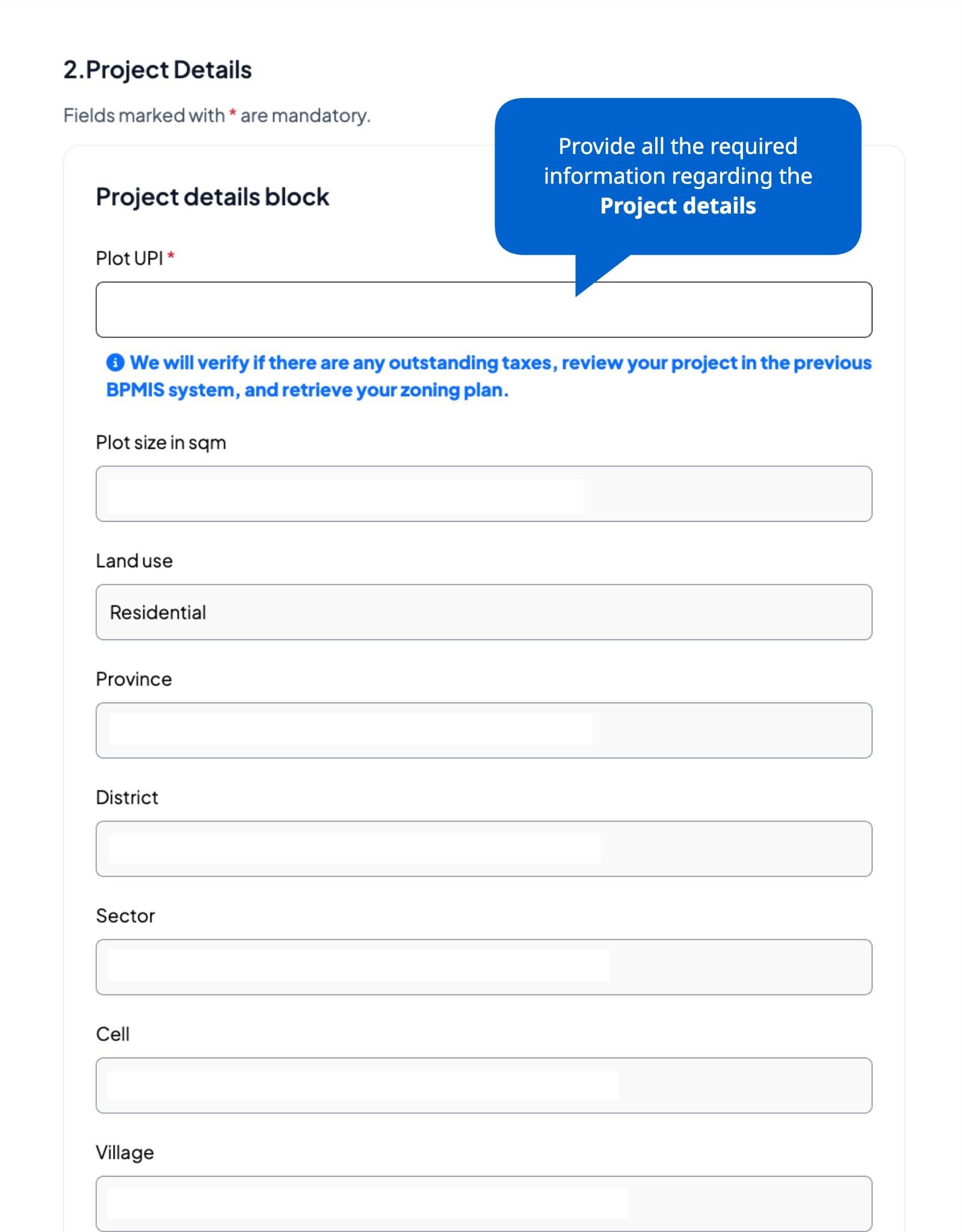
Step 5: Enter your plot's UPI, the system will automatically retrieve the zoning and location details.
Step 6: Confirm the zoning regulation applies to your intended use.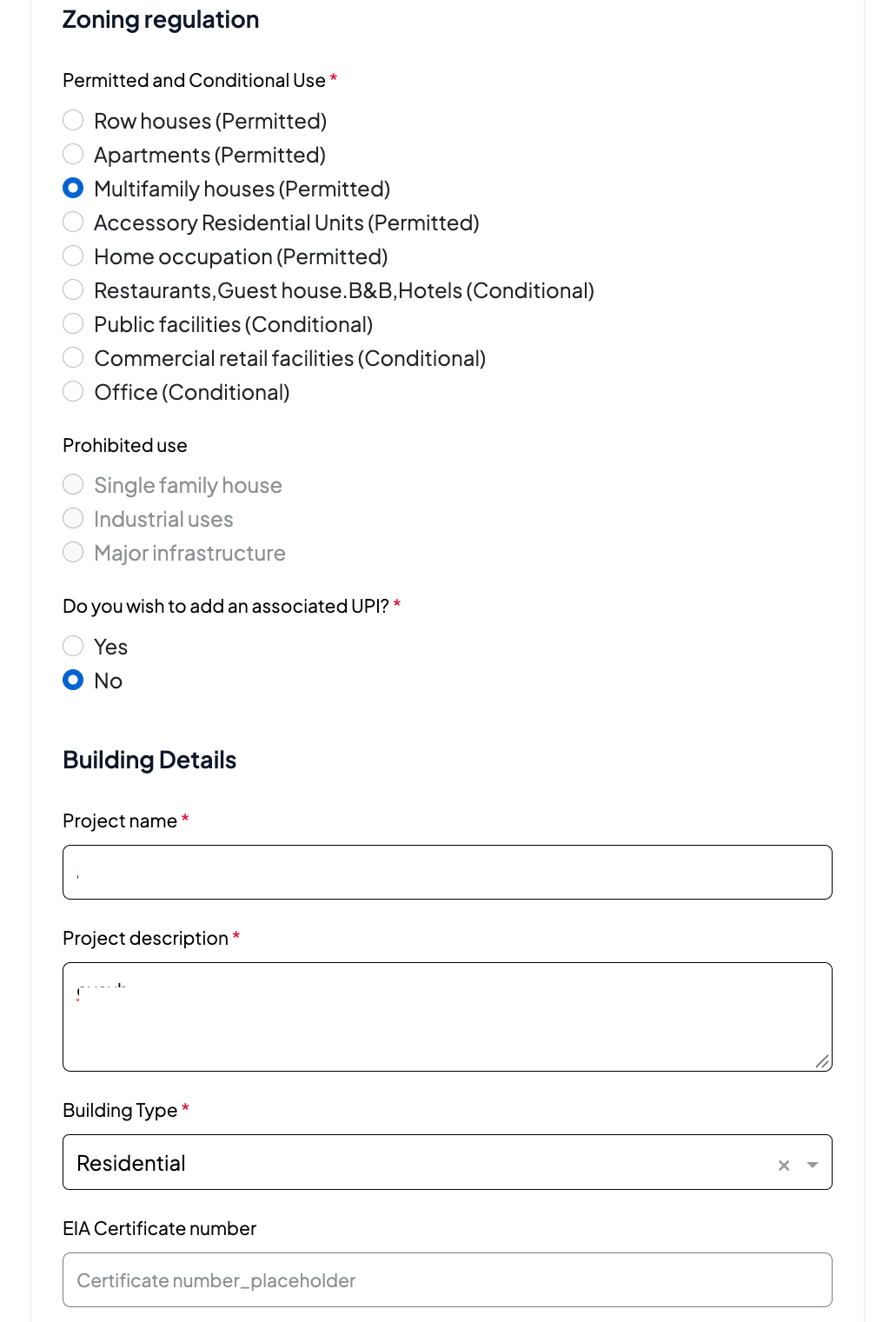
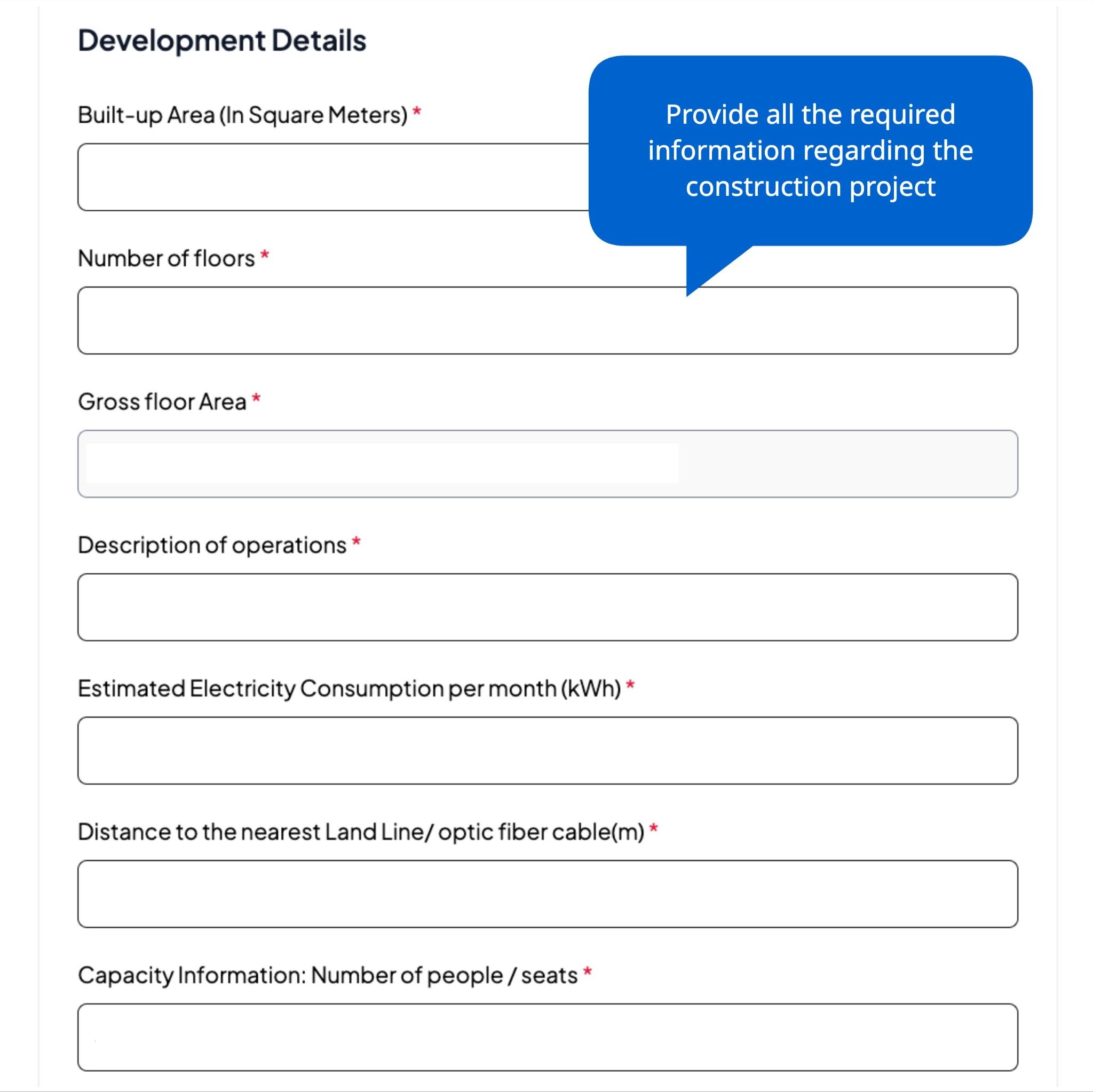
Step 7: Fill in your building and development information.
Step 8: Provide the Architect/engineer's and the project information
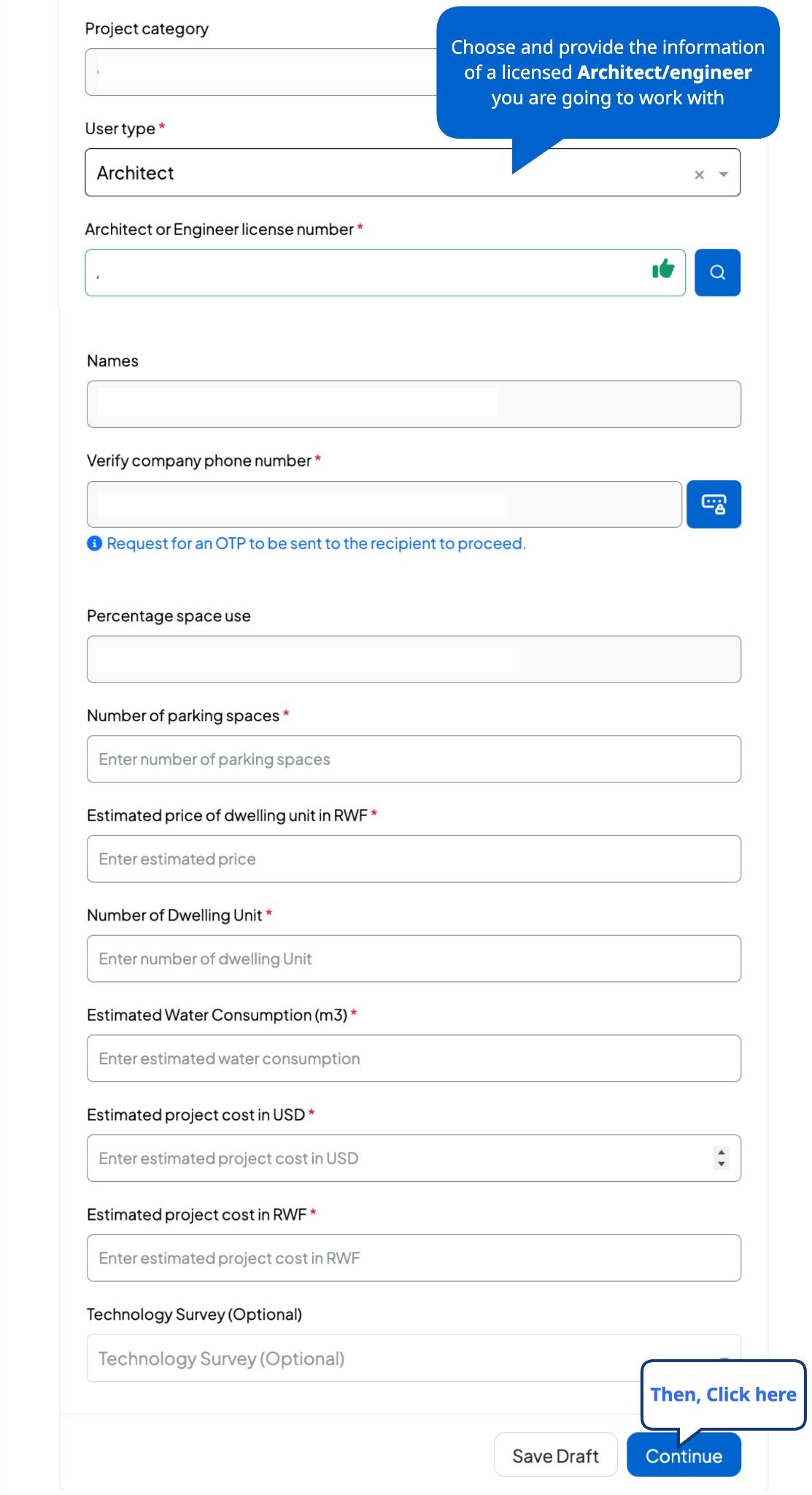
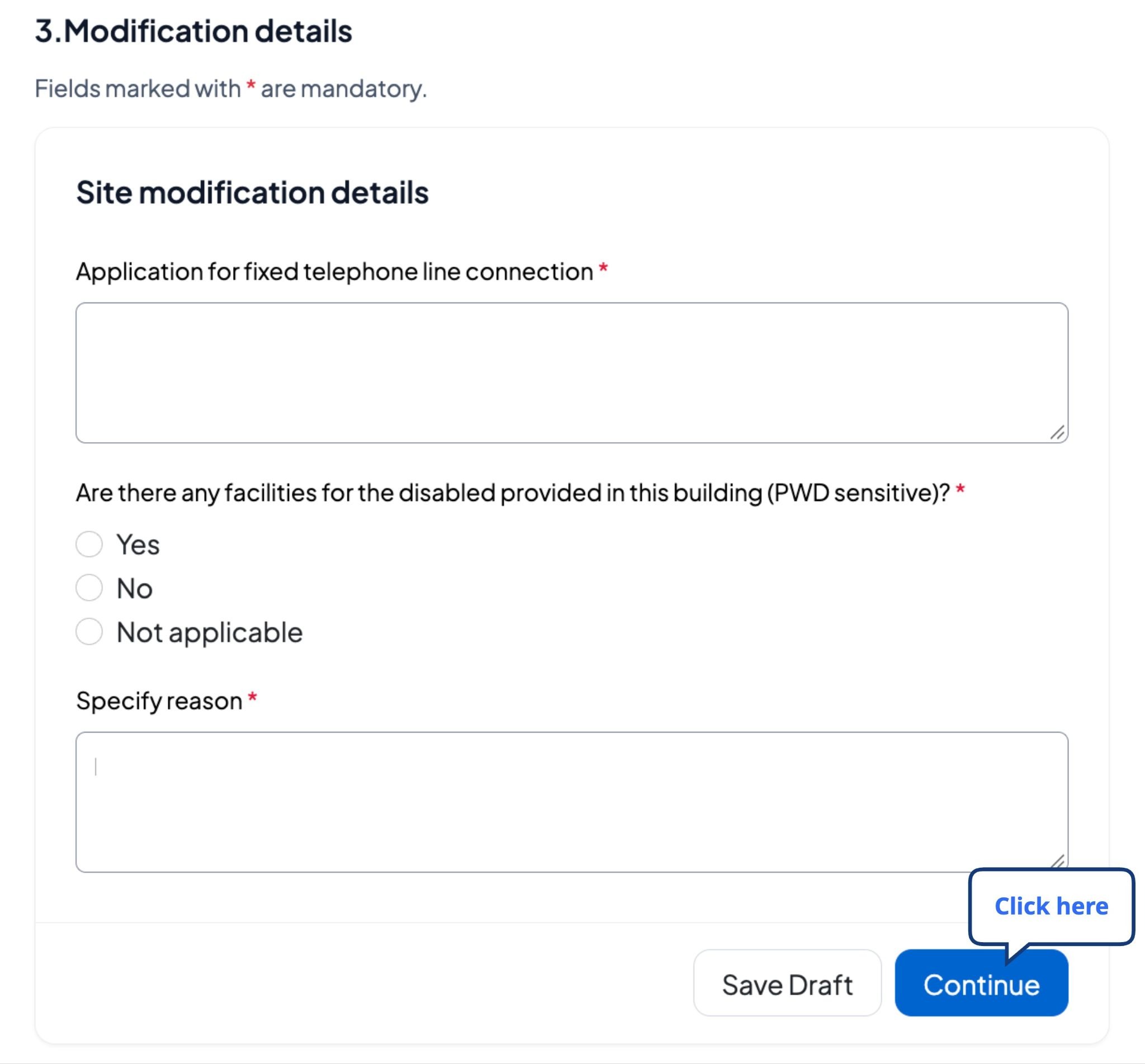
Step 9: Fill in the site modification details and then click Continue.
Step 10: Upload the required documents in the correct format and click Continue.
Step 11: Verify that the information is accurate; enter a phone number and/or email address, check the verification box, and click "Create an application”.
Next Steps and support information
Application Processing:
After submission of your application, you will receive notifications, including the application number (C2...), that you can use to track the status of your application on this platform.
If an engineer is selected, after they complete their assessment, you will receive a notification indicating that the application is ready and that you can submit it to the Rwanda Housing Authority (RHA) for final approval.
Once the application is approved, you will receive the billing number
Payment methods:
Payment can be made through various methods. Click here for details.
Billing Number Validity:
The billing number must be paid within 15 days.
Certificate/License Delivery:
After successful payment, you will be notified, and you will be able to download your permit using your application number
Was this article helpful?
That’s Great!
Thank you for your feedback
Sorry! We couldn't be helpful
Thank you for your feedback
Feedback sent
We appreciate your effort and will try to fix the article