




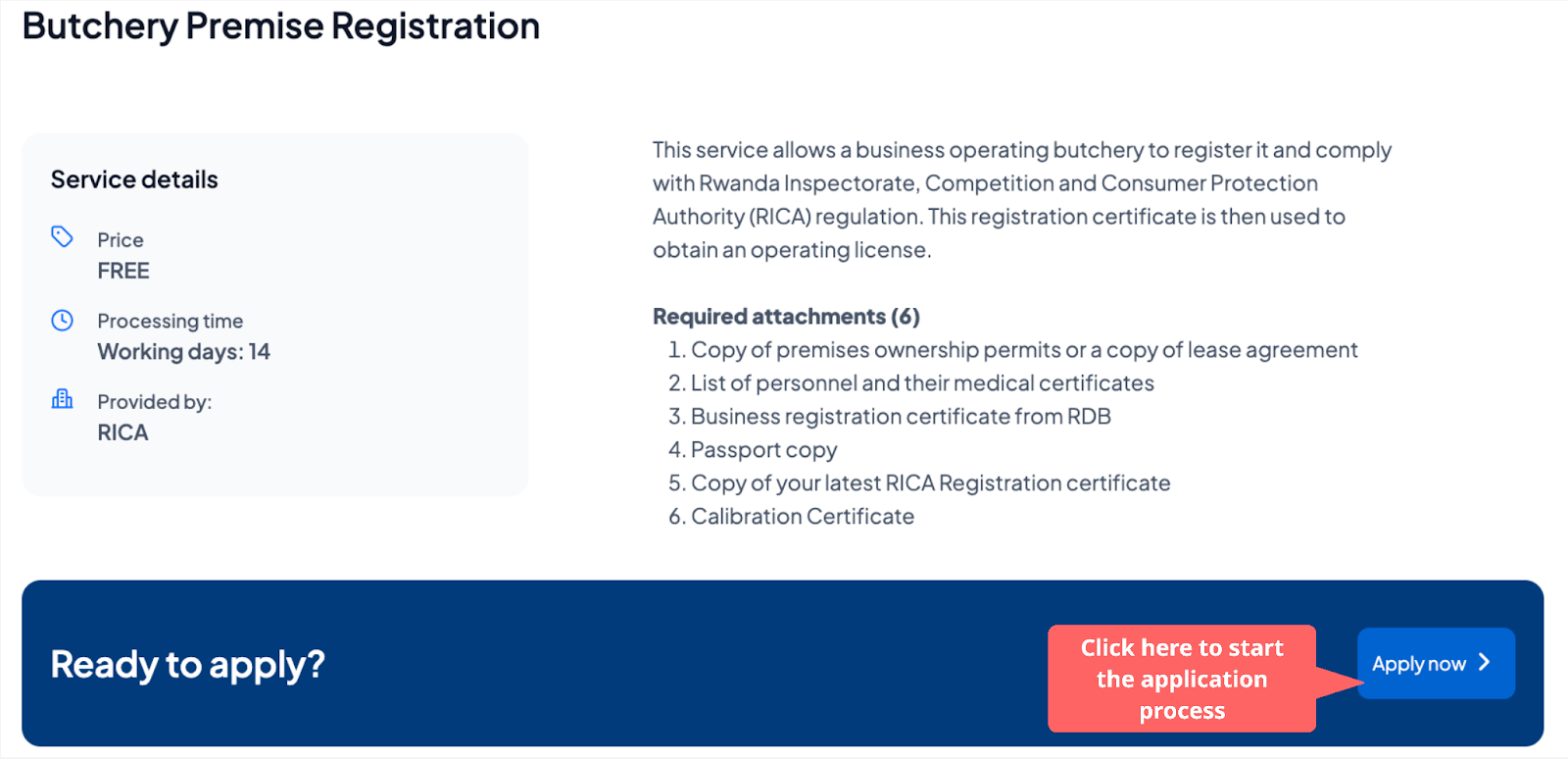
This service allows a business operating a butchery to register it and comply with the Rwanda Inspectorate, Competition and Consumer Protection Authority (RICA) regulations. This registration certificate is then used to obtain an operating license.
This service is provided by the Rwanda Inspectorate, Competition and Consumer Protection Authority (RICA)
Prerequisites
Applicants must have an Irembo account to apply for this service. If you don’t have an account, click here to learn how to create one.
A company or an individual must have a Tax Identification Number (TIN).
The applicant should have a valid phone number or email address.
Required attachments (5)
A copy of premises ownership permits or a copy of the lease agreement
List of personnel and their medical certificates
Business registration certificate from RDB
Passport copy
Copy of your latest RICA Registration certificate
Calibration Certificate
Processing Time and Fees
Follow these simple steps to apply for Butchery Premise Registration.
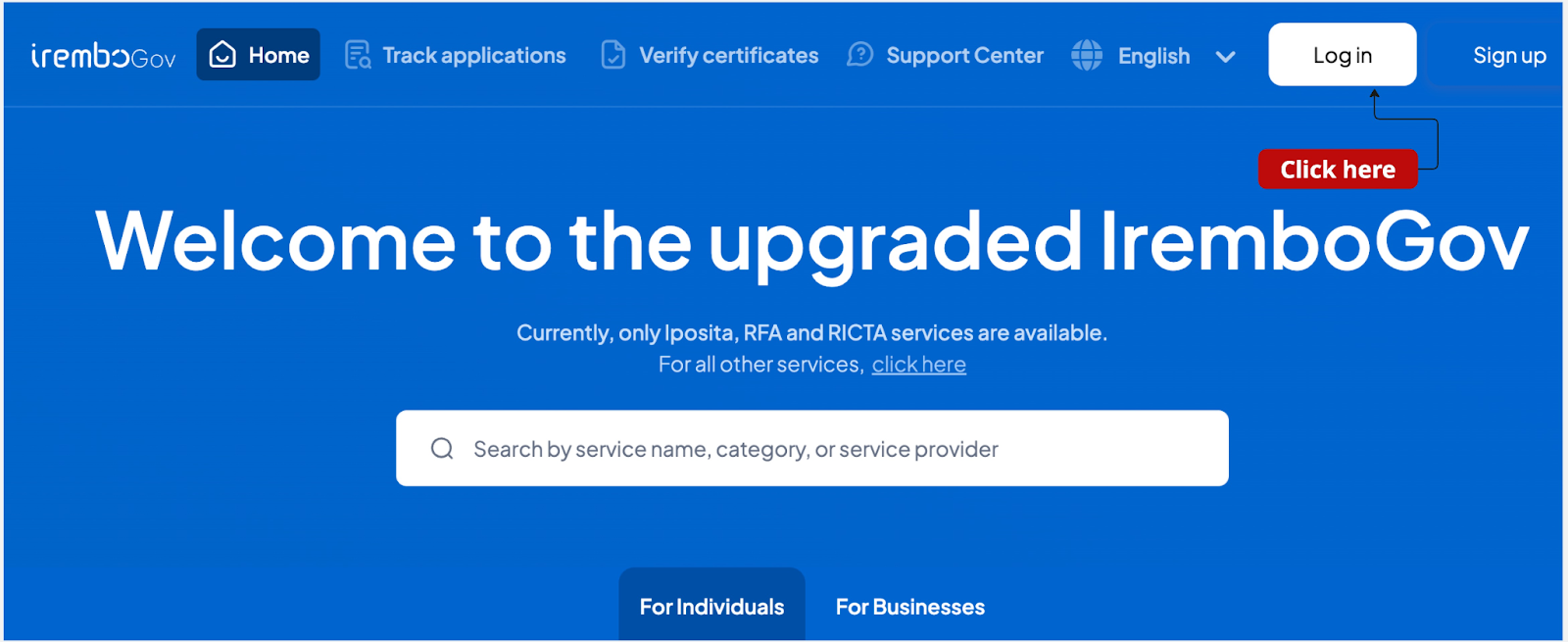
1. Visit the Irembo platform at new.irembo.gov.rw and log in to your account. If you don’t have an account, click here to learn how to create one.
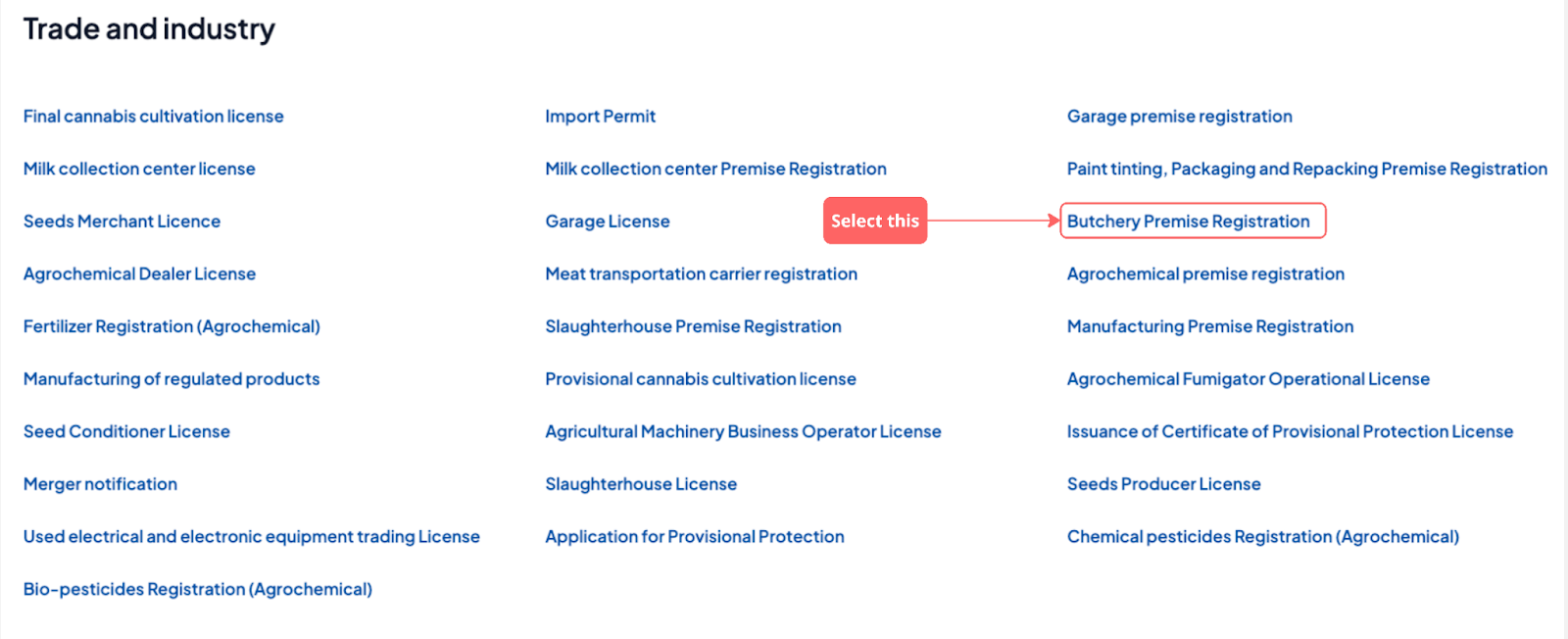
2. Navigate to the "Trade and Industry" category; click "Butchery Premise Registration.”
2. Select "Butchery Premise Registration" and click "Apply."
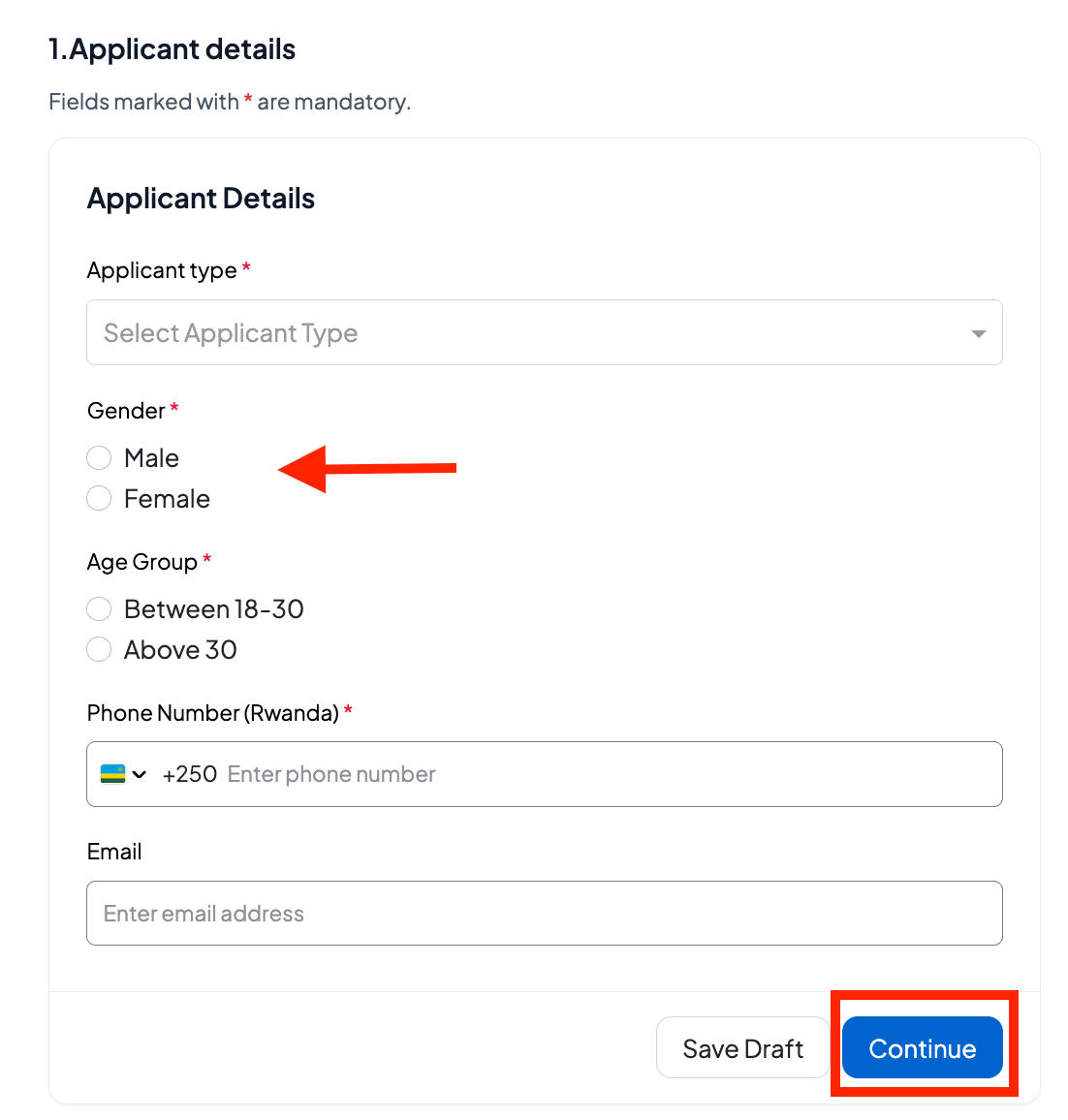
3. Fill in the applicant's details (select if the applicant is the business owner or legal representative, add the age group and other required personal information).
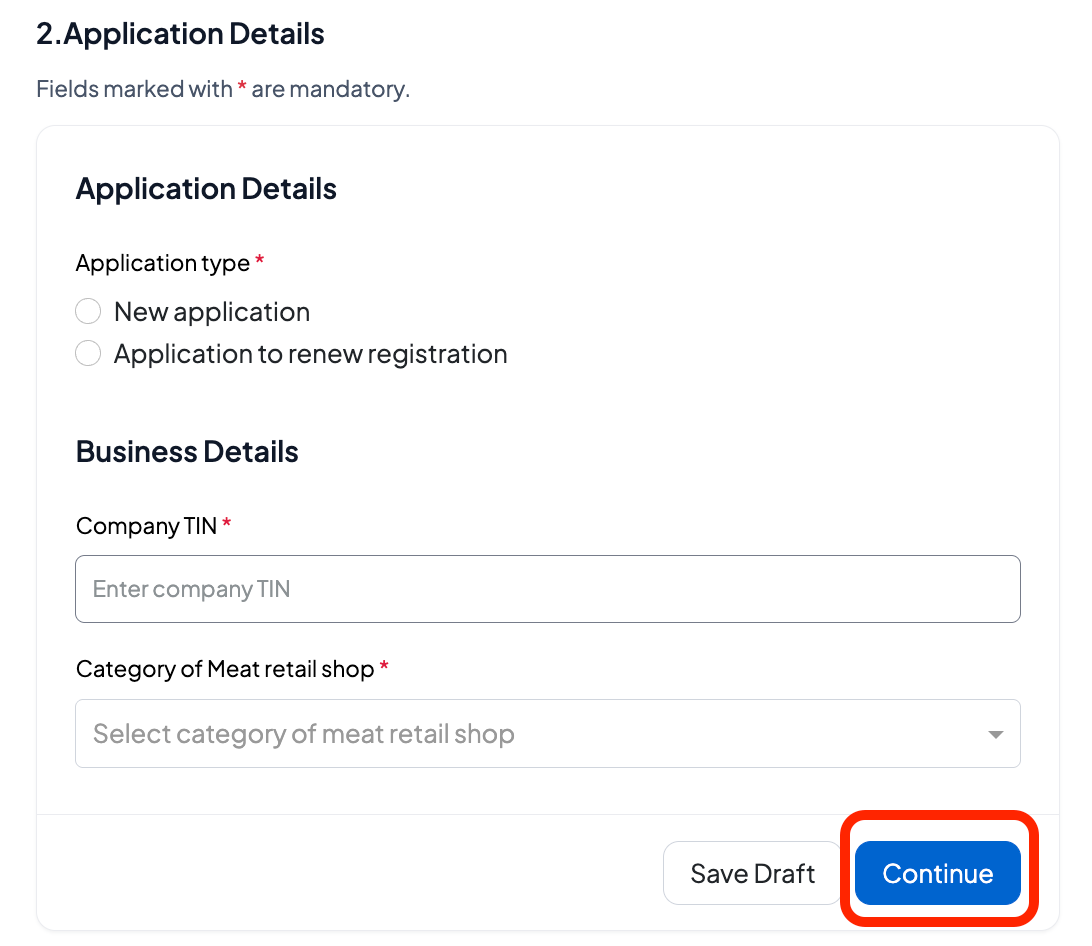
4. Enter application details,if you are renewing the application fill in the previous certificate number as well.
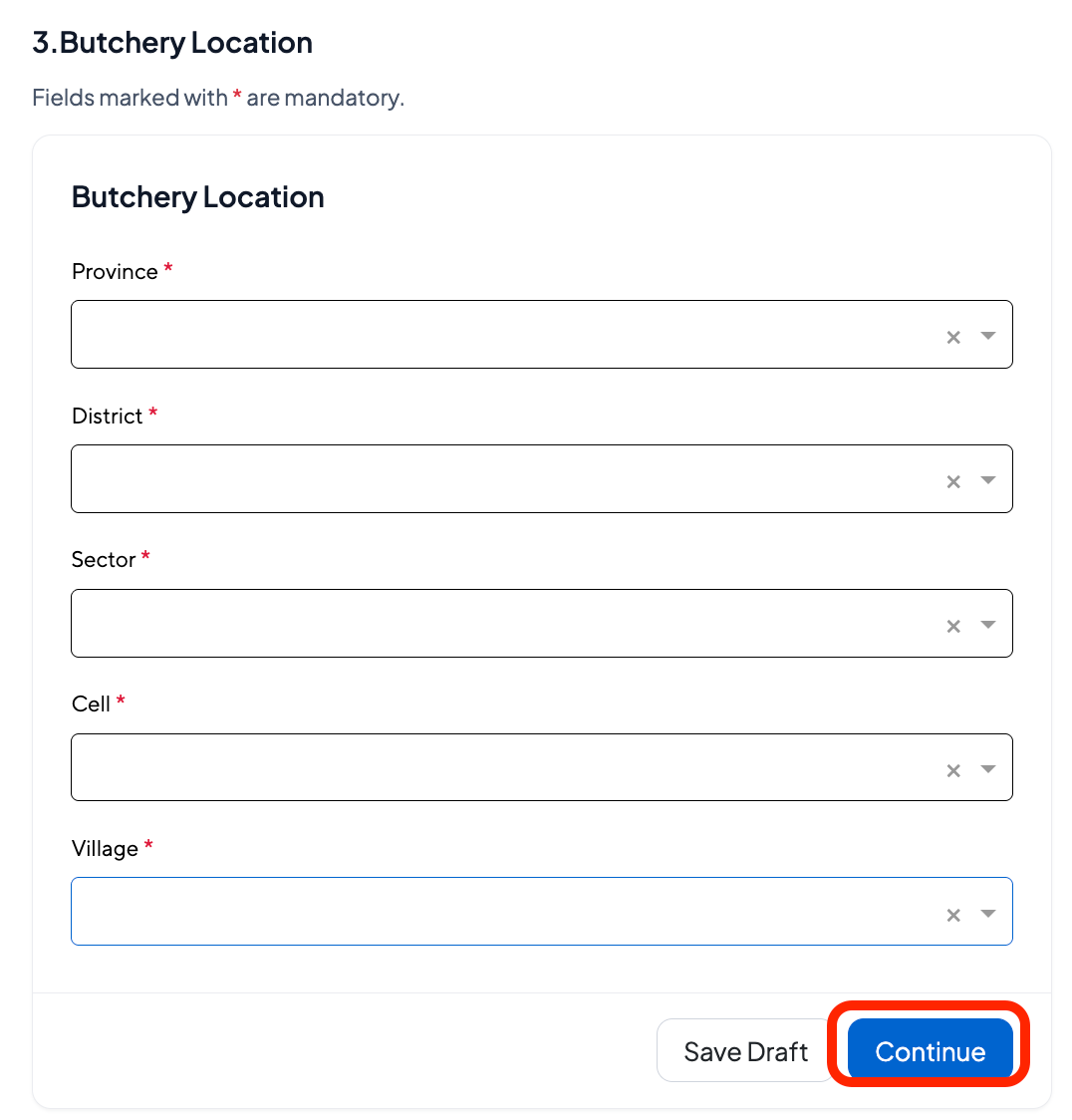
5. Enter the butchery location from province to village.
4. Upload the required attachments in the correct format and click Next.
Note: Double-check that the uploaded files are in PDF format and meet the size requirements.
6. Verify that the information is accurate, enter a phone number and/or email address, check the verification box, and click "Submit."
7. An application number (C2…...) to track your application status.
Note:
Upon successful submission, the application will be processed by RICA. Applicants will receive an email or SMS notification about any changes in the application status.
Once the processing officers approve your application, you will receive your e-certificate via email or can download it on IremboGov platform.
Was this article helpful?
That’s Great!
Thank you for your feedback
Sorry! We couldn't be helpful
Thank you for your feedback
Feedback sent
We appreciate your effort and will try to fix the article