




Are you a school or any other educational institution that needs to import used IT equipment for educational purposes and you don’t know where and how to start?
This is everything you need to know about applying for recommendation for importation of used IT equipment.
A. What is a recommendation for importation of used IT equipment
This service is given to schools and other educational institutions that need to import used IT equipment for educational purposes. This service is provided by the Ministry of Education(MINEDUC).
B. Who is eligible for this service?
All Schools and other educational institutions
C. What You Need to Know and have before You start applying
Here is all you need:
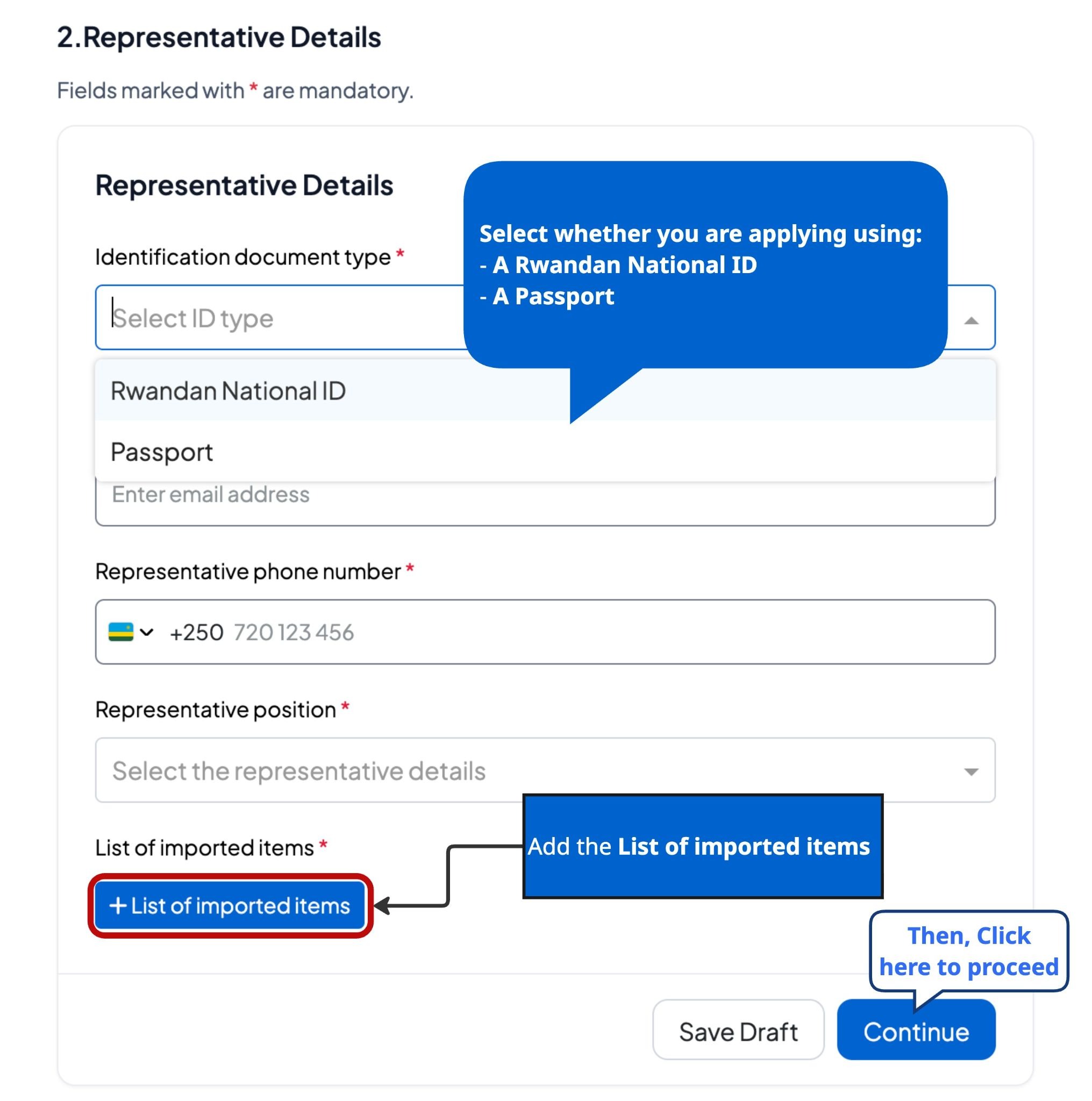
Applicants must have an identification document (national ID for Rwandans or passport for foreigners).
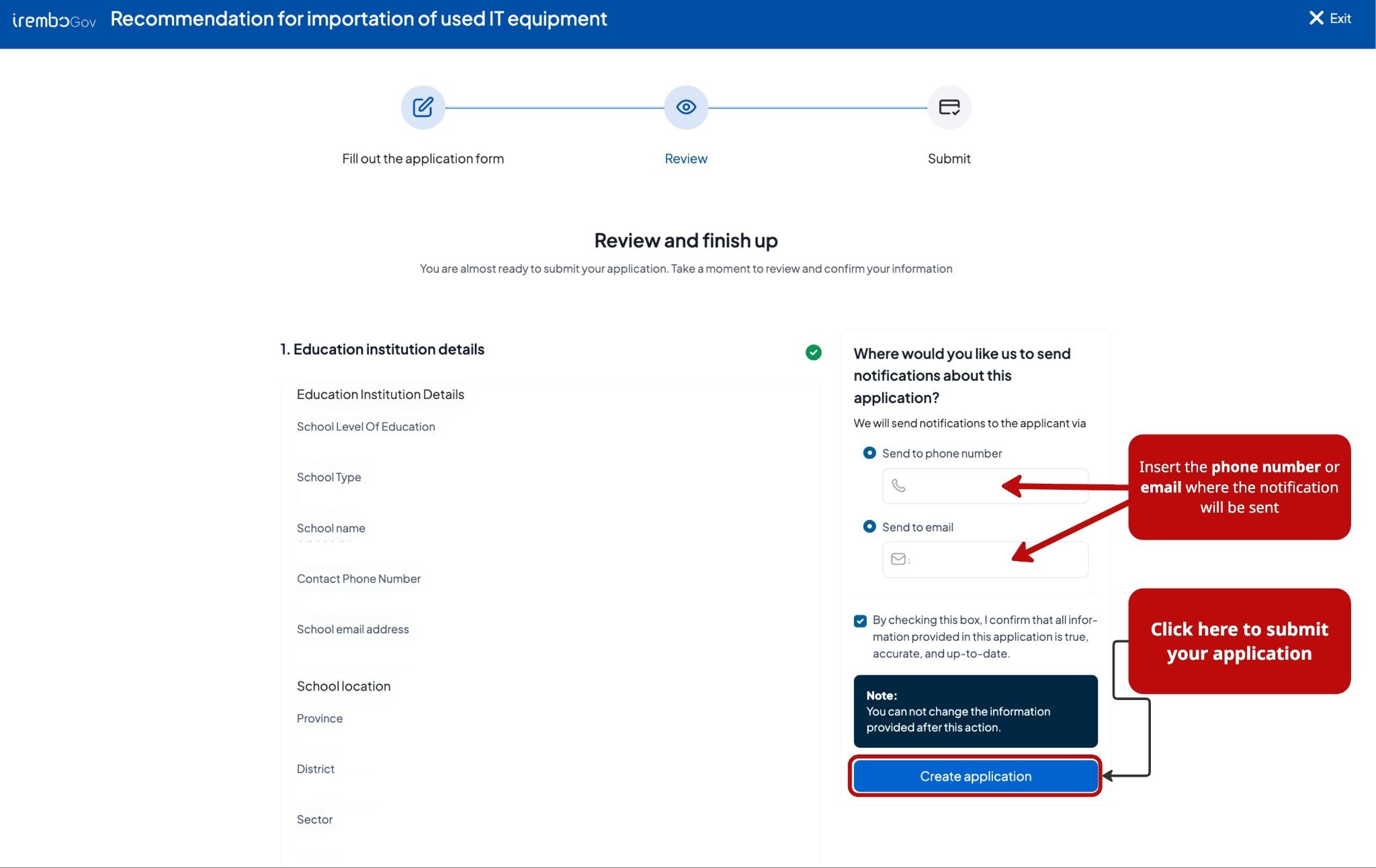
A valid mobile phone number or email (optional) to receive updates and track your application
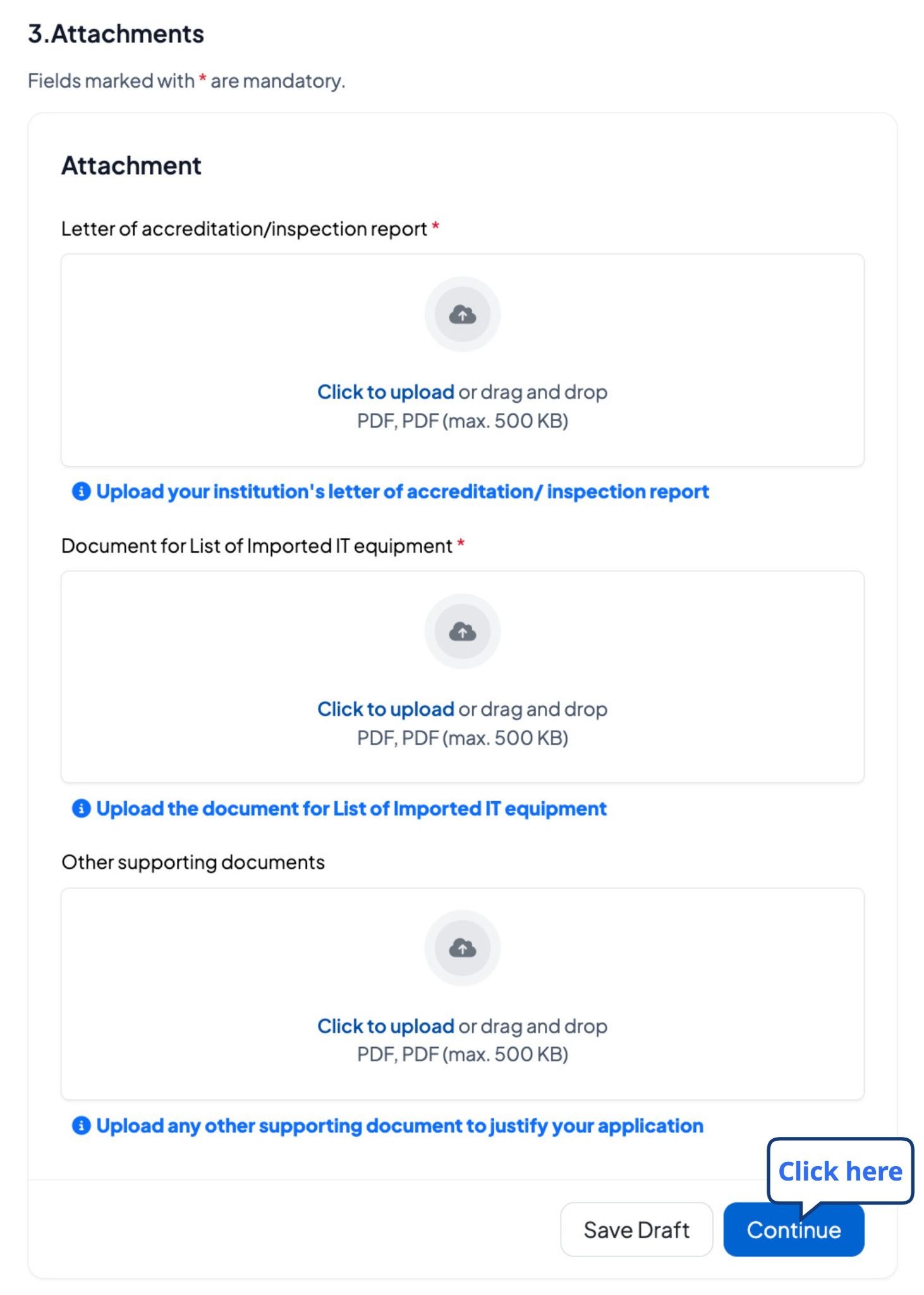
Various attachments below including those required and optional.
Required attachments (3)
1. Document for List of Imported IT Equipment.
Conditional attachments.
1. Letter of Accreditation.
Optional attachments (2)
1. Law of Establishment.
2. Other supporting documents.
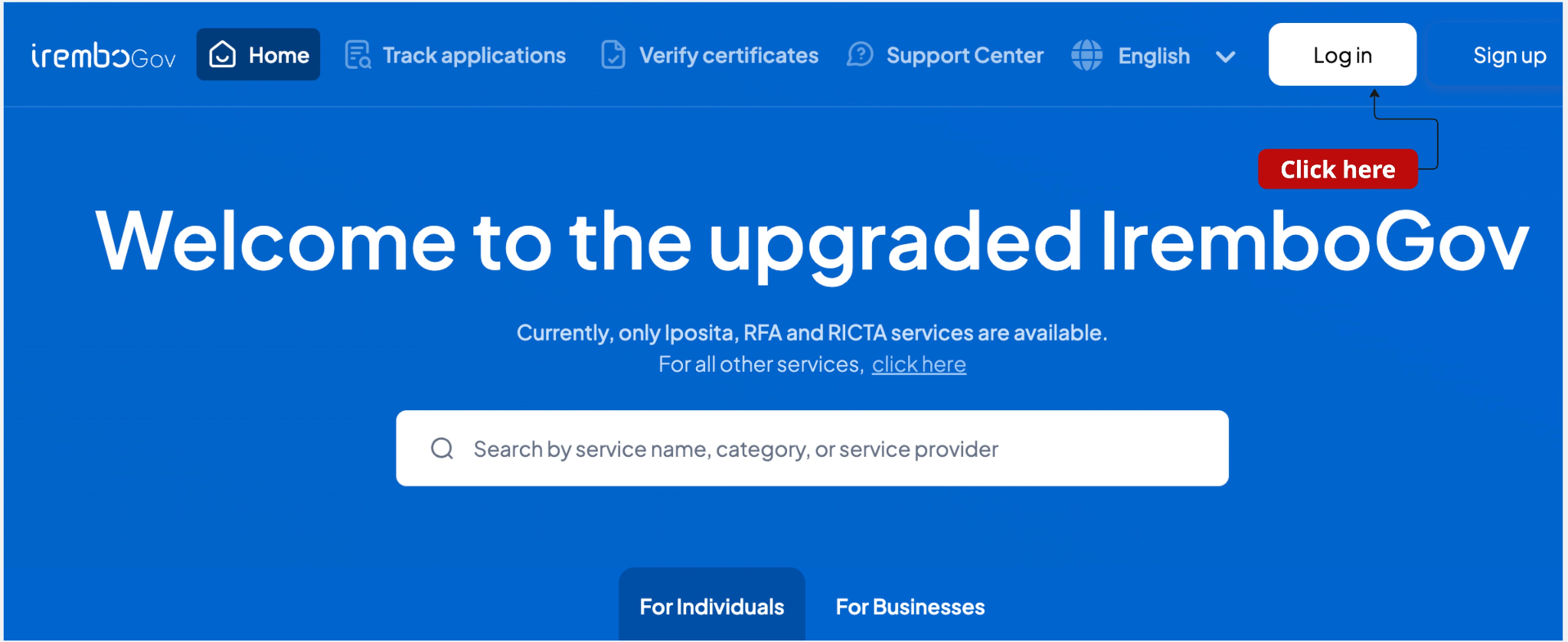
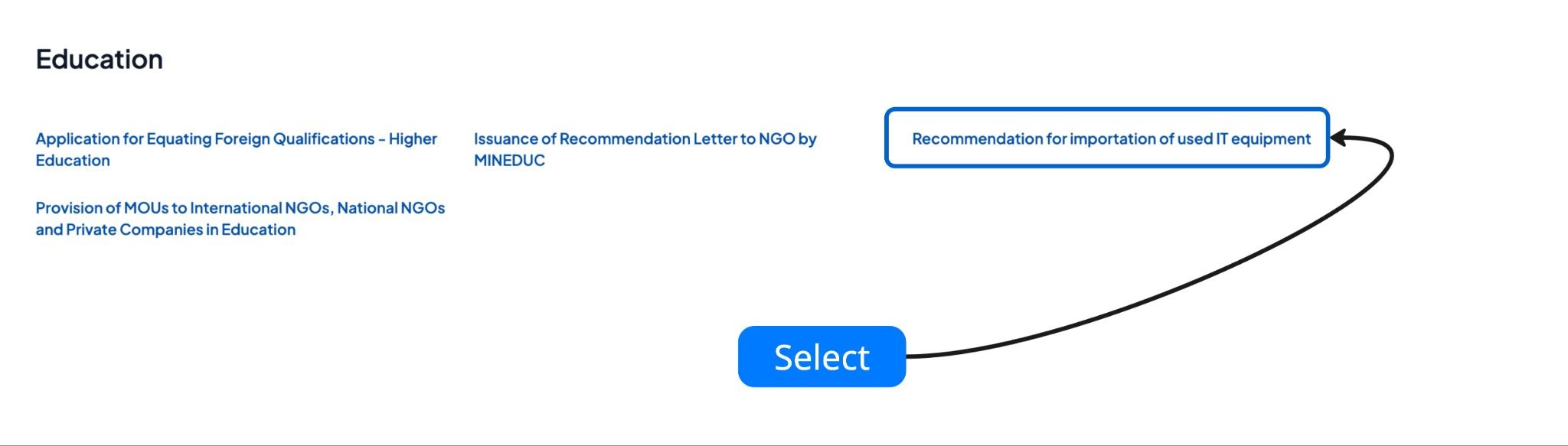
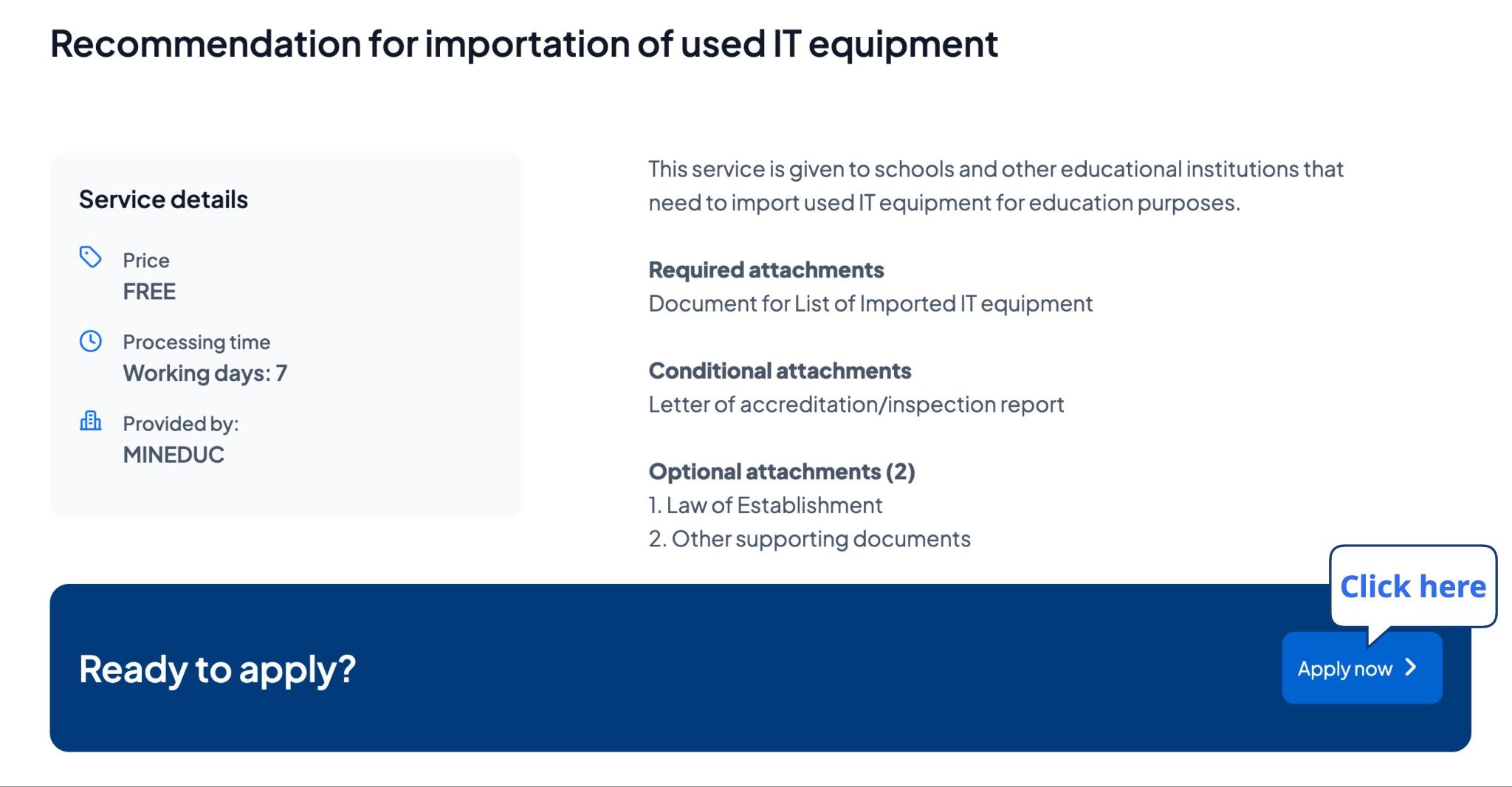
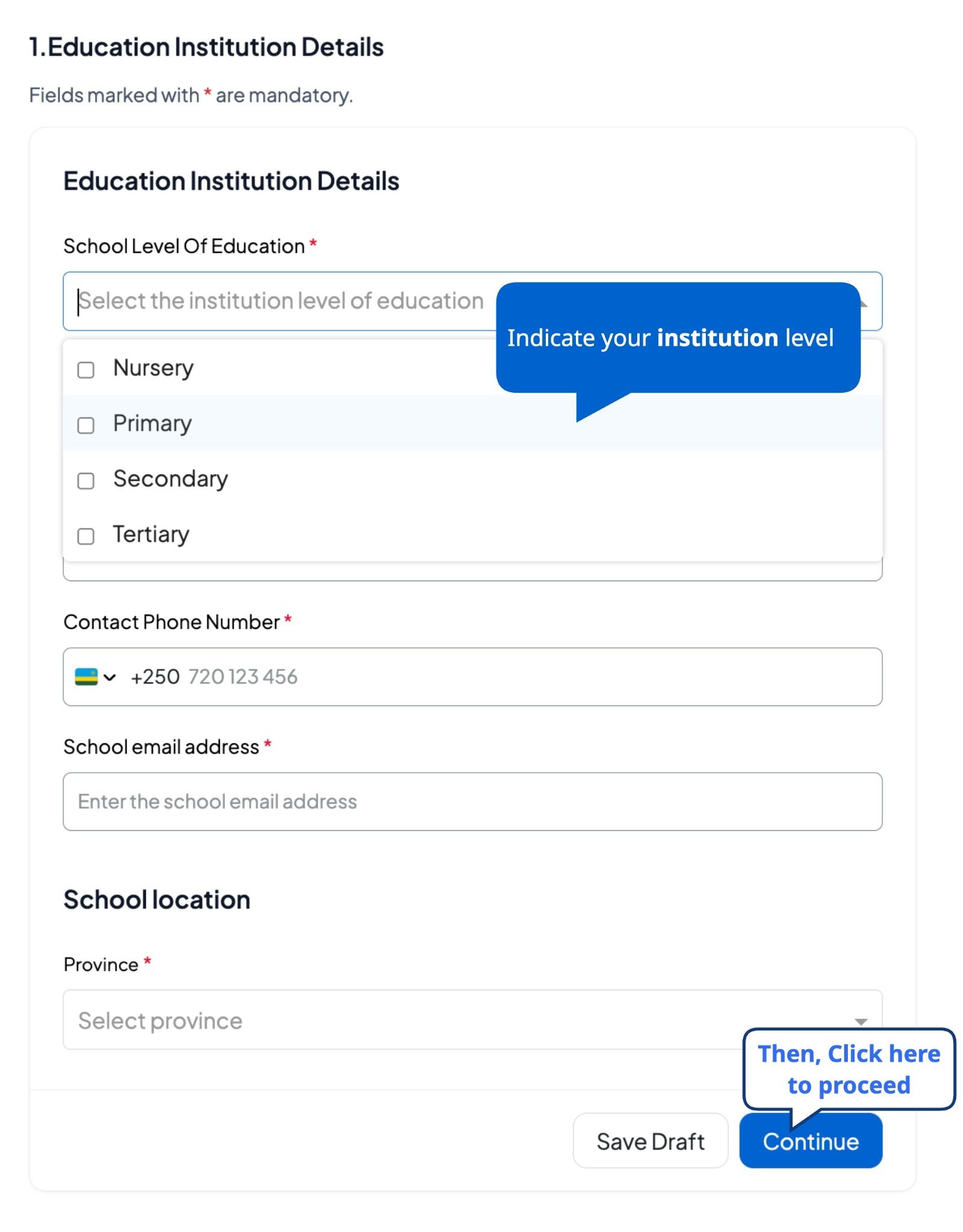
Here is a step-by-step on how you can easily apply for recommendation for importing used IT equipment:
D. What to expect after submitting your request to apply for recommendation for importation of used IT equipment?
After applying, an application number (B2…..) is sent to track your application status.
Upon submission, your application will be processed by the Ministry of Education. When the certificate is available you can download it from the IremboGov platform in the following steps:
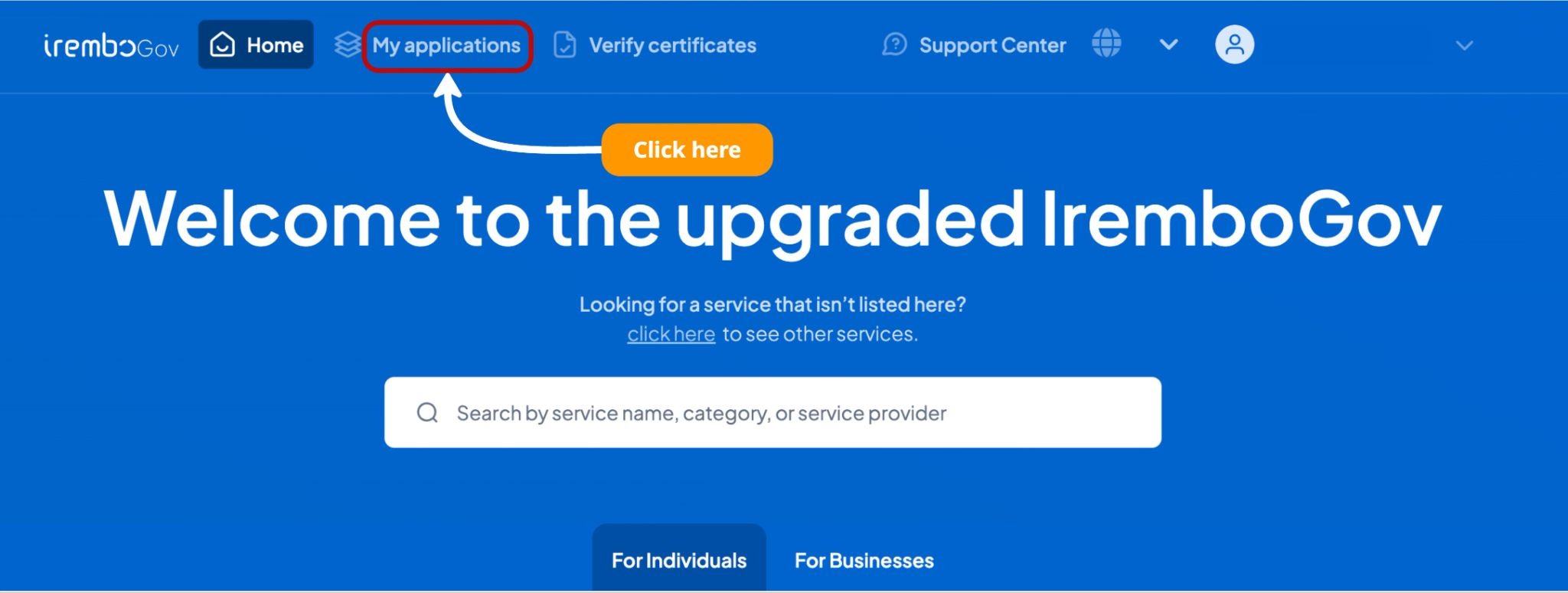
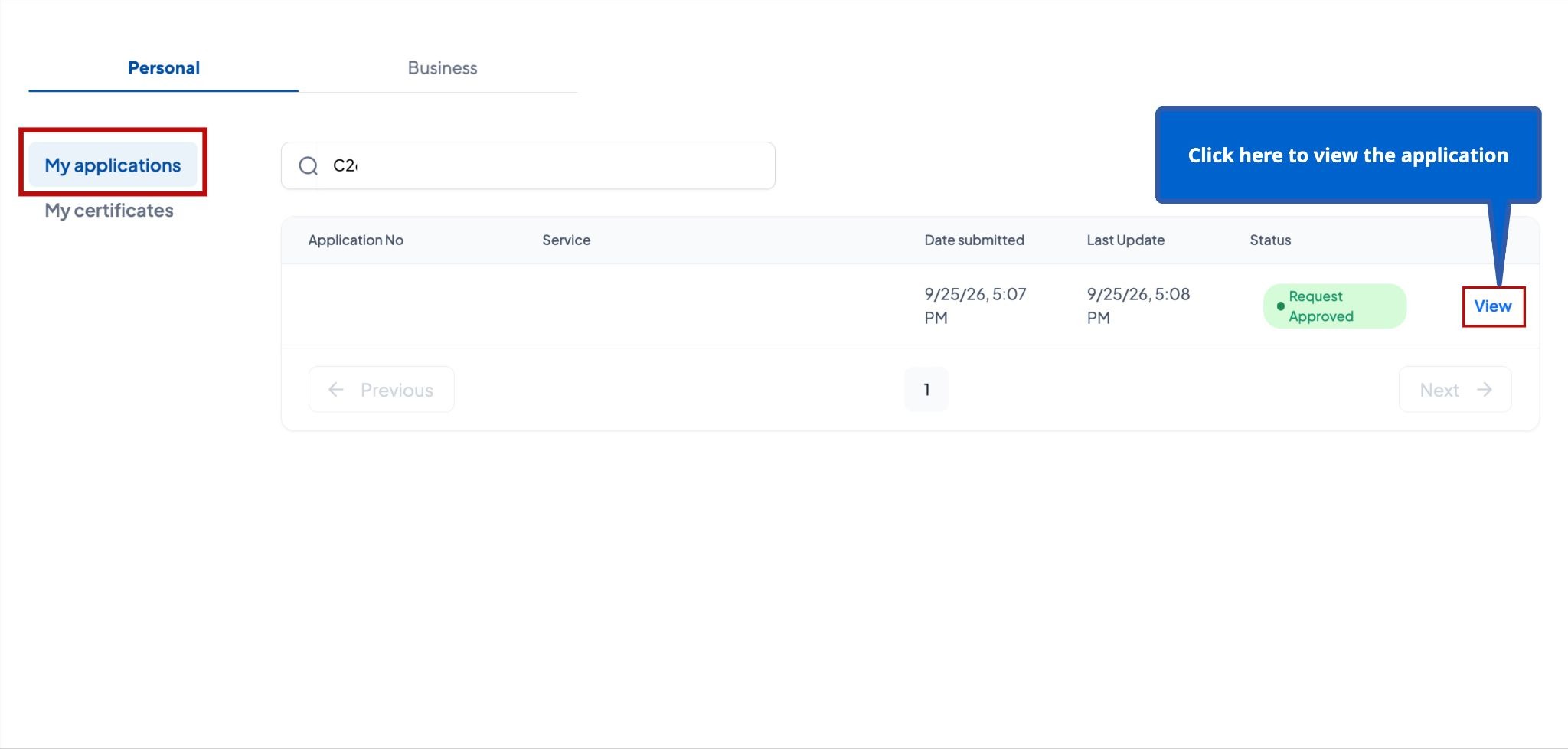
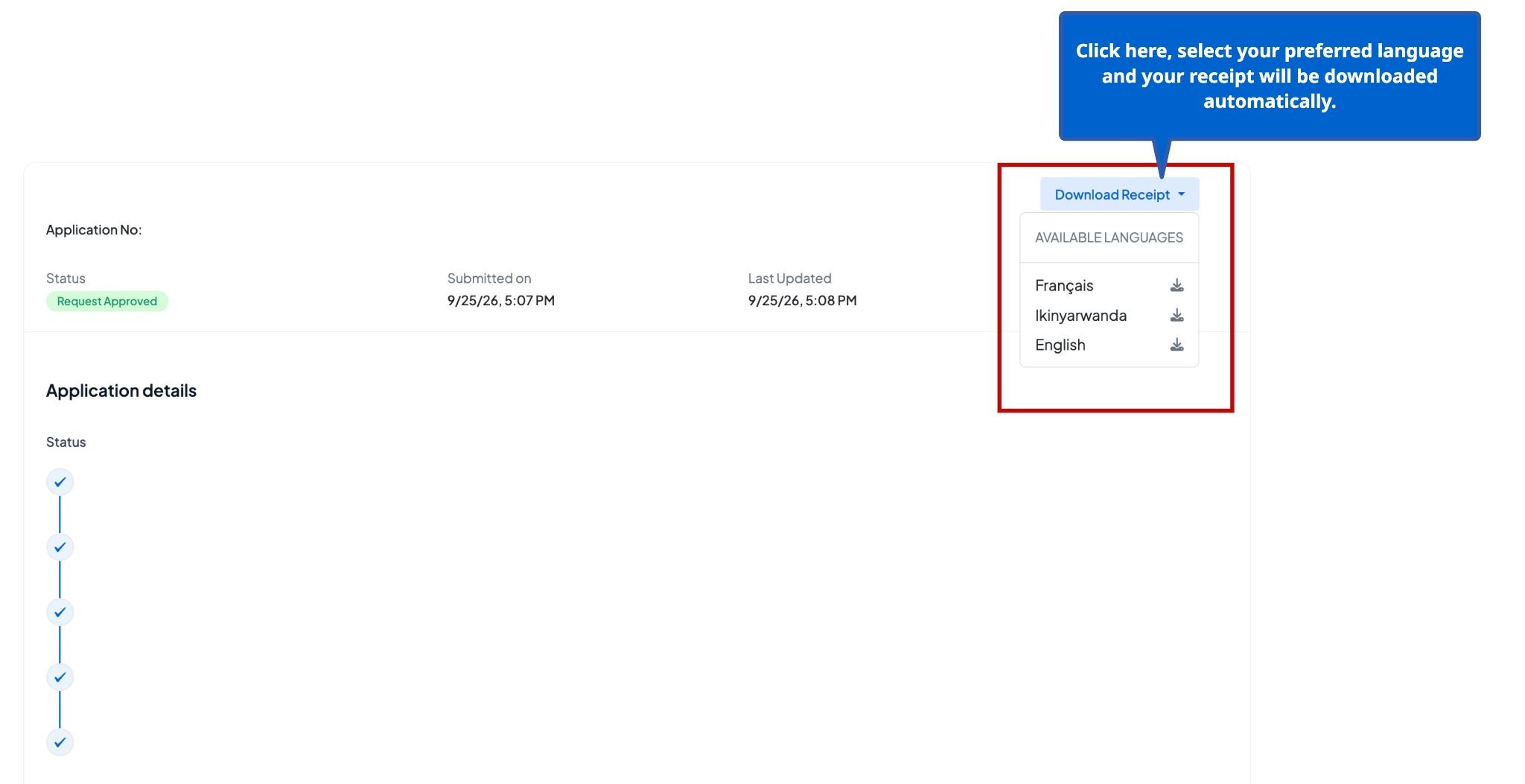
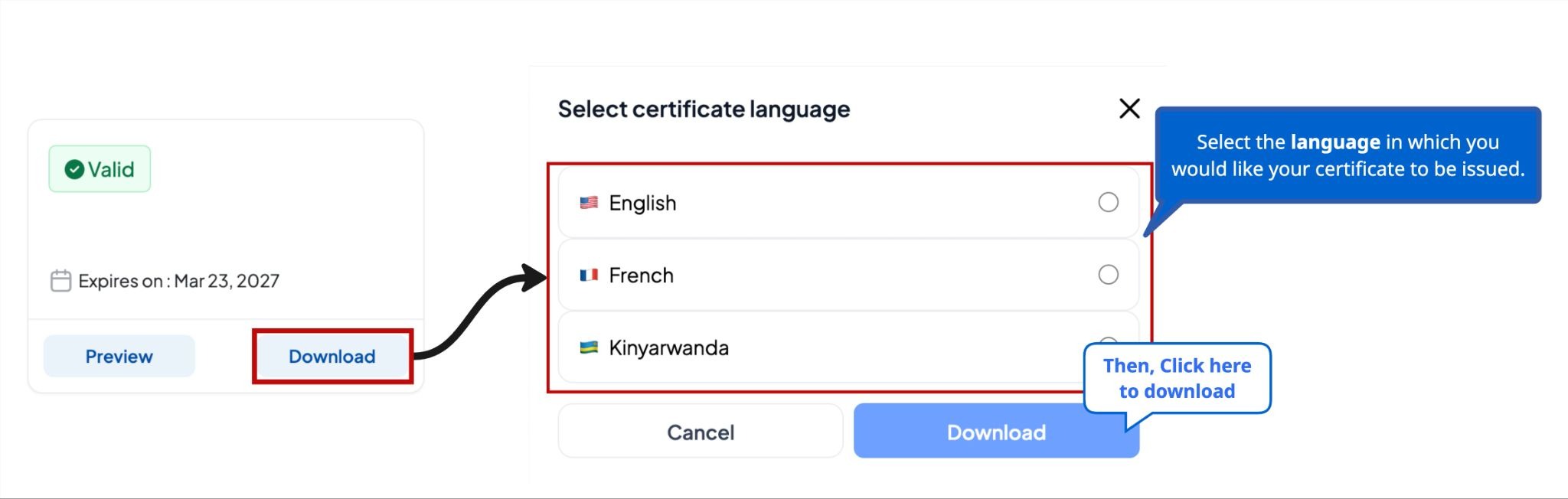
If the applicant also chooses to receive notifications through their email address, the permit will be sent to that address.
Ready to apply? Click here and submit your application instantly.
Was this article helpful?
That’s Great!
Thank you for your feedback
Sorry! We couldn't be helpful
Thank you for your feedback
Feedback sent
We appreciate your effort and will try to fix the article