




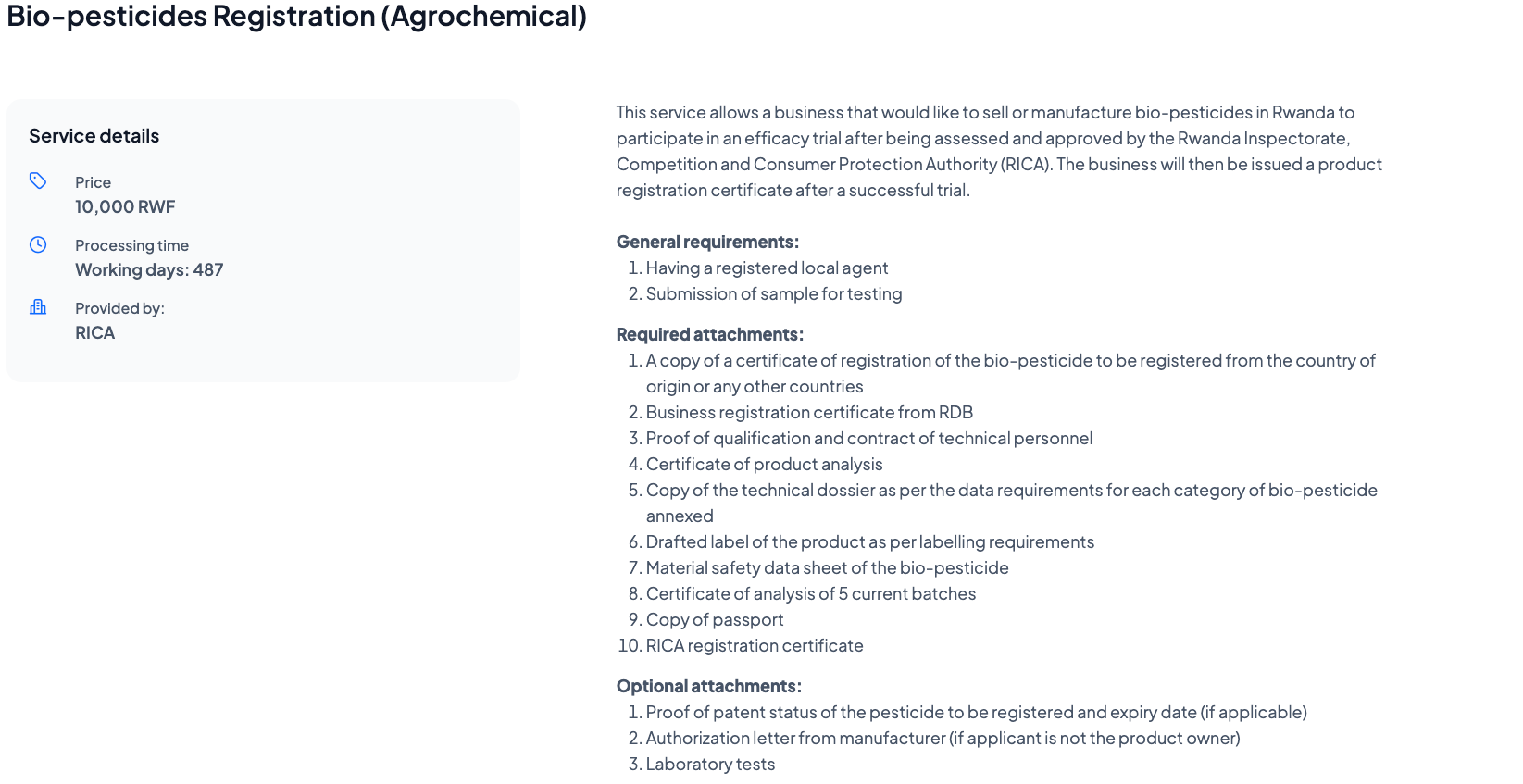
This service allows a business that would like to sell or manufacture fertilizer in Rwanda to participate in an efficacy trial after being assessed and approved by the Rwanda Inspectorate, Competition, and Consumer Protection Authority regulation (RICA). The business can then apply to get a product registration certificate after a successful trial. General requirements: - Having a registered local agent - Submission of sample for testing
The processing time is 420 days, and the service costs 10,000 Rwf
Prerequisites
Applicants must have an Irembo account to apply for this service.
A company or an individual must have a Tax Identification Number (TIN).
Having a registered local agent
Submission of sample for testing
Required attachments (7)
A copy of a certificate of registration of the bio-pesticide to be registered from the country of origin or any other country.
Copy the technical dossier as per the data requirements for each category of bio-pesticide annexed.
Drafted label of the product as per labeling requirements
Material safety data sheet of a bio-pesticide
Certificate of analysis of 5 current batches
Copy of a passport
RICA Registration certificate
Optional attachments (3)
1. Proof of Patent status of the pesticide to be registered and expiry date (if applicable)
2. Authorization letter from the manufacturer (If the applicant is not the product owner)
3. Laboratory tests
Follow these simple steps to apply for Bio-pesticides Registration:
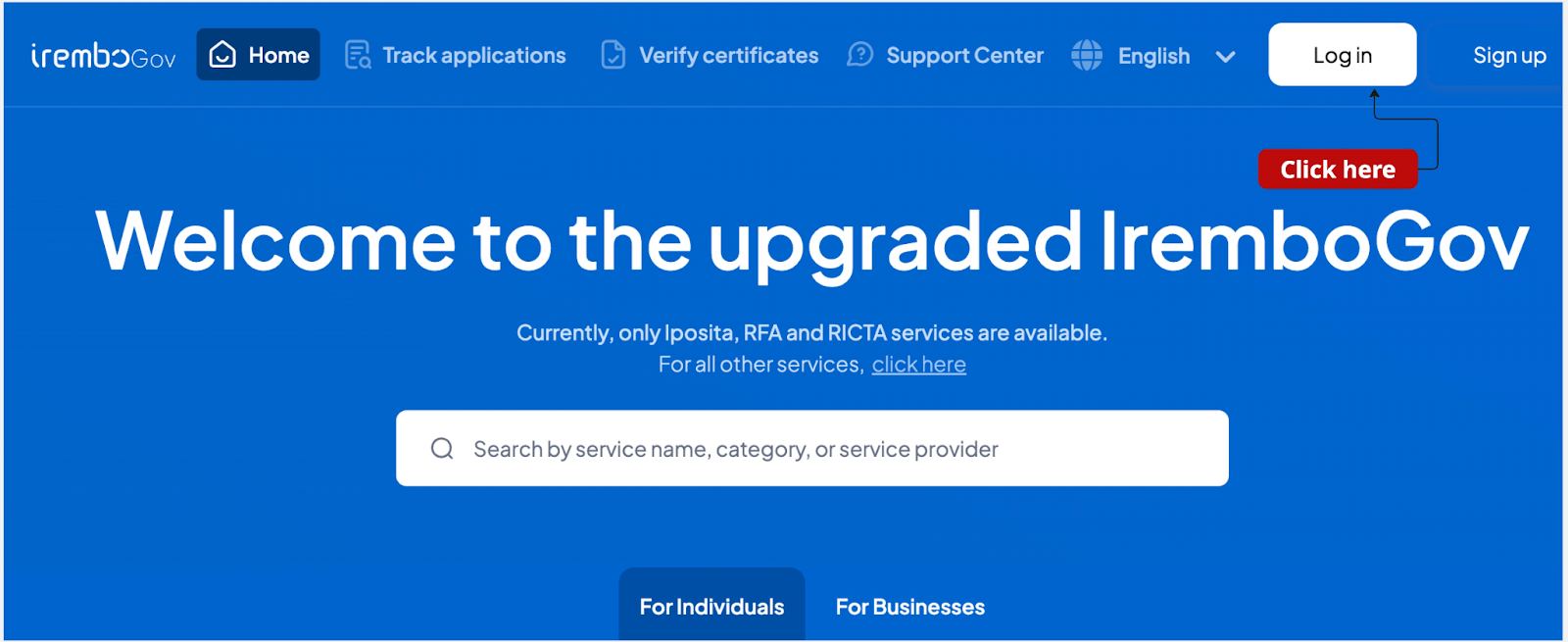
1. Visit the Irembo platform at new.irembo.gov.rw and log in to your account. If you don’t have an account, click here to learn how to create one.
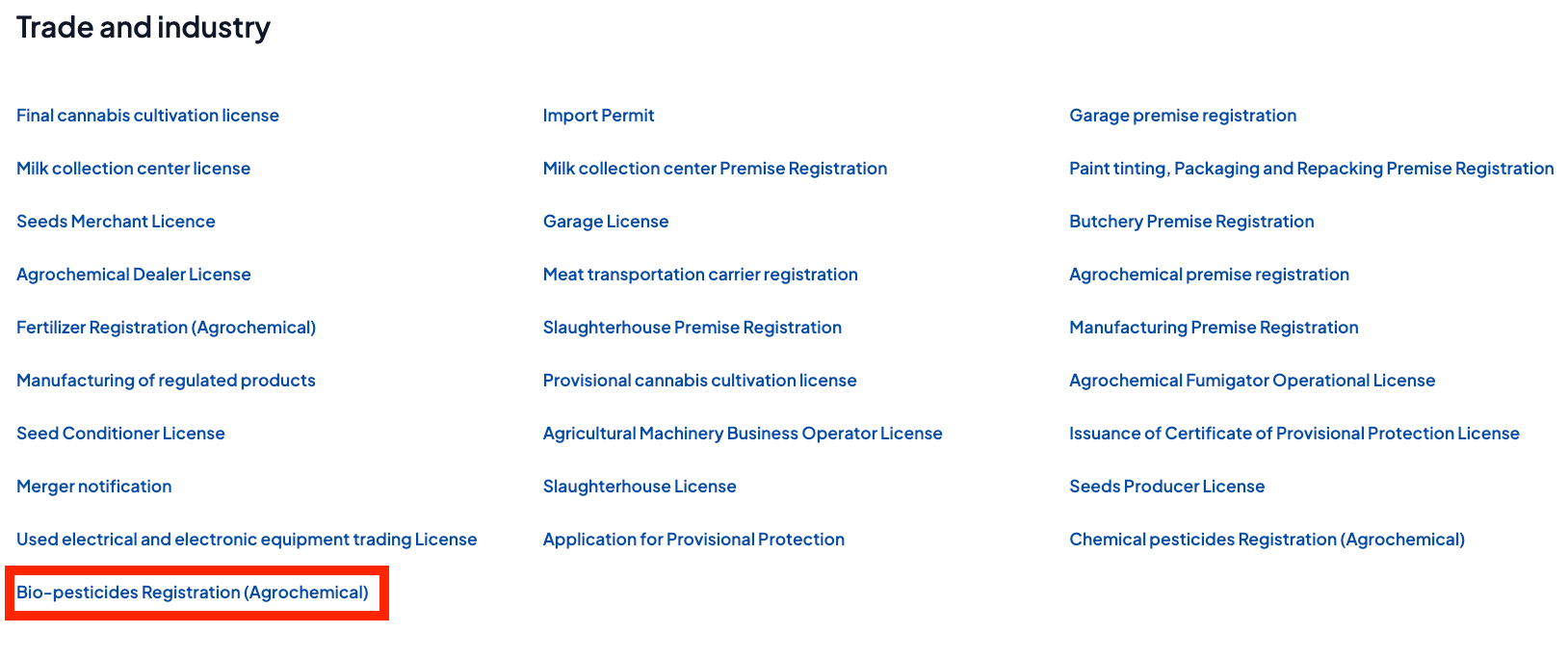
2. Select "Bio-pesticides Registration (Agrochemical)."
3. Click "Apply."

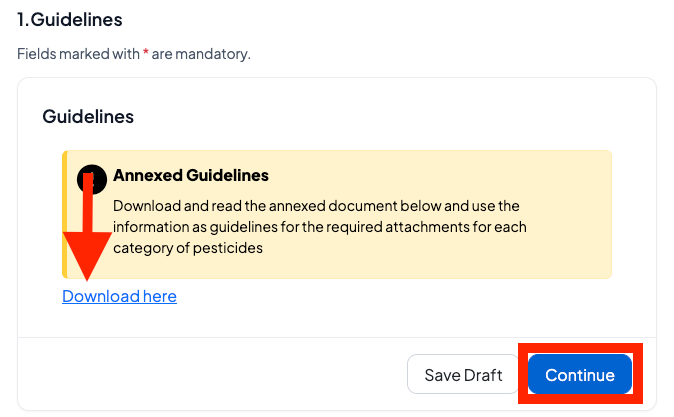
4. Download and read the annexed document below and use the information as guidelines for the required attachments for each category of pesticides.
5. Fill in the applicant's details (select if the applicant is the business owner or legal representative, add the age group, and other required personal information).
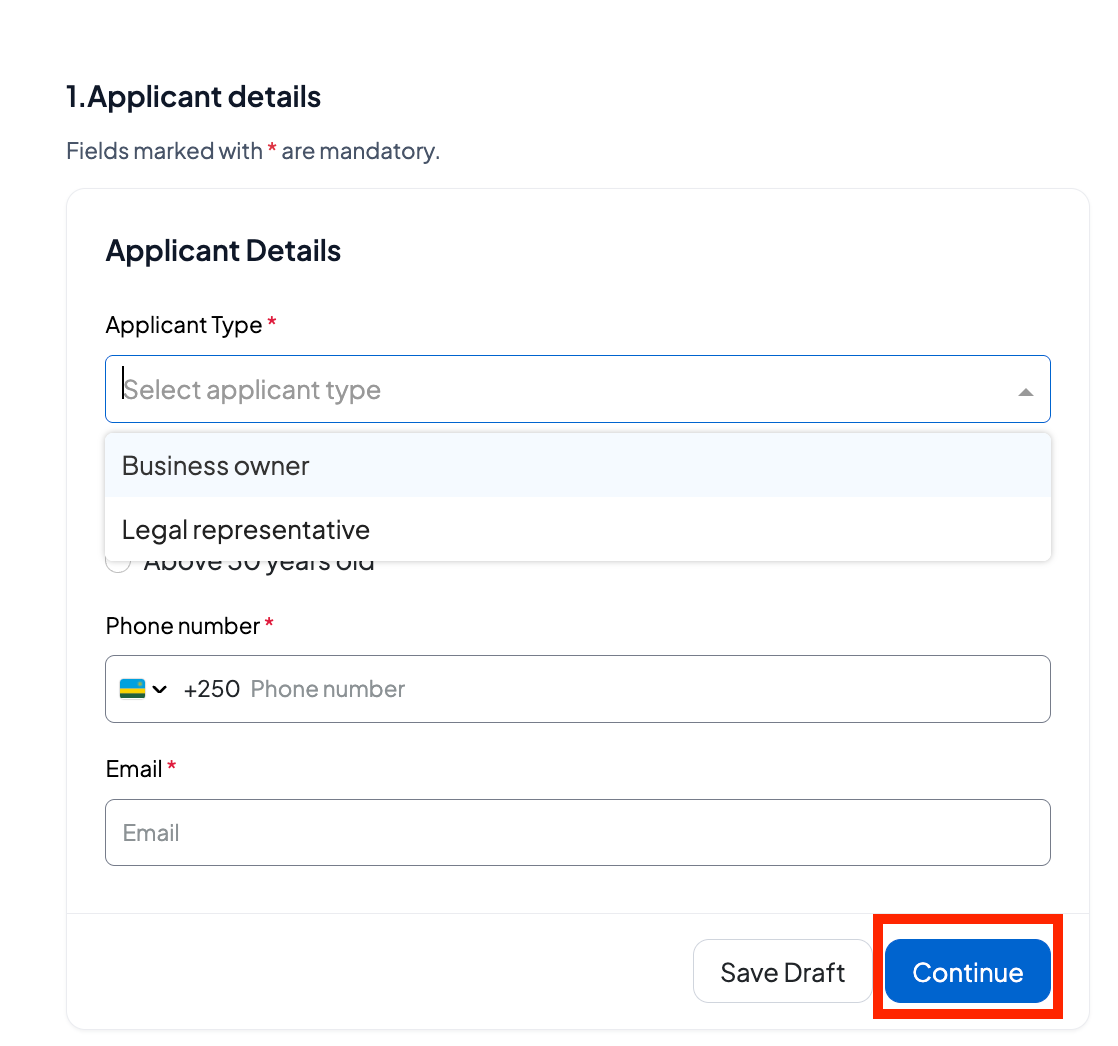
6. Enter the applicant details as prompted.
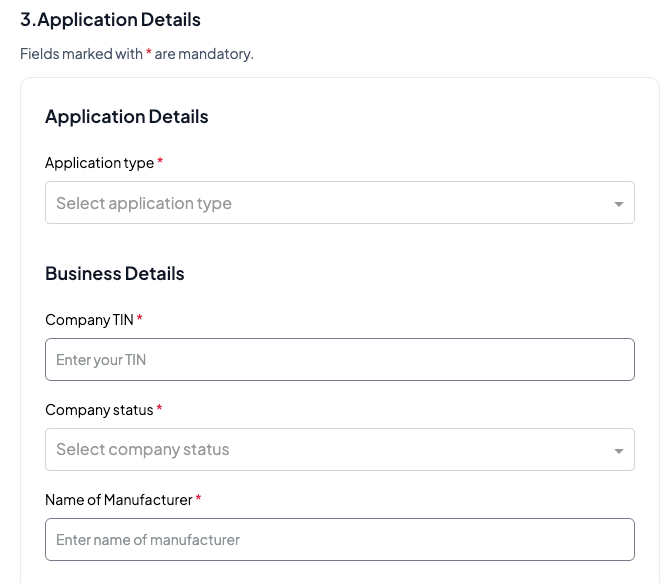
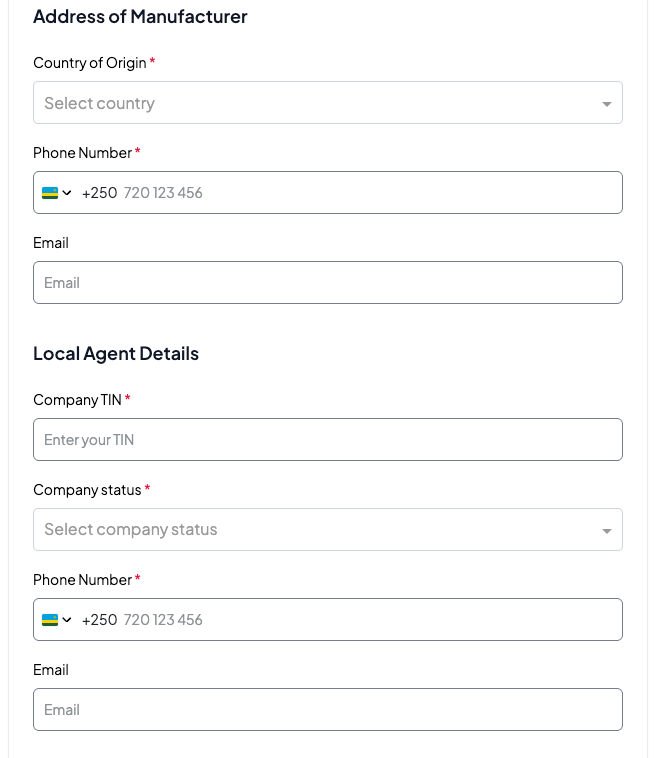
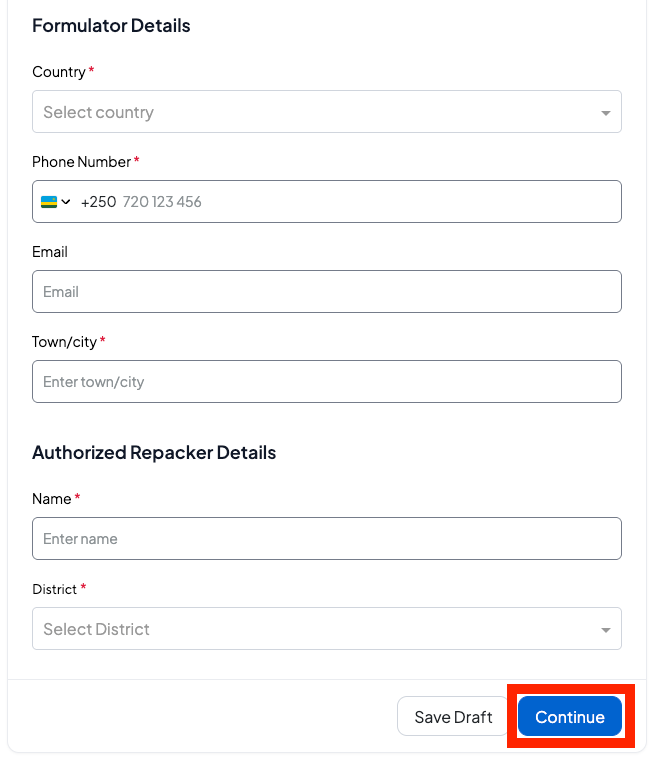
7. Enter the biopesticide details as prompted.
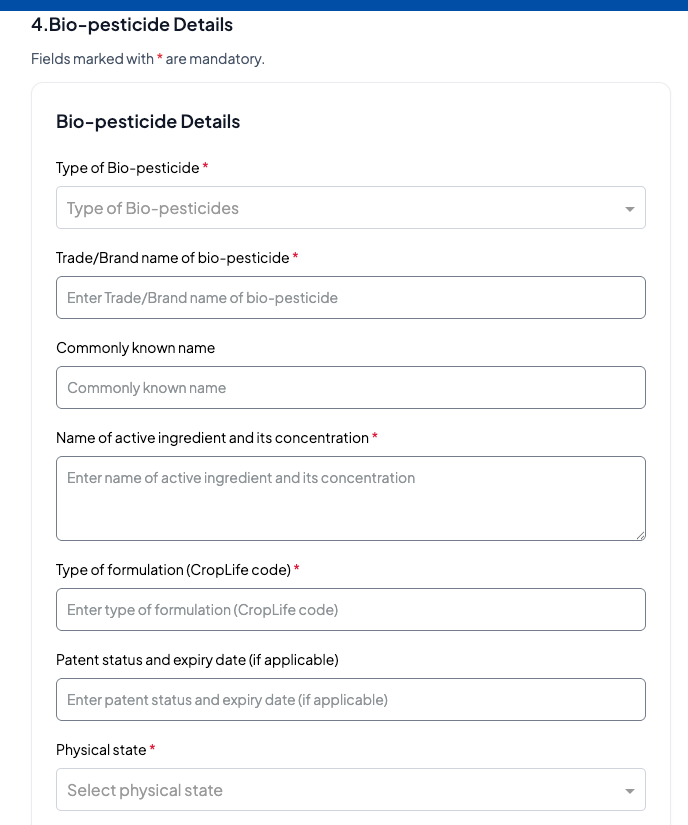
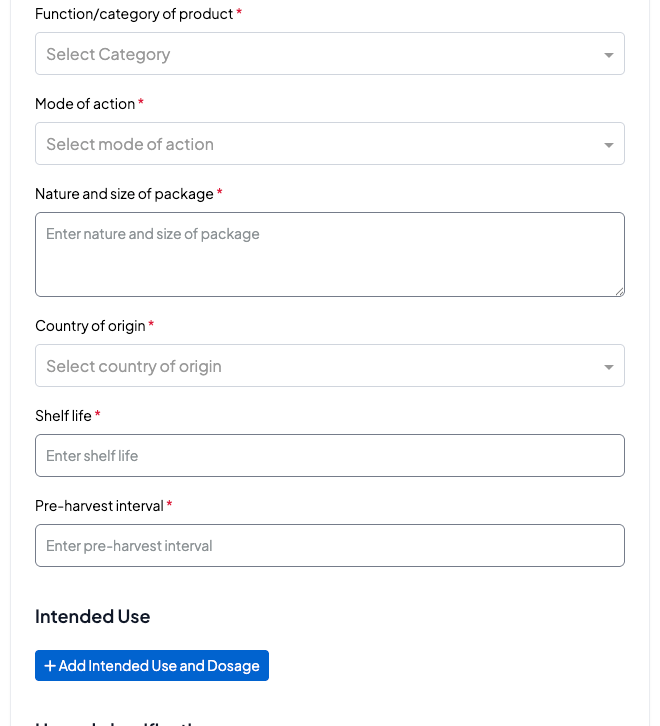

8. Upload the required attachments in the correct format.
Note: Double-check that the uploaded files are in PDF format and meet the size requirements.
9. Verify that the information is accurate, enter a phone number and/or email address, check the verification box, and click "Submit."
10. A billing Number/ID (88…) will be generated for payment, Click Pay
11. Applicants choose the mode of payment. For more information about payment modes, click here.
Note:
Upon successful submission, the application will be processed by RICA. Applicants will receive an email or SMS notification about any changes in the application status.
Once the processing officers approve your application, you will receive your e-certificate via email or can download it on IremboGov platform.
Was this article helpful?
That’s Great!
Thank you for your feedback
Sorry! We couldn't be helpful
Thank you for your feedback
Feedback sent
We appreciate your effort and will try to fix the article