


This service allows individuals or companies to pay for community-based health insurance (Mutuelle) for multiple households at once. This service is provided by Rwanda Social Security Board (RSSB).
Prerequisites:
Applicants must have an account to apply for this service. Click here to find out how to create an account on IremboGov.
A National Identification Number is required when applying as an individual
If you are applying as a company, you must have a TIN
For NGOs, cooperatives, and FBOs, will provide the registered name
A list of all the household heads’ ID numbers.
A valid phone number or email address.
Follow these simple steps to apply for Community Health-Based Insurance (Mutuelle) - Bulk Payment.
Visit new.irembo.gov.rw. Log in to the IremboGov platform.
If you don’t have an account, click here to learn how to create one.
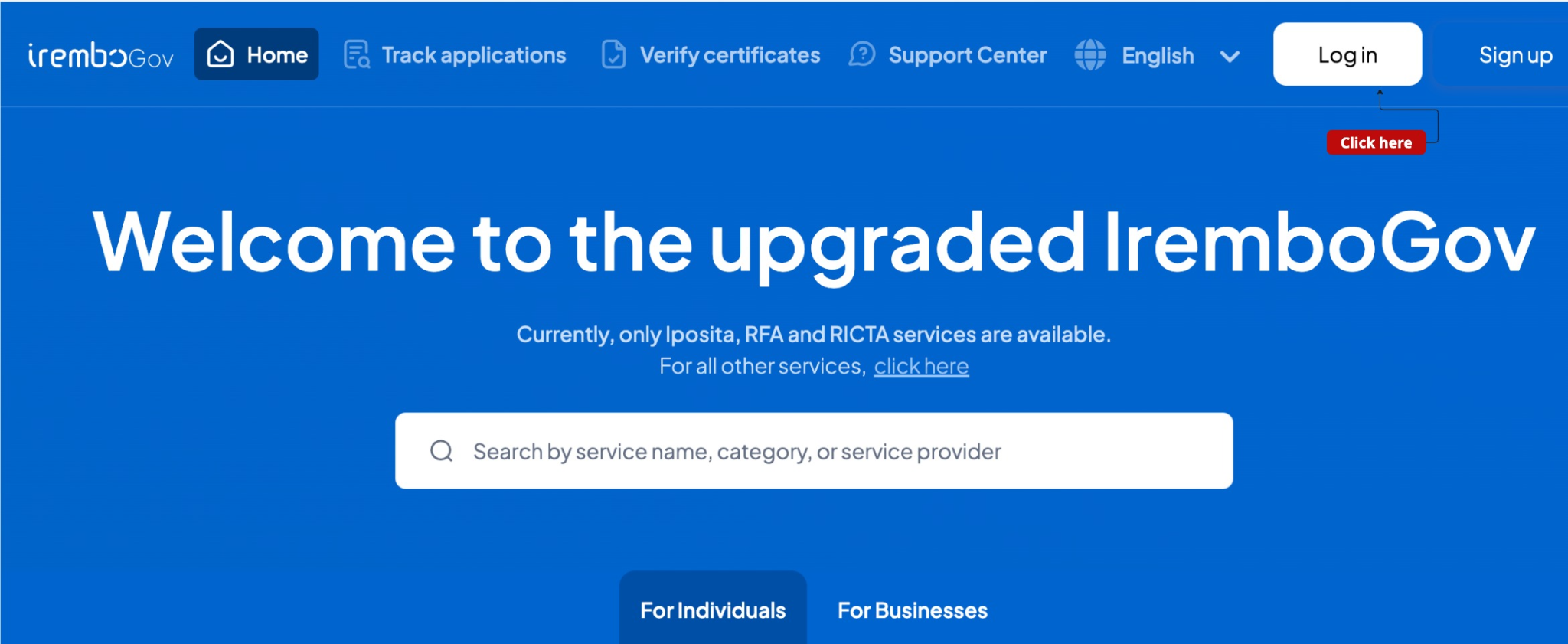
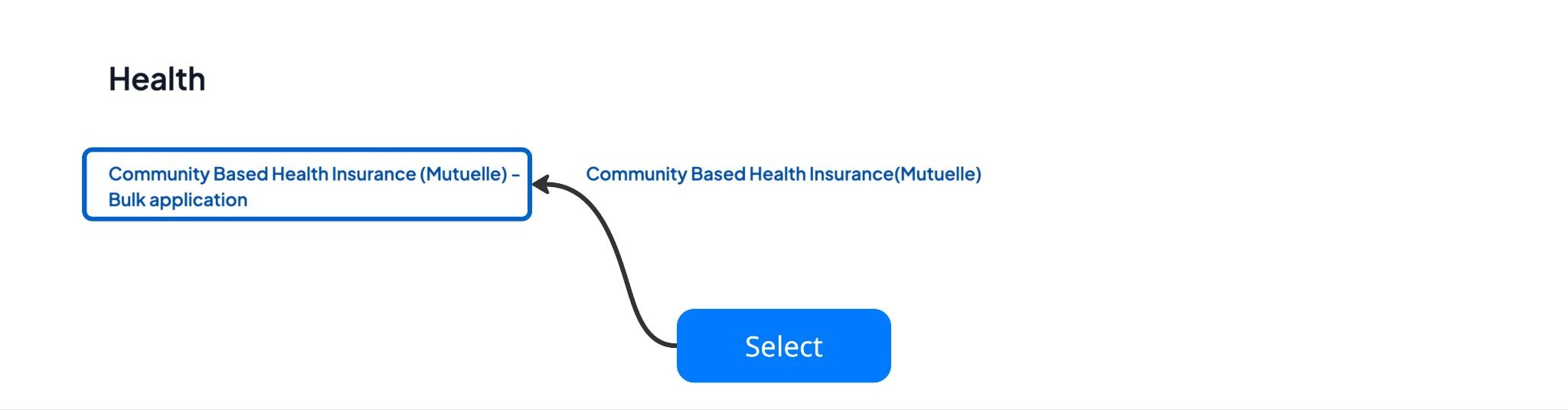
Select “Community Based Health Insurance (Mutuelle) - Bulk Payment” under health category.
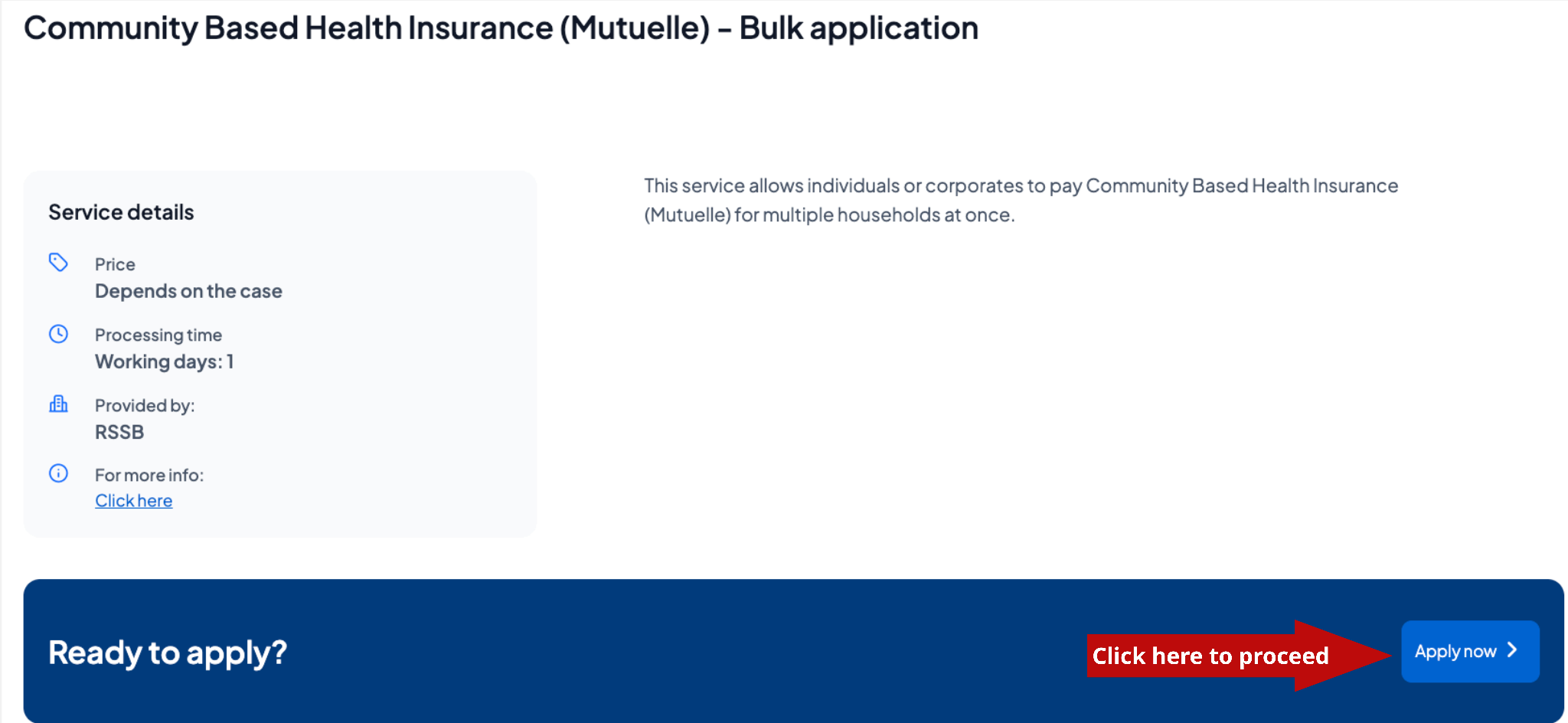
Click Apply.
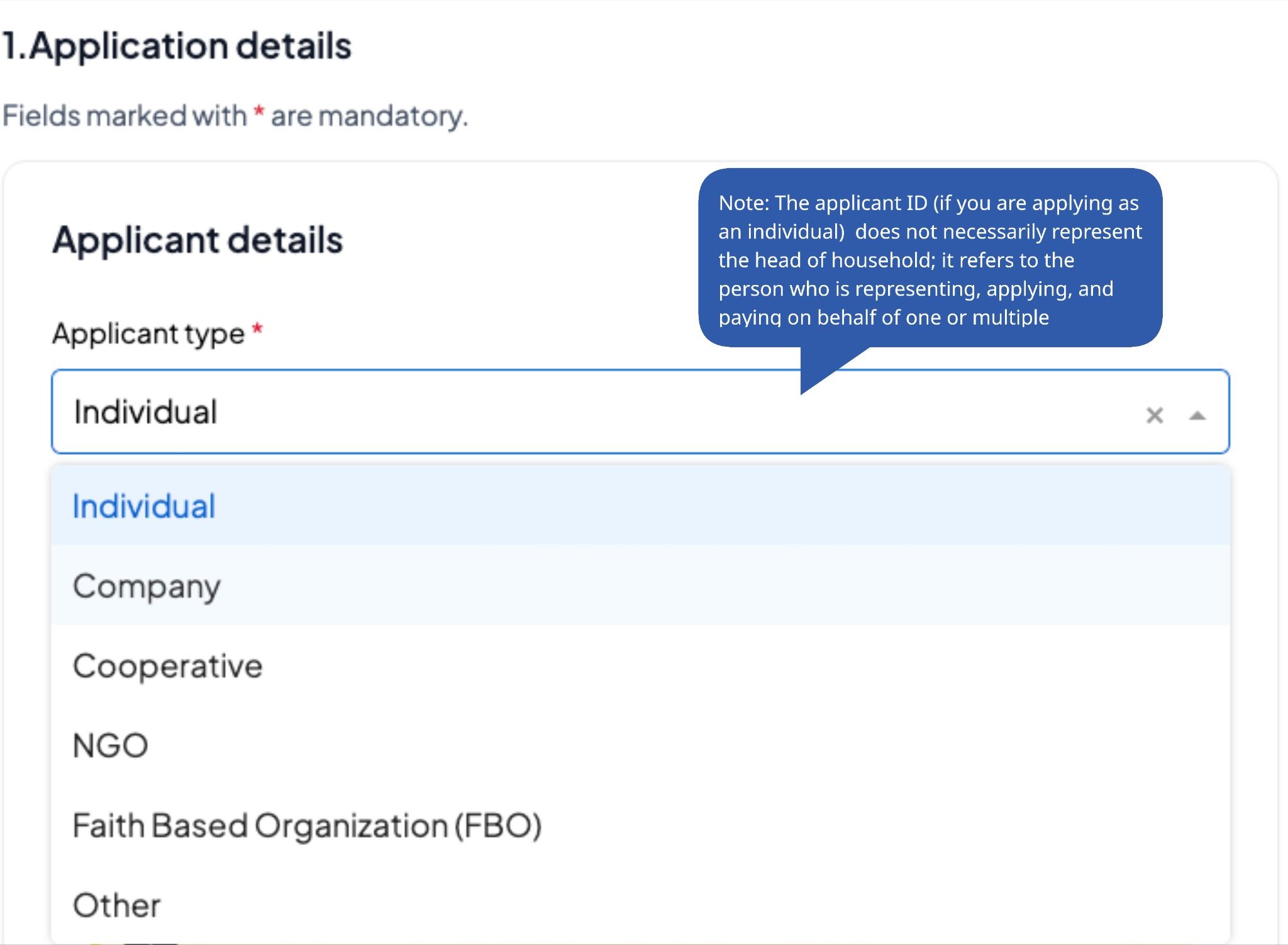
Select whether you are applying as an individual, a company, a cooperative, an NGO, or an FBO.
If applying as a company, enter the company TIN and review the company details for accuracy.
If applying as an individual, enter your national ID number and review your details for accuracy.
Proceed to enter the household details. First and foremost, download the family details document template and fill in the family details (The maximum number of families is 1,000). You will later upload the document as an attachment.
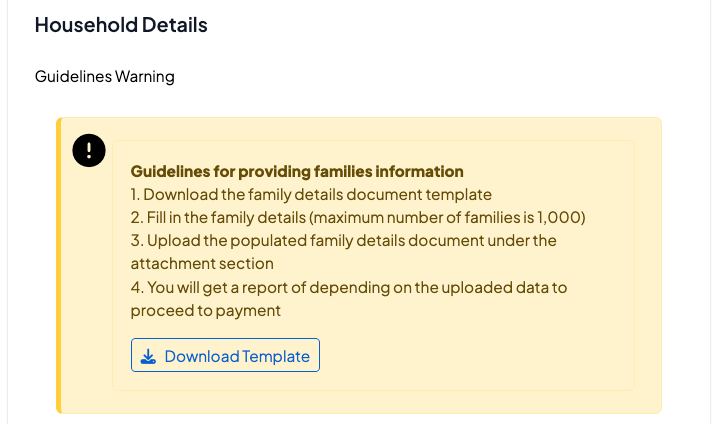
Note:
Make sure you have enough space on your device to download the file template.
Make sure that you have a good internet connection.
Select the Fiscal year and attach the Families details document.
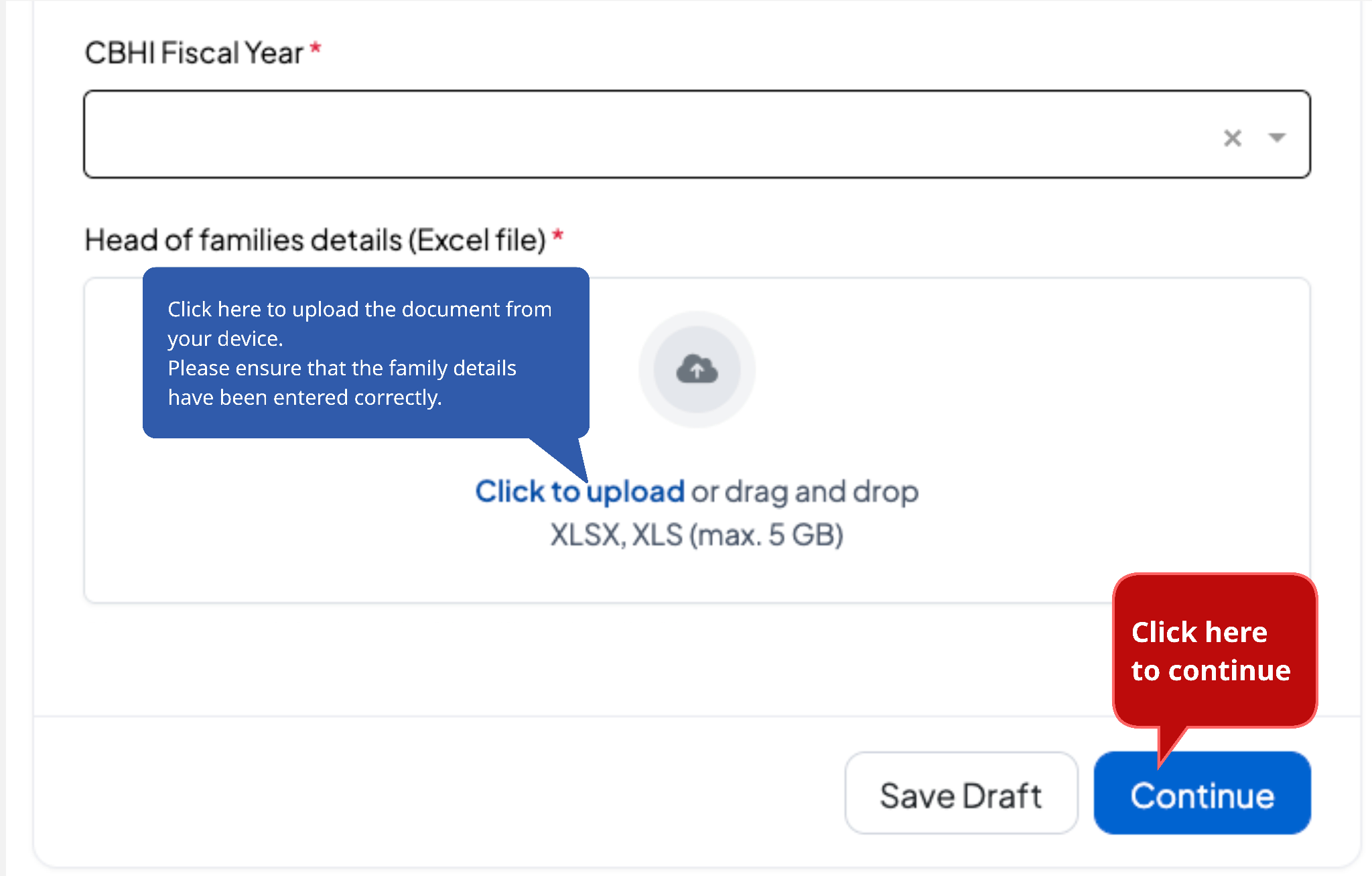
Note:
Any invalid IDs will be removed from the application if you proceed without editing your document.
Verify that the provided information is accurate, enter your phone number or email address, check the verification box, and click "Create application."
What’s next after submitting the application?
Once the system completes ID verification and calculates the total amount, you'll be able to download the report. If valid IDs are found, the “Pay” button will appear, allowing you to proceed with payment. In case no valid IDs are detected, please review the uploaded file.
An application number will be generated for tracking, and further updates will be sent via SMS or email.
Was this article helpful?
That’s Great!
Thank you for your feedback
Sorry! We couldn't be helpful
Thank you for your feedback
Feedback sent
We appreciate your effort and will try to fix the article